


How to Boost Video Engagement on LinkedIn for Professional Services?
For over 15 years in the digital marketing landscape, I've seen countless professional services firms struggle with a common misconception: that LinkedIn is merely a digital resume platform. While it certainly serves that purpose, its true power lies in its capacity for authentic engagement, particularly through video. I've witnessed firsthand how businesses, from legal practices to consulting agencies, often overlook or misuse video, treating it like another channel for bland corporate announcements rather than a dynamic tool for connection and thought leadership.
The problem is palpable: you invest time and resources into creating video content, only to be met with dishearteningly low views, minimal likes, and virtually no comments. This isn't just a blow to morale; it's a missed opportunity to connect with potential clients, establish your expertise, and build a robust professional brand. The unique ecosystem of LinkedIn demands a nuanced approach, far different from the strategies that might work on TikTok or Instagram.
This comprehensive guide isn't just a collection of tips; it's a strategic framework built on years of experience and data-driven insights. You'll learn not only *what* to do but *why* it works specifically for professional services on LinkedIn. We'll dive into actionable strategies, real-world case studies, and expert advice to transform your video content from ignored to indispensable, helping you truly boost video engagement on LinkedIn for professional services.
1. Understanding Your Professional Audience on LinkedIn
Before you even hit record, the most critical step is to deeply understand who you're trying to reach. LinkedIn's audience isn't passive; they're actively seeking solutions, insights, and connections that can advance their careers or businesses. My experience has shown that generic content falls flat because it fails to resonate with their specific professional needs and aspirations.
Demographic & Psychographic Insights: Who Are They?
Unlike other platforms, LinkedIn users are typically: business owners, executives, managers, or highly specialized professionals. They're often short on time, value expertise, and are looking for tangible value. They appreciate content that is:
- Informative: Providing data, trends, or expert opinions.
- Problem-Solving: Addressing specific challenges they face in their industry.
- Actionable: Offering practical advice they can implement.
- Credible: Backed by research, experience, or reputable sources.
- Concise: Respecting their valuable time.
Think about their daily challenges, their career goals, and the questions they're asking themselves. Are they trying to streamline operations, attract new clients, navigate regulatory changes, or upskill their team? Your video content should provide answers and guidance.
"On LinkedIn, value isn't measured in viral shares, but in the depth of professional trust and actionable insight you deliver. Focus on educating, not just entertaining."
By tailoring your message to these specific needs, you're not just creating content; you're building a bridge to a highly engaged and relevant audience. This foundational understanding is key to truly boost video engagement on LinkedIn for professional services.
2. Crafting Compelling Video Content for Professional Services
Once you know your audience, the next step is to create content that speaks directly to them. This isn't about flashy production (though quality matters) but about delivering genuine value. I've seen many firms make the mistake of simply repurposing marketing collateral; LinkedIn video needs a more human, direct approach.
The Problem-Solution-Benefit Framework
This framework is incredibly effective for professional services. Start by clearly articulating a common problem your target audience faces, then introduce your solution (your expertise, service, or insight), and finally, explain the tangible benefits of that solution. This structure naturally draws in viewers looking for answers.
- Identify a Specific Pain Point: What keeps your clients up at night? Be precise.
- Offer a Unique Perspective/Solution: How does your firm address this? Share your expert view.
- Demonstrate the Outcome/Benefit: What positive change will they experience?
- Provide a Clear Call to Value: Encourage engagement, not just sales. Ask a question, invite comments.
Case Study: How Synergy Consulting Boosted Engagement with Problem-Solution Videos
Case Study: How Synergy Consulting Boosted Engagement with Problem-Solution Videos
Synergy Consulting, a boutique HR firm, struggled with low engagement on their LinkedIn videos. Their initial content was generic 'about us' videos. After adopting the Problem-Solution-Benefit framework, they created a series of short videos addressing common HR challenges, such as "Navigating Remote Team Disengagement" or "Decoding New Compliance Regulations." Each video started with the problem, offered 2-3 actionable tips, and ended with a question for discussion. Within three months, their video views increased by 150%, comments by 200%, and they saw a significant uptick in direct messages from prospects seeking their expertise. This demonstrated the power of targeted, value-driven content.
Consider these video formats that resonate well:
- Thought Leadership Pieces: Share your unique insights on industry trends.
- "How-To" Guides: Short, actionable tutorials solving a specific problem.
- Q&A Sessions: Answer common questions from your audience.
- Expert Interviews: Interview colleagues or other industry leaders.
- Case Study Spotlights: Briefly highlight a client success story (with permission).
As marketing guru Seth Godin often says, "People do not buy goods and services. They buy relations, stories, and magic." Your video should tell a compelling story about how you solve problems. For more on building authority, consider insights from Harvard Business Review on Thought Leadership.
3. Optimizing Video Production for LinkedIn's Platform
While content is king, presentation is queen. LinkedIn has specific technical requirements and user behaviors that, when understood and optimized, can significantly boost video engagement. It's not about Hollywood production values, but about professional clarity and accessibility.
Technical Specifications and Best Practices
LinkedIn prioritizes native video uploads. Always upload your video directly to LinkedIn rather than sharing a YouTube link. This ensures better visibility in the feed and full access to LinkedIn's analytics.
- Aspect Ratio: While landscape (16:9) is common, square (1:1) or vertical (9:16) often perform better on mobile devices, where most LinkedIn users consume content. Consider optimizing for square for maximum screen real estate.
- Length: For professional services, shorter is often better. Aim for 1-3 minutes for most content. For deeper thought leadership, 5-10 minutes can work if the value is extremely high, but ensure every second counts.
- Captions/Subtitles: Absolutely essential! A significant portion of LinkedIn users watch videos with the sound off, especially in office environments. Accurate captions ensure your message is received.
- High-Quality Audio: Poor audio is a deal-breaker. Invest in a good microphone; it makes a bigger difference than an expensive camera.
- Clear Visuals: Ensure good lighting and a professional background. You don't need a studio, but avoid distracting clutter.
"Native video on LinkedIn isn't just a preference; it's a performance imperative. It dramatically increases reach and provides crucial analytics for optimization."
Remember, the goal is clarity and professionalism. A well-lit, clearly audible, captioned video of a person speaking directly to the camera often outperforms an overly produced, uncaptioned corporate video. This attention to detail is crucial to boost video engagement on LinkedIn for professional services.
4. Strategic Distribution & Promotion
Creating great content is only half the battle; getting it seen by the right people is the other. LinkedIn offers powerful tools for distribution that, when used strategically, can significantly amplify your video's reach and engagement. I've observed many firms simply post and pray; a proactive approach is far more effective.
Leveraging LinkedIn Features for Maximum Reach
Don't rely solely on the algorithm. Actively promote your video to your network and beyond.
- Compelling Text Post: Write an engaging introduction to your video. Use a hook, summarize what viewers will learn, and include a clear call-to-action (e.g., "Watch now to discover...").
- Strategic Hashtags: Use 3-5 highly relevant hashtags. Mix broad industry terms (e.g., #MarketingStrategy, #LegalTech) with niche-specific ones (e.g., #ESGConsulting, #FinTechCompliance) and perhaps a branded hashtag.
- Tag Relevant Connections & Companies: If you mention a person or company (with their permission), tag them. This expands your reach to their network. Be judicious; avoid spamming.
- Share in Relevant Groups: Post your video (or a link to your LinkedIn post) in LinkedIn Groups where your target audience congregates. Always add a personal note and ensure it adheres to group rules.
- Engage with Comments Promptly: When people comment, respond thoughtfully. This encourages further discussion and signals to the algorithm that your content is valuable.
- Encourage Employee Advocacy: Ask your team to share your video on their personal LinkedIn profiles. Their collective networks can significantly extend your reach.
"Your video's journey doesn't end when you hit 'post.' It begins. Strategic promotion transforms a single upload into a powerful conversation starter across the LinkedIn ecosystem."
Remember, LinkedIn's algorithm favors content that generates engagement. The more likes, comments, and shares your video receives, especially in the first few hours, the more it will be shown to a wider audience. For official guidance, always refer to LinkedIn's own best practices for video.
5. Mastering the Art of Engagement & Interaction
Engagement isn't just a metric; it's a two-way street. For professional services, genuine interaction builds trust and positions you as an accessible expert. It's not enough to simply post; you must actively cultivate conversations around your video content to boost video engagement on LinkedIn for professional services.
Prompting Discussion and Responding Thoughtfully
Your video should never be a monologue. Think of it as the opening statement in a valuable conversation. Here's how to foster that interaction:
- End with a Question: Always conclude your video with an open-ended question that invites comments and discussion. "What are your biggest challenges in X?" or "How has your firm tackled Y?" are great starting points.
- Monitor Comments Actively: Set aside time to check for comments and messages. The quicker and more thoughtfully you respond, the better.
- Provide Value in Responses: Don't just say "Thanks!" Add further insight, ask follow-up questions, or offer additional resources. Show you're genuinely engaged.
- Engage with Other People's Content: Be an active participant in the LinkedIn community. Comment on relevant videos from others in your industry; this increases your visibility and builds goodwill.
- Run Polls or Quizzes: While not strictly video, these can complement your video strategy by gauging audience sentiment and generating ideas for future video content.
"Engagement on LinkedIn is not a passive activity. It's an active commitment to conversation, a willingness to listen as much as you speak, and a dedication to building community around your expertise."
Consider the different types of interaction and their potential impact:
| Interaction Type | Effort Required | Impact on Reach | Impact on Relationship Building |
|---|---|---|---|
| Likes/Reactions | Low | Moderate | Low |
| Comments | Medium | High | High |
| Shares | Medium | Very High | Moderate |
| Direct Messages | High | Low (Private) | Very High |
By prioritizing thoughtful engagement, you're not just boosting numbers; you're cultivating a community of interested professionals, which can directly lead to business opportunities.
6. Analyzing Performance & Iterating for Growth
The beauty of digital marketing lies in its measurability. To truly boost video engagement on LinkedIn for professional services, you must move beyond guesswork and embrace data. My experience has shown that consistent analysis and iteration are what separate successful video strategies from stagnant ones.
Key Metrics to Monitor and What They Tell You
LinkedIn provides robust analytics for your video content. Focus on these key metrics:
- Views: The total number of times your video was played. While a vanity metric, it indicates initial reach.
- View Duration/Completion Rate: This is crucial. How long are people watching? A high completion rate indicates engaging content. LinkedIn’s analytics often show a drop-off graph – pinpoint where viewers lose interest.
- Engagement Rate: The percentage of viewers who liked, commented, or shared. This is a strong indicator of content resonance.
- Click-Through Rate (CTR): If you include a link in your post, this tells you how many viewers clicked it. It measures how effectively your video drives action.
- Audience Demographics: LinkedIn shows you the job titles, industries, and companies of your viewers. This helps you refine your target audience and content.
A/B Testing and Iterative Improvement
Don't be afraid to experiment. A/B test different elements of your video strategy:
- Video Length: Does a 60-second video perform better than a 3-minute one on a specific topic?
- Thumbnail Images: Does a professional headshot or an intriguing graphic get more initial clicks?
- Opening Hooks: Experiment with different first 5-10 seconds to grab attention.
- Call-to-Actions: "Comment below" vs. "Visit our website" – which drives more desired action?
- Posting Times: Analyze when your audience is most active and engaged.
"Data isn't just numbers; it's a narrative of your audience's behavior. Listen to that story, and it will guide you to create content that truly resonates and performs."
By continually analyzing what works (and what doesn't), you can refine your strategy, optimize your content, and ensure your efforts are always moving towards higher engagement. Understanding these metrics is vital for any firm looking to elevate its digital presence. Dive deeper into the power of video analytics with insights from reputable sources like Forbes on Measuring Video Success.
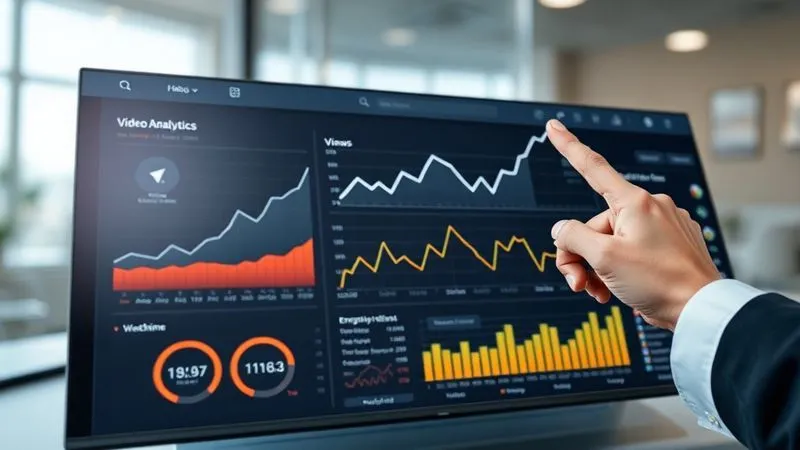
7. Advanced Tactics: LinkedIn Live & Employee Advocacy
Once you've mastered the fundamentals, it's time to explore advanced strategies that can supercharge your video engagement. LinkedIn Live and robust employee advocacy programs are two powerful avenues for professional services firms to stand out and deepen connections.
LinkedIn Live for Real-Time Engagement
LinkedIn Live offers an unparalleled opportunity for real-time interaction and authentic connection. It's like hosting your own professional webinar or talk show directly on the platform.
- Authenticity: Live video is inherently more raw and immediate, fostering a sense of genuine connection.
- Direct Interaction: You can answer questions from your audience in real-time, creating a highly engaging experience.
- Increased Visibility: LinkedIn often prioritizes live content, giving it greater prominence in the feed.
- Repurpose Content: Once your live session is over, you can save and repurpose the recording as on-demand video content.
Topics for LinkedIn Live could include "Ask Me Anything" sessions, live Q&As with industry experts, real-time analysis of breaking industry news, or interactive workshops.
Empowering Employees as Advocates
Your employees are your greatest asset, and their personal LinkedIn networks can collectively dwarf your company page's reach. Empowering them to share your video content is a highly effective, yet often underutilized, strategy.
- Provide Easy-to-Share Content: Make it simple for employees to share your videos by providing pre-written (but customizable) captions and clear instructions.
- Educate on Best Practices: Train employees on how to share content effectively on LinkedIn, emphasizing authenticity over copy-pasting.
- Recognize & Reward: Acknowledge employees who actively participate in sharing and engaging with company content.
- Encourage Personal Branding: Frame it as an opportunity for them to build their own professional brand alongside the company's.
"Authenticity is the currency of connection on LinkedIn. Whether live or through your team, genuine voices resonate far more powerfully than polished corporate pronouncements."
By integrating LinkedIn Live and fostering employee advocacy, you're not just posting videos; you're building a dynamic, interactive ecosystem around your professional services firm. This multi-pronged approach is a sophisticated way to boost video engagement on LinkedIn for professional services.
| Advanced Tactic | Key Benefit | Best Use Cases | Setup Complexity |
|---|---|---|---|
| LinkedIn Live | Real-time interaction, High visibility | Q&A, expert interviews, live analysis | Medium |
| Employee Advocacy | Extended organic reach, Builds trust | Content amplification, brand awareness | Low-Medium |
Frequently Asked Questions (FAQ)
What is the ideal video length for professional services on LinkedIn? While there's no single "ideal" length, my recommendation for professional services is to aim for 1-3 minutes for most content, especially for initial engagement. For more in-depth thought leadership or complex topics, you can extend to 5-10 minutes, but ensure every second delivers high value to justify the longer watch time. Always prioritize concise, impactful messaging over arbitrary length.
Is it necessary to use captions or subtitles for LinkedIn videos? Absolutely, it's non-negotiable. A significant portion of LinkedIn users watch videos with the sound off, particularly in professional settings or while commuting. Captions ensure your message is accessible and understood by everyone, dramatically improving engagement and inclusivity. Investing in accurate captions is one of the easiest ways to boost video engagement on LinkedIn for professional services.
How often should I post videos on LinkedIn to maintain engagement? Consistency is more important than frequency. Instead of aiming for daily posts that might compromise quality, I recommend a strategy of 1-2 high-quality, value-driven videos per week. This allows you to maintain a presence without overwhelming your audience or sacrificing the depth of your content. Monitor your analytics to see what frequency resonates best with your specific audience.
What if my LinkedIn video views are consistently low despite following best practices? Low views despite best practices often indicate a mismatch between your content and your audience's needs, or a lack of strategic promotion. Revisit your audience analysis: are you truly addressing their pain points? Experiment with different video hooks and calls-to-action. Also, intensify your promotion efforts by actively sharing in relevant groups, tagging connections, and encouraging employee advocacy. Don't be afraid to A/B test different approaches and analyze your drop-off rates in LinkedIn analytics to pinpoint where viewers are losing interest.
Can I repurpose content from other platforms for LinkedIn video? Yes, but with caveats. While repurposing can be efficient, direct cross-posting often fails. You must adapt the content specifically for the LinkedIn audience and platform. This means adjusting the tone to be more professional and informative, ensuring the video length is appropriate, and most importantly, adding professional captions. Always upload natively to LinkedIn for best performance and analytics.
Key Takeaways and Final Thoughts
Boosting video engagement on LinkedIn for professional services isn't a magical formula; it's a strategic, iterative process rooted in understanding, value, and authentic interaction. As an experienced industry specialist, I've seen the transformative power of a well-executed video strategy on this platform.
- Know Your Audience Deeply: Tailor content to their professional needs and challenges.
- Create Value-Driven Content: Focus on problem-solution, thought leadership, and actionable insights.
- Optimize for LinkedIn: Prioritize native uploads, captions, and professional clarity.
- Promote Strategically: Leverage hashtags, tags, groups, and employee advocacy.
- Engage Actively: Foster conversations, respond thoughtfully, and build community.
- Analyze and Adapt: Use data to refine your strategy and iterate for continuous improvement.
- Explore Advanced Tactics: Don't shy away from LinkedIn Live and robust employee advocacy programs.
Your expertise is your most valuable asset. LinkedIn video provides an unparalleled stage to showcase that expertise, build trust, and forge meaningful connections that ultimately drive business growth. Embrace these strategies, commit to consistency, and watch your professional services firm transform its digital presence and client acquisition. The opportunity to truly boost video engagement on LinkedIn for professional services is yours to seize.
Recommended Reading
- Unlock Engagement: How to Measure Employee Engagement HR Analytics
- 7 Proven Steps: Overcoming Employee Resistance to Lean Manufacturing Changes
- Unlock True Impact: How to Assess Community Needs for Corporate Programs
- Unlock Growth: 5 Steps to Identify Small Business Bottlenecks
- Unlock Sales Success: How to Build Rapport Quickly in Any Conversation





Comments
Leave a comment below. Your email will not be published. Required fields marked with *