


How to Fix Declining Digital Storefront Conversion Rates Post-Update?
For over 15 years in the dynamic world of e-commerce, I've seen firsthand that growth isn't always a smooth, upward curve. One of the most unnerving and common challenges I've guided businesses through is the sudden, inexplicable drop in conversion rates immediately following a significant digital storefront update. It's a scenario that can send even the most seasoned business owners into a panic, turning what should be a moment of innovation into a revenue crisis.
You've invested considerable resources—time, money, and strategic planning—into enhancing your online presence, perhaps a new design, a platform migration, or a feature-rich upgrade. Yet, instead of the anticipated uplift, your hard-earned traffic converts less, and your sales figures begin to sag. This feeling of a 'leaky bucket' after an update is frustratingly common. Was it the new design? A backend integration glitch? A subtle, unintended change in the user experience? The uncertainty can be paralyzing, and every passing day means lost sales, eroding customer trust, and a growing dent in your profitability.
But here's the crucial insight: this problem, while complex, is absolutely solvable. In this definitive guide, I'll walk you through a systematic, expert-driven framework to not only diagnose the exact causes of your declining digital storefront conversion rates post-update but also implement targeted, data-backed solutions. We'll leverage actionable insights, real-world strategies, and proven methodologies to help you reclaim your conversions and set your digital storefront back on a trajectory of sustainable, profitable growth.
Immediate Triage: Pinpointing the Post-Update Pain Points
When conversion rates plummet post-update, the first step is always rapid, systematic triage. Think of it like an emergency room; you need to quickly identify the most critical issues before they cause irreparable damage. My experience tells me that most post-update conversion drops stem from one of three areas: technical glitches, user experience regressions, or performance degradation.
Technical Audit: The Unseen Saboteurs
Often, the most insidious problems lurk beneath the surface. A seemingly minor code change or integration can break critical functionalities, directly impacting a user's ability to complete a purchase. I've seen countless instances where broken payment gateways, non-submitting forms, or endless loading spinners have silently sabotaged an otherwise perfect customer journey.
"Never underestimate the power of a single broken link or a misconfigured JavaScript. In e-commerce, technical stability isn't just a best practice; it's the bedrock of your revenue."
Here’s your immediate technical checklist:
- Broken Links & 404s: Use tools like Google Search Console or Screaming Frog to identify any new 404 errors, especially for product pages or category links that might have changed URLs during the update. Redirect old URLs to new ones.
- Form Functionality: Test every form on your site – contact forms, newsletter sign-ups, and crucially, your checkout forms. Ensure they submit correctly and provide appropriate feedback to the user.
- Payment Gateway Integrity: Conduct test purchases with different payment methods. Verify that transactions process smoothly and that order confirmations are received.
- Third-Party Integrations: Check if your analytics, CRM, live chat, or review platforms are still correctly integrated and firing events as expected.
- Cross-Browser & Cross-Device Compatibility: Use browser-stacking tools or manual testing across various browsers (Chrome, Firefox, Safari, Edge) and devices (desktop, tablet, mobile) to ensure consistent functionality and display.
For a deeper dive into ensuring your site's technical health, I highly recommend consulting resources like Google's own documentation on technical SEO.
UX/UI Regression: Have You Alienated Your Users?
An update often brings a fresh look or new features, but sometimes, in the pursuit of 'new,' we inadvertently break what was 'familiar' and 'functional.' A conversion rate decline post-update can often be traced back to changes in user experience that create friction, confusion, or simply make the site harder to use. Users develop muscle memory, and even subtle shifts can disrupt their flow.
Consider:
- Navigation Changes: Is your main navigation still intuitive? Have categories been reorganized in a way that makes sense to your users?
- Call-to-Action (CTA) Prominence: Are your 'Add to Cart' or 'Buy Now' buttons still clear, visible, and compelling? Have their colors or positions changed adversely?
- Information Architecture: Is product information, shipping details, or return policies still easy to find? A cluttered layout or hidden essential info can deter buyers.
- Mobile Experience: Did the update inadvertently degrade the mobile user experience? Pinch-to-zoom, tiny text, or overflowing elements on smaller screens are conversion killers.

Performance Metrics: Speed Kills Conversions
In today's fast-paced digital world, patience is a luxury few online shoppers possess. Even minor increases in page load times after an update can have a dramatic impact on your conversion rates. New scripts, larger image files, or complex animations introduced during an update are common culprits.
Case Study: SwiftCart Solutions' Speed Bump
SwiftCart Solutions, a growing online electronics retailer, launched a major platform update designed to enhance visual appeal. Within days, their conversion rate dipped by 10%. A quick audit revealed that new, unoptimized product images and an additional third-party analytics script had increased their average page load time by nearly 2 seconds. By optimizing image compression and asynchronously loading non-critical scripts, they recovered their conversions within two weeks. This demonstrates how crucial performance is to the user experience and ultimately, to the bottom line.
The Data Speaks: Unearthing Insights from Analytics
Once you've addressed the immediate technical and UX red flags, it's time to let your data tell the story. Analytics platforms are your most powerful allies in understanding exactly where and why users are abandoning your digital storefront post-update. Don't just look at overall conversion rates; you need to dig deeper.
Deep Dive into Analytics: Where Do Users Abandon Ship?
Your analytics platform (like Google Analytics 4) holds a treasure trove of behavioral data. Focus on comparing pre-update performance with post-update performance, segmenting your audience to understand nuances:
- Funnel Analysis: Set up or review your e-commerce funnel visualization. Identify the specific steps where drop-off rates have significantly increased post-update. Is it the product page, the cart, or a specific step in the checkout process?
- Segmented Traffic: Analyze conversion rates by traffic source (organic, paid, social, direct), device type (desktop, mobile, tablet), and even new vs. returning users. An update might affect one segment more than others. For instance, a mobile-unfriendly update will hit mobile conversions disproportionately.
- Page-Specific Metrics: Look at bounce rate, exit rate, and average time on page for your most critical pages (homepage, category pages, product pages, checkout steps). Spikes in bounce or exit rates on specific pages can indicate a problem area.
Understanding how to effectively use Google Analytics for funnel visualization is paramount here.
Behavioral Metrics: What Are Users *Actually* Doing?
Beyond traditional metrics, qualitative data from behavioral tools can provide invaluable context:
- Heatmaps: See where users are clicking, scrolling, and hovering. Are they ignoring key elements or trying to click on non-clickable areas?
- Session Recordings: Watch anonymized recordings of user sessions. Observe their frustrations, confusion, and points of abandonment. This is like looking over their shoulder.
- Form Analytics: If you have forms, analyze field-level performance. Which fields are causing drop-offs? Are there new validation errors?
"Data without context is just numbers. Combine quantitative analytics with qualitative behavioral insights to truly understand the 'why' behind your conversion decline."
To illustrate the impact, consider this comparative view:
| Metric | Pre-Update (Avg.) | Post-Update (Avg.) | Change |
|---|---|---|---|
| Overall Conversion Rate | 3.5% | 2.1% | -1.4% |
| Mobile Conversion Rate | 2.8% | 1.5% | -1.3% |
| Desktop Conversion Rate | 4.2% | 2.7% | -1.5% |
| Cart Abandonment Rate | 68% | 78% | +10% |
| Avg. Page Load Time (Sec) | 2.5 | 4.1 | +1.6 |
Strategic Optimization: Rebuilding Trust and User Flow
With a clear diagnosis in hand, it's time to implement targeted solutions. This phase is about strategically optimizing your digital storefront to address the identified friction points, rebuild user confidence, and guide them smoothly toward conversion. Remember, every element on your page should serve a purpose in facilitating a purchase.
Refining the User Journey: From Click to Convert
The goal is to make the path to purchase as frictionless as possible. Any obstacle, perceived or real, can lead to abandonment.
- Simplify Navigation: If your navigation became more complex post-update, simplify it. Use clear, concise labels. Consider a 'mega menu' for larger inventories, but ensure it's not overwhelming.
- Clarify Calls-to-Action: Ensure CTAs are visually prominent, use action-oriented language (e.g., 'Add to Cart,' 'Shop Now'), and are consistently placed.
- Optimize Forms: If forms are causing drop-offs, reduce the number of fields, use clear labels, provide inline validation, and offer autofill options.
- Reduce Checkout Steps: The ideal checkout is often the shortest. Can you combine steps? Offer guest checkout? Provide clear progress indicators?

Content and Messaging: Is Your Value Proposition Clear?
Sometimes, an update can inadvertently obscure crucial information or dilute your brand's unique selling proposition. Ensure your messaging is crystal clear:
- Compelling Product Descriptions: Are your product descriptions still accurate, detailed, and persuasive? Do they address potential customer questions?
- Transparent Pricing & Shipping: Hidden costs are a major conversion killer. Ensure all pricing, taxes, and shipping costs are clear and presented early in the process.
- Reinforce Trust Signals: Display security badges, clear return policies, and readily accessible customer service contact information prominently.
Insights from the Baymard Institute's research on checkout usability consistently show that transparency and clarity are paramount for conversion.
Harnessing Qualitative Feedback: The Voice of Your Customer
While analytics tell you *what* is happening, qualitative feedback reveals *why*. After an update, your customers become your most valuable consultants, often highlighting issues that data alone cannot.
Surveys and Feedback Widgets: Asking the Right Questions
Don't wait for customers to leave; ask them directly about their experience. Implement unobtrusive surveys or feedback widgets:
- Exit-Intent Surveys: When a user is about to leave, a polite pop-up asking 'What prevented you from completing your purchase today?' can reveal specific pain points related to the update.
- On-Site Polls: Ask targeted questions like 'Did you find what you were looking for?' or 'Was the new navigation easy to use?'
- Post-Purchase Surveys: Even successful conversions can yield insights. Ask what they liked or disliked about the new site experience.
User Testing and Interviews: Observing Real Interactions
Nothing beats watching real people interact with your updated digital storefront. User testing can uncover usability issues that you, being too close to the project, might overlook.
- Remote User Testing: Recruit a small group of your target audience to perform specific tasks on your updated site (e.g., 'Find a product and add it to your cart,' 'Complete a purchase'). Record their screens and listen to their verbal feedback.
- Customer Interviews: Conduct one-on-one interviews with customers who have recently interacted with your site. Ask open-ended questions about their experience, focusing on any changes they noticed.
Case Study: Bookworm Emporium's Navigation Nightmare
Bookworm Emporium, an online bookstore, rolled out a major site redesign, anticipating a boost in sales. Instead, conversions dropped by 15%. Analytics showed increased bounce rates on category pages. Through live chat transcripts and subsequent user surveys, they discovered that the new, 'modern' navigation system was confusing their core demographic – avid readers who preferred a more traditional, hierarchical menu. By reverting to a simplified, well-labeled category structure, they not only recovered but surpassed their previous conversion rates, proving that sometimes, less 'design' is more 'functionality'.
"Empathy is a powerful conversion optimization tool. Listen to your users, observe their struggles, and you'll find the clearest path to recovery."
Technical SEO and Performance Recovery
While the immediate focus on a conversion rate decline post-update is often UX and functionality, it's critical not to overlook the underlying technical SEO and site performance. Even if the update wasn't primarily SEO-focused, changes can inadvertently impact how search engines perceive your site and, by extension, how users find and interact with it.
Core Web Vitals: Google's New Conversion Signal
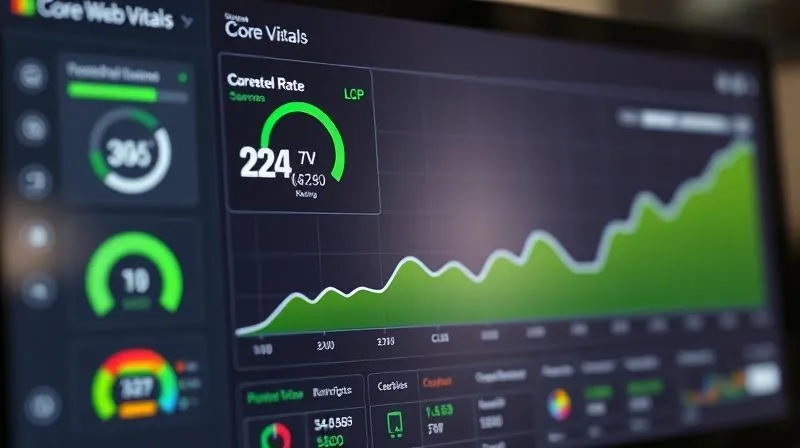
Google's Core Web Vitals (Largest Contentful Paint, First Input Delay, Cumulative Layout Shift) are no longer just SEO metrics; they are crucial indicators of user experience. Poor Core Web Vitals often correlate with higher bounce rates and lower conversions because they signify a slow, unresponsive, or visually unstable website.
- Largest Contentful Paint (LCP): Measures perceived load speed. Did the update add large images or slow-loading elements to your main content area?
- First Input Delay (FID): Measures interactivity. Is your site sluggish to respond to user input (clicks, taps) due to heavy JavaScript from the update?
- Cumulative Layout Shift (CLS): Measures visual stability. Are elements on your page shifting unexpectedly during load, causing users to click the wrong thing?
Use tools like PageSpeed Insights and Google Search Console to monitor these metrics post-update. Optimizing them is not just for SEO; it's a direct investment in your user's experience and, consequently, your conversion rates.
Schema Markup and Structured Data: Has Anything Broken?
Structured data (like product schema, review schema) helps search engines understand your content better and can lead to rich snippets in search results, improving click-through rates. An update, especially a platform migration, can easily break or alter existing schema implementation. Verify that your structured data is still valid and correctly implemented using Google's Rich Results Test.
A/B Testing: The Engine of Continuous Improvement
Once you've identified potential issues and implemented initial fixes, A/B testing becomes your scientific method for validating changes and driving continuous improvement. It allows you to make informed decisions rather than relying on guesswork or intuition.
Hypothesis-Driven Testing: What to Test, How to Learn
Don't just randomly test elements. Formulate clear hypotheses based on your analytics data, user feedback, and observations. For example:
- Hypothesis: "Changing the 'Add to Cart' button color from blue to green will increase conversions by 5% because green is perceived as more action-oriented."
- Hypothesis: "Simplifying the checkout form by removing the 'optional comments' field will reduce cart abandonment by 3% because it reduces perceived effort."
Prioritize tests based on their potential impact and ease of implementation. Focus on high-traffic pages and critical conversion paths.
Iterative Optimization: Small Wins Lead to Big Gains
Conversion rate optimization (CRO) is rarely about one 'magic bullet.' It's an iterative process of testing, learning, and refining. Run your A/B tests for a statistically significant period, analyze the results, implement the winning variations, and then move on to the next hypothesis. Even small, incremental gains can add up to significant revenue increases over time. Remember to test one variable at a time to accurately attribute changes in performance.
For best practices in setting up and interpreting your A/B tests, resources from industry leaders like Optimizely provide excellent guidance.
Future-Proofing: Preventing Future Conversion Dips
Recovering from a post-update conversion slump is a valuable, albeit painful, learning experience. The ultimate goal is to apply these lessons to prevent similar issues from derailing your digital storefront in the future. Proactive measures are always more cost-effective and less stressful than reactive fixes.
Implementing Staging Environments for Updates
This is non-negotiable for any serious e-commerce business. A staging environment is a replica of your live site where you can deploy and rigorously test all updates, new features, and design changes before they ever see the light of day. This allows you to catch technical glitches, UX regressions, and performance issues in a controlled setting, minimizing risk to your live conversion rates.
- Comprehensive Testing: Conduct full functional testing, user acceptance testing (UAT), and performance testing on the staging site.
- Cross-Team Review: Involve your marketing, sales, and customer service teams in the staging review process. They often spot issues relevant to their specific domains.
Robust Monitoring and Alert Systems
Even with a staging environment, continuous monitoring of your live site is essential. Set up automated alerts for key metrics:
- Conversion Rate Drops: Configure alerts in your analytics platform for significant percentage drops in conversion rates within a short period.
- Error Rates: Monitor server errors (5xx), client-side errors (4xx), and JavaScript errors.
- Page Load Spikes: Get notified if your average page load time increases beyond a predefined threshold.
- Payment Gateway Failures: Set up alerts from your payment processor for unusual spikes in failed transactions.
"The most successful digital storefronts aren't just built for today; they're engineered for continuous adaptation and resilience. Make CRO a cultural mindset, not a reactive project."
Frequently Asked Questions (FAQ)
How quickly should I expect to see improvements after implementing fixes? The timeline for recovery can vary significantly depending on the severity of the initial problem and the effectiveness of your solutions. Minor technical fixes might show results within days, while comprehensive UX overhauls and A/B testing cycles could take weeks or even a few months to yield significant, sustained improvements. Consistent monitoring and iterative testing are key.
What if my conversion rate decline isn't related to a recent update? While this article focuses on post-update declines, the diagnostic principles remain largely the same. You'd still conduct technical and UX audits, deep-dive into analytics, and gather user feedback. However, your investigation would broaden to include external factors like competitor activity, changes in market demand, seasonal trends, or shifts in your marketing campaigns.
Is it better to revert the update or fix forward? This is a strategic decision. If the update is causing catastrophic issues (e.g., payment gateway completely broken) and a fix isn't immediate, reverting might be the safest short-term option to stop the bleeding. However, if the issues are more nuanced and fixable, 'fixing forward' by addressing the specific problems and learning from them is generally preferable to avoid losing the benefits of the update entirely. Always weigh the cost of downtime against the effort of fixing.
How important is mobile optimization in conversion recovery? Extremely important. Mobile commerce now accounts for the majority of online sales in many sectors. If your update inadvertently degraded the mobile experience, you've likely alienated a huge segment of your audience. Prioritizing mobile-first design and thoroughly testing your site on various mobile devices is non-negotiable for conversion recovery and long-term success.
Can A/B testing itself cause a temporary dip in conversions? Potentially, yes. If your 'B' variation performs significantly worse than your 'A' (control) version, you might see a temporary dip in overall conversion rates during the test period. This is why it's crucial to set appropriate sample sizes, run tests for a statistically significant duration, and monitor results closely. The insights gained from a failed test are still valuable for informing future optimizations.
Key Takeaways and Final Thoughts
A declining digital storefront conversion rate post-update is a daunting challenge, but it is far from insurmountable. As an industry veteran, I've seen businesses not only recover but thrive by adopting a methodical, data-driven approach. The key isn't to panic, but to systematically diagnose, strategize, and optimize.
- Act Swiftly & Systematically: Conduct immediate technical and UX audits to identify glaring issues.
- Let Data Guide You: Leverage analytics and behavioral tools to pinpoint exact drop-off points and user struggles.
- Listen to Your Users: Qualitative feedback from surveys and user testing provides invaluable context.
- Optimize Iteratively: Use A/B testing to validate changes and continuously refine your user journey.
- Prioritize Performance & SEO: Ensure Core Web Vitals and structured data are healthy.
- Build Resilience: Utilize staging environments and robust monitoring to prevent future dips.
Remember, your digital storefront is a living entity, constantly evolving. Treat every update, positive or negative, as an opportunity to learn and improve. By embracing these expert strategies and committing to continuous optimization, you won't just fix declining digital storefront conversion rates post-update; you'll build a more robust, user-centric, and ultimately, more profitable e-commerce business for the long haul. Your customers, and your bottom line, will thank you for it.
Recommended Reading
- 7 Critical Reasons Your High-Ticket Sales Funnel Isn't Closing Deals
- 5 Steps to Rectify Significant Quarterly Financial Discrepancies
- 7 Critical Legal Steps: Protect Your Startup's IP from Day One
- Launchpad: Acquiring Your First 10 Enterprise Clients on a Budget
- Unlocking SaaS Growth: Your Ultimate Guide to Digital Marketing Strategy





Comments
Leave a comment below. Your email will not be published. Required fields marked with *