

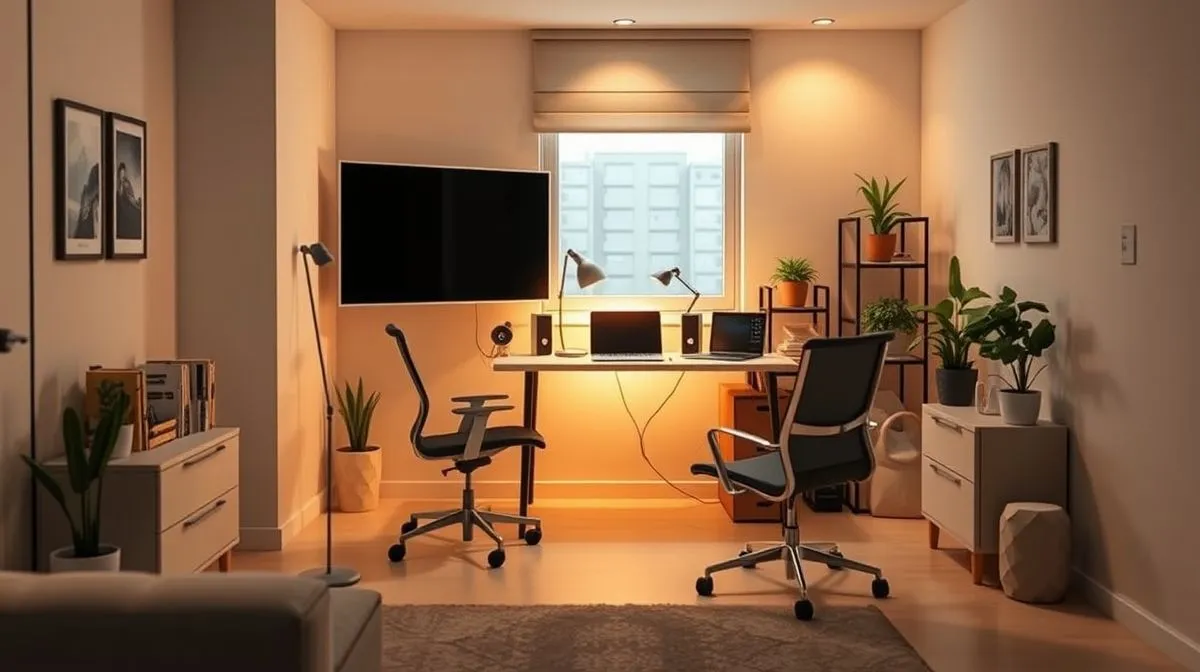
How to optimize a small apartment for a professional home office?
Optimizing a small apartment for a professional home office isn't just about fitting a desk; it's about crafting a dedicated, productive environment that supports your work without overwhelming your living space. In my 15+ years guiding remote professionals, I've seen that even the most compact areas can be transformed with strategic thinking and clever design.
The core principle here is to approach your small space as a designer would a yacht or a tiny home: every inch must serve a purpose, often multiple purposes, and contribute to both functionality and aesthetics. It demands a shift from traditional office setups to a more integrated, thoughtful approach.
"In a small apartment, your home office isn't just a place to work; it's a carefully curated ecosystem that reflects your commitment to professionalism and personal well-being."
Here’s how to truly optimize:
-
Define Your Zone, Visibly or Invisibly: Even if you don't have a spare room, you need a psychological boundary for your work. This helps your brain switch into "work mode" and, crucially, switch out of it. I've found this separation vital for preventing burnout in small living situations.
- Use a Screen or Room Divider: A simple, aesthetically pleasing screen can physically block your work setup from your living area, creating a visual break.
- Employ a Rug: Placing a distinct rug under your desk and chair can subtly define your office "footprint" within a larger room.
- Leverage Lighting: A dedicated task lamp that illuminates only your work area can serve as a mental cue. When it's off, work is done.
- Consider a "Closet Office": For truly tiny spaces, repurpose a closet. When the workday ends, simply close the doors and your office vanishes, restoring your personal space.
-
Embrace Verticality: Your Small Space Superpower: This is non-negotiable in a compact apartment. Your walls are untapped real estate, waiting to store, organize, and display. Thinking vertically frees up precious floor space.
- Floating Shelves and Wall-Mounted Organizers: Install shelves above your desk for books, files, and decor. Pegboards or wall grids can hold supplies, headphones, and even small monitors.
- Tall, Slim Bookcases: Choose narrow, floor-to-ceiling units rather than wide, short ones. These offer maximum storage without consuming much horizontal space.
- Monitor Arms: Mounting your monitor directly to the wall or desk with an arm frees up desk surface area and improves ergonomics.
-
Multi-Functional Furniture: The Smart Investor's Choice: Every piece of furniture should earn its keep, ideally performing two or more roles. This is where your investment truly pays off.
- Murphy Desks or Fold-Down Desks: These integrate into a wall unit or cabinet and fold away completely when not in use, making your living room a living room again.
- Storage Ottomans or Benches: Provide extra seating and hidden storage for office supplies, cables, or even a compact printer.
- Rolling Carts: A slim cart with drawers or shelves can hold supplies and be rolled into a closet or corner when your workday concludes.
- Sofa-Desks: Some modern sofas include built-in, pull-out desks, or you can opt for a stylish sofa table that doubles as a standing desk.
-
Ergonomics in a Compact Footprint: Non-Negotiable for Health and Productivity: A common mistake I see is sacrificing ergonomics in small spaces. This leads to discomfort, reduced productivity, and long-term health issues. You don't need a sprawling setup to be ergonomic.
- Compact Ergonomic Chair: Invest in a chair designed for support, even if it’s a smaller model. Lumbar support and adjustable height are key.
- Monitor Riser: Elevate your screen to eye level. This prevents neck strain and can be achieved with a simple stand or even a stack of sturdy books if space is tight.
- External Keyboard and Mouse: If you're using a laptop, an external keyboard and mouse allow for proper posture and wrist alignment, even on a small desk.
- Footrest: A small footrest can significantly improve lower back comfort, especially if your chair isn't perfectly sized for your height.
In my experience, professionals who neglect ergonomics, regardless of space, often face a 20-30% drop in sustained focus due to physical discomfort by mid-afternoon. Your health is your most valuable asset.
-
Mastering Cable Management: The Unsung Hero of Cleanliness: Nothing screams "unprofessional" or "cluttered" faster than a spaghetti-like tangle of cables. In a small space, this visual noise is amplified and can make your entire area feel chaotic.
- Cable Ties and Sleeves: Bundle cables together neatly. This not only looks better but also makes cleaning easier and prevents tripping hazards.
- Desk Grommets and Cable Trays: If your desk allows, use grommets to feed cables through, or attach a cable tray underneath to hide power strips and excess wiring.
- Wireless Peripherals: Where possible, opt for wireless keyboards, mice, and headphones to reduce the number of cables.
- Adhesive Cable Clips: Guide cables along the underside of your desk or wall discreetly.
A tidy cable setup isn't just about aesthetics; it contributes to a sense of order and calm, which is paramount when your office is also your home.
-
Strategic Lighting: More Than Just Illumination: Proper lighting impacts your mood, energy levels, and ability to focus. In a small apartment, you often have to work with what you've got, but you can enhance it significantly.
- Maximize Natural Light: Position your desk near a window if possible. Natural light reduces eye strain and boosts mood. Avoid sitting with your back to a window, as this creates glare on your screen.
- Task Lighting: A good quality desk lamp provides direct illumination for your work, reducing shadows and eye fatigue. Look for adjustable brightness and color temperature.
- Ambient Lighting: Supplement with soft, indirect lighting to create a pleasant overall atmosphere that isn't too stark or overwhelming in your small space.
- Avoid Harsh Overhead Lights: These can cause glare and eye strain. Rely more on a combination of natural and task lighting.
-
The Art of Decluttering and Mindful Organization: This isn't a one-time purge; it's an ongoing philosophy. In a small space, every item you own needs a purpose and a designated home. If it doesn't, it becomes clutter.
- "One In, One Out" Rule: For every new item you bring into your office space, remove an old one. This prevents accumulation.
- Digital First: Digitize documents whenever possible. Cloud storage reduces the need for physical files and bulky cabinets.
- Minimalist Approach: Resist the urge to fill every surface. A clean, uncluttered workspace reduces distractions and promotes mental clarity.
- Regular Purges: Schedule a weekly or bi-weekly mini-decluttering session to keep things in check. This prevents small messes from becoming overwhelming.
A well-organized small office doesn't just look good; it functions efficiently, allowing you to find what you need quickly and focus on your work without visual noise.
Frequently Asked Questions (FAQ)
This is perhaps the most common challenge I encounter when advising remote professionals in urban environments. The key isn't necessarily a separate room, but a separate zone. In my experience, even a corner of your living room or bedroom can be transformed into a highly functional office with the right strategy.
One effective approach is to leverage multi-functional furniture. Think beyond the traditional desk. A console table behind a sofa can double as a standing desk, or a fold-down desk can vanish when not in use. The goal is to establish a clear physical boundary, however subtle.
"Your brain needs cues. When your workspace is distinct, even if small, it helps your mind transition into 'work mode' and then 'off-mode' more effectively."
Consider these practical steps for zoning:
- Visual Separation: Use a small room divider, a tall bookshelf, or even a strategically placed plant to create a visual barrier. This signals to your brain that this area has a specific purpose.
- Lighting Distinction: Invest in a dedicated task lamp for your workspace. Different lighting can subtly shift the ambiance and help define the zone.
- Acoustic Hacks: If possible, use noise-canceling headphones to create an auditory "bubble." In a shared small space, this is invaluable for focus.
- "Pack Away" Ritual: If your setup is truly integrated into another room, develop a ritual to "pack away" your work at the end of the day. This could mean storing your laptop, putting away papers, or even covering your desk. This physical act helps you mentally disengage.
I've seen clients successfully convert a closet into a 'cloffice' or a section of a hallway into a standing workstation. It's about creative problem-solving and psychological demarcation.
Ergonomics is non-negotiable, regardless of your space constraints. A common mistake I see is people sacrificing their health for a compact setup. In a tiny apartment, every item must earn its place, and ergonomic benefits should be at the top of that list. You absolutely must prioritize your chair and your screen setup.
Here’s where to focus your investment:
- The Ergonomic Chair (Splurge Item): This is your #1 investment. Look for a chair with excellent lumbar support, adjustable armrests, and a breathable fabric. For small spaces, consider designs without bulky headrests or with a smaller footprint. A high-quality chair can prevent years of back pain and improve focus significantly.
- External Monitor (Essential): Staring down at a laptop screen is a recipe for neck and shoulder pain. Even a compact 24-inch monitor can make a huge difference. Pair it with a monitor arm that clamps to your desk, freeing up valuable surface area and allowing for flexible positioning.
- External Keyboard and Mouse (Non-Negotiable): These allow you to position your monitor at eye level, separating your hands from your screen. Opt for a compact wireless keyboard and an ergonomic mouse to reduce wrist strain and cable clutter.
"Think of your ergonomic setup as an investment in your long-term productivity and physical well-being. Skimping here will cost you more in discomfort and lost work down the line."
While standing desks are popular, a full-sized one might be too cumbersome for a small apartment. Instead, consider a desktop standing converter that sits on your existing surface. This offers the flexibility of standing without requiring a dedicated, large piece of furniture. Always remember: movement is key, so even with the best setup, take regular breaks to stretch and move around.
Clutter is the silent killer of productivity and peace of mind in any workspace, especially a tiny one. It creates visual noise and makes your space feel even smaller. My rule of thumb is: if it doesn't serve a daily purpose or bring you joy, it doesn't belong on your desk or in your immediate workspace.
Effective organization in a small space relies heavily on maximizing verticality and minimizing visible items. Here's how to achieve a streamlined, calming environment:
- Embrace Vertical Storage: Wall-mounted shelves, pegboards, and multi-tiered desk organizers are your best friends. They get items off your precious desk surface without taking up floor space.
- Digital First: Challenge yourself to go as paperless as possible. Use cloud storage for documents, digital note-taking apps, and online calendars. For the few physical documents you need, invest in a compact, labeled filing system that can be tucked away.
- Cable Management is Crucial: Tangled cables are not only unsightly but also a tripping hazard and a magnet for dust. Use cable ties, sleeves, and adhesive clips to route wires neatly along desk legs or walls. A wireless keyboard and mouse also significantly reduce cable clutter.
- One-In, One-Out Rule: For every new item you bring into your office space, find one to remove. This prevents accumulation and forces you to be mindful of what truly belongs.
"A clean desk is a clear mind. In a small apartment, this isn't just a mantra; it's a critical operational strategy for sustained focus and reducing stress."
Regular, quick decluttering sessions – perhaps 5 minutes at the end of each workday – can prevent overwhelm. Put things back in their designated spots immediately. This small habit makes a huge difference in maintaining a serene and functional workspace.
It absolutely is possible, but it requires intentionality and discipline. This is one of the biggest challenges remote workers face, especially when their "office" is integrated into their personal living space. The key is to create psychological boundaries even when physical ones are limited.
I advise my clients to implement clear start and end-of-day rituals. These rituals act as mental bookends, signaling to your brain when it's time to switch between roles. It's about creating a 'commute' for your mind, even if your body only moves a few feet.
Consider these actionable strategies:
- The "Pack Away" or "Cover Up" Ritual: As mentioned earlier, physically putting away your work tools (laptop in a drawer, papers in a file) or even simply covering your desk with a designated cloth can symbolize the end of the workday. Out of sight, out of mind.
- Change of Clothes: While tempting to stay in pajamas, changing into work-appropriate attire at the start of the day and then into casual clothes at the end provides a powerful psychological shift.
- "Virtual Commute" Activities: Use the time you would have spent commuting for a boundary-setting activity. This could be a short walk, meditation, reading a non-work book, or listening to a specific podcast. This helps clear your head.
- Time-Blocking and Digital Disconnect: Strictly adhere to your work hours. When the workday is over, close work tabs, put your work phone on silent, and resist the urge to "just check one more email." Communicate these boundaries to colleagues if necessary.
- Designated "Off-Limits" Times: Establish periods where your workspace is strictly for non-work activities. For example, after 6 PM, that corner of your living room is purely for relaxation, not work.
"Your home office doesn't define your work-life balance; your habits and boundaries do. Be deliberate about creating a mental separation, and your physical space will follow suit."
Remember, consistency is vital. It might feel artificial at first, but with practice, these rituals become powerful tools for protecting your personal time and preventing burnout in a small living situation.
How can I create a dedicated workspace without a separate room?
Creating a truly dedicated workspace when a separate room isn't an option is a challenge many remote professionals face, and frankly, it's one I've helped countless clients navigate over my 15 years in this field. The key is understanding that "dedicated" doesn't necessarily mean "separate room"; it means a space that is functionally and mentally distinct.In my experience, the most effective strategy begins with defining boundaries. This isn't about building new walls, but about creating visual and psychological separation for your work zone. Think of it as carving out a micro-environment within a larger room.
One powerful technique is leveraging **verticality and multi-functional furniture**. When floor space is at a premium, look upwards. Wall-mounted desks, shelves above your workspace, or even a sleek folding desk that tucks away after hours can be game-changers.
- Utilize Wall-Mounted Solutions: A floating desk or a wall-mounted shelf system can provide a surprisingly robust workstation without consuming precious floor space. This is particularly effective in a living room or bedroom corner.
- Invest in Foldable or Murphy-Style Furniture: Desks that fold into a cabinet or up against a wall allow you to reclaim your living space once the workday concludes, creating a clear distinction between work and leisure.
- Strategic Placement of Tall Shelving: A tall, narrow bookshelf placed perpendicular to a wall can act as a subtle room divider, visually separating your work area from the rest of the room without blocking light.
A common mistake I see is neglecting the power of **sensory cues** to help you transition into and out of work mode. Your brain needs signals to switch gears, especially when your office is just a few feet from your couch.
"The most successful tiny home offices aren't just about smart furniture; they're about smart routines. You need to 'commute' mentally, even if your physical commute is just a few steps."
Consider establishing simple rituals around your workspace. This might involve dimming the main lights and turning on a task lamp specific to your desk, playing a particular playlist, or even just putting on a pair of "work" glasses.
Another critical element is **ruthless organization and decluttering**. A small space quickly feels chaotic if it's not meticulously managed. Every item in your workspace should have a designated home, preferably out of sight when not in use.
- Embrace Hidden Storage: Drawers, boxes, and file folders that match your decor can keep clutter at bay. Think about under-desk storage or stylish storage ottomans.
- Digital Decluttering: Don't underestimate the mental clutter of a disorganized digital workspace. A clean desktop and well-organized files contribute significantly to a focused environment.
- End-of-Day Tidy-Up: Make it a non-negotiable habit to tidy your workspace at the end of each day. This not only sets you up for success the next morning but also signals to your brain that work is over.
Finally, don't overlook **underutilized nooks and crannies**. Many apartments have hidden potential. I've seen clients transform everything from a closet (creating a "cloffice") to a section of a wide hallway into highly functional and dedicated workspaces.
Look for alcoves, the space under a window, or even a rarely-used dining area. With thoughtful planning, a small desk, proper lighting, and a comfortable chair, these seemingly awkward spots can become surprisingly productive zones.
What are the best compact desks for small apartments?
Navigating the world of compact desks for a small apartment can feel like a daunting task, but with over 15 years in the remote work trenches, I've seen countless innovative solutions. The key isn't just finding the smallest desk; it's about identifying the desk that maximizes your productivity and comfort within a confined footprint, without overwhelming your living space.A common mistake I see is prioritizing aesthetics over functionality, or vice-versa. The ideal compact desk strikes a balance, offering sufficient surface area for your essentials while blending seamlessly into your home environment. We need to think smart about every square inch.
In my experience, the best compact desks aren't just small; they're ingenious. They often serve multiple purposes or disappear when not in use. Here are the top contenders I consistently recommend:
-
Wall-Mounted or Floating Desks: These are, without a doubt, my top recommendation for truly tiny spaces. By attaching directly to the wall, they free up precious floor space entirely. Imagine a studio apartment where every inch counts; a floating desk allows you to maintain an open feel while providing a dedicated workspace.
"The beauty of a floating desk is its ability to create a 'zone' for work without physically occupying floor space, making your room feel larger and more intentional."
When selecting one, look for sturdy construction and consider the weight capacity. Some models even come with integrated shelving or small drawers, turning a simple surface into a practical command center without cluttering the floor.
-
Foldable or Drop-Leaf Desks: For those who need a workspace only part-time, perhaps in a living room that transforms into an office for a few hours daily, a foldable desk is a game-changer. These desks can be tucked away or folded down against a wall, making them virtually invisible when not in use.
I've worked with clients who use these in dining areas or even hallways. The flexibility they offer is unparalleled. Look for robust hinges and a simple, secure latching mechanism to ensure stability when deployed.
-
Slim Console or Writing Desks: These desks are characterized by their minimal depth, often no more than 18-20 inches. They can fit snugly against a wall in a narrow hallway, behind a sofa, or in a bedroom corner, providing just enough surface for a laptop and a few accessories.
The trick here is to find one with a streamlined design that doesn't feel bulky. Many come with a single shallow drawer, perfect for stashing pens or a notebook. They often blend well with existing decor, easily passing as a stylish console table when your workday is done.
-
Corner Desks: Don't underestimate the power of a corner. Often, these areas go unused or become dumping grounds. A compact corner desk can transform this dead space into a highly functional work zone, tucking neatly out of the main thoroughfare of your apartment.
While some corner desks can be quite large, many manufacturers offer smaller, L-shaped or triangular options specifically designed to maximize a tight corner. This approach is particularly effective for creating a sense of separation between your work and living areas, even in a single room.
-
Desk-Shelf Combination Units: For maximum utility, consider furniture that integrates a desk into a shelving unit or even a closet system. These multi-functional pieces leverage vertical space, offering storage for books and office supplies directly above or beside your workspace.
This approach is excellent for maintaining a cohesive look and minimizing the number of separate furniture pieces, which can make a small apartment feel cluttered. In my career, I've seen these units custom-built into alcoves, providing a bespoke office solution that perfectly fits the architectural nuances of a tiny home.
Regardless of the type you choose, remember to think about ergonomics. Even a compact desk should allow for a comfortable posture. Consider pairing it with an ergonomic chair that can be tucked away or a monitor arm to free up desk space. The goal is to make your small space work *for* you, not against you.
Reading Recommendations:
- Ultimate Guide: How to Prepare for a Commercial Contract Dispute?
- 7 Proven Ways: What to Do When Channel Partners Consistently Miss Sales Targets?
- Consultants: 7 Steps to Deep Expertise for New Industry Clients
- Market Expansion Challenges: A Small Business Survival Guide
- Startup Cash Crunch? How to Solve Cash Flow Problems - Fast!





Comments
Leave a comment below. Your email will not be published. Required fields marked with *