

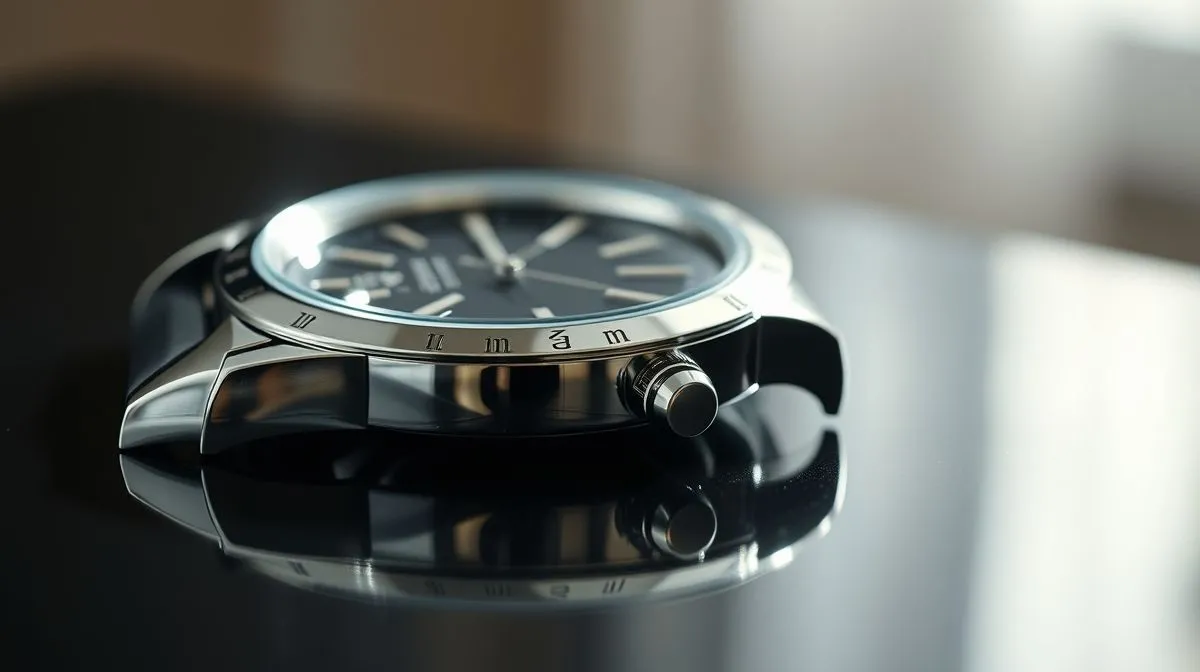
Solving Reflections in Shiny Product Photography: The Definitive Guide
Ever gazed upon a stunning product photo, only to have your eye snagged by an unsightly glare, a distracting reflection that pulls focus from the product's true beauty? It's a common frustration for photographers, whether seasoned professionals or enthusiastic amateurs. Shiny surfaces, from polished chrome to gleaming glass, present a unique and often daunting challenge, threatening to turn a masterpiece into a muddled mess.
The nemesis of many product photographers is the dreaded reflection. These aren't just minor blemishes; they can obscure crucial details, distort shapes, and ultimately undermine the perceived quality and value of the product. The question isn't just how to take a picture of something shiny, but how to master the art of capturing its essence without the interference of unwanted light.
This comprehensive guide will equip you with the knowledge, techniques, and practical tips needed for solving reflections in shiny product photography once and for all. By the end of this reading, you'll understand the physics behind reflections, master lighting setups, utilize essential gear, and learn post-processing magic to create truly flawless, captivating images.
Understanding the Enemy: What Are Reflections?
Before we can conquer reflections, we must understand them. In the context of product photography, a reflection occurs when light bounces off a shiny surface and enters your camera's lens. This isn't always bad; sometimes, controlled reflections can enhance an image, providing depth or highlighting a product's polished finish. However, uncontrolled reflections are a different story.
There are primarily two types of reflections: specular reflections and diffuse reflections. Specular reflections are the mirror-like reflections seen on highly polished surfaces, where light bounces off at a predictable angle. These are often the bright, sharp glares that obscure details. Diffuse reflections, conversely, occur on matte or textured surfaces, where light scatters in many directions, creating a softer, more even illumination. Our primary battle is with specular reflections.
The problem with unwanted reflections is their ability to distract the viewer, obscure critical features, and introduce elements from the environment (like your camera, lights, or even yourself) into the shot. They can make an expensive product look cheap, or a perfectly designed item appear flawed. Mastering their control is paramount to professional-grade product photography.
The Physics of Light: Why Reflections Happen
To truly control reflections, a basic understanding of light physics is invaluable. The fundamental principle governing reflections is the Law of Reflection: the angle at which light strikes a surface (the angle of incidence) is equal to the angle at which it bounces off (the angle of reflection). This simple law dictates where unwanted glare will appear in your shot.
Shiny surfaces, characterized by their smoothness and lack of microscopic texture, cause light rays to bounce off uniformly. This unified reflection creates a clear, distinct image of the light source or surrounding environment. Conversely, rough surfaces scatter light rays in various directions, resulting in diffuse reflections and less noticeable glare.
The size and type of your light source also play a crucial role. A small, intense light source (like a bare flash) will create a small, harsh, and very bright specular reflection. A large, diffused light source (like a softbox) will create a larger, softer, and less intense reflection, which is often more desirable as it can define the product's contours without being distracting.
Essential Gear for Taming the Glare
Equipping yourself with the right tools is half the battle when it comes to solving reflections in shiny product photography. These items don't have to break the bank, but they are indispensable for achieving professional results.
- Diffusers: These are your best friends. Softboxes, umbrellas, large scrims, or even translucent white fabric spread light over a larger area, making reflections softer and less defined. A larger light source creates a larger, more gradual reflection, which is easier to manage.
- Reflectors: White, silver, or gold reflectors bounce light back onto the product, filling in shadows and softening harsh contrasts. They can also be used strategically to block unwanted reflections by placing them where a reflection would otherwise appear.
- Polarizing Filters (CPL): A circular polarizing filter attached to your lens can significantly reduce glare from non-metallic reflective surfaces like glass, water, or polished plastic. By rotating the filter, you can control the amount of glare reduction.
- Black Cards/Flags: These are simple but incredibly effective. Placing black cards strategically around your product can absorb unwanted light and create intentional dark lines or edges on reflective surfaces, defining their shape.
- Light Tents/Cubes: These enclosed, translucent boxes surround the product, providing even, diffused light from all sides and minimizing environmental reflections. They are excellent for small, highly reflective items like jewelry.
- Tripod: While not directly related to reflections, a sturdy tripod is essential for precise composition and allowing for longer exposures when working with lower light or focus stacking techniques.
Mastering Your Lighting Setup
The way you position and shape your light is the most critical aspect of controlling reflections. It's an art form that requires patience and experimentation.
Single Light Setup: The Off-Axis Approach
For many shiny products, a single, large, diffused light source positioned off-axis (not directly in front of the product) is highly effective. Position the light slightly to the side and slightly behind the product. This creates a beautiful highlight that defines the product's edge without creating a harsh, direct reflection of the light source itself. You can use a white reflector on the opposite side to fill in shadows.
Two-Light Setup: Contouring and Control
A two-light setup allows for greater control. You can use one large softbox as your main light, positioned off-axis. A second, smaller diffused light or a reflector can then be used to add fill light, highlight specific areas, or create a 'clamshell' lighting effect for highly reflective items like jewelry, where light comes from above and below.
The Power of Large Light Sources
Remember that the reflection on a shiny surface will mirror the shape and size of your light source. Therefore, using very large diffusers (like a large softbox or a diffused window) creates a large, soft reflection that can appear as a gentle gradient across the product's surface, enhancing its form rather than distracting from it. This is particularly effective for large, curved, shiny objects.
Controlling Ambient Light and Environment
Your studio environment itself can be a source of unwanted reflections. Work in a controlled space, ideally with dark walls or by using black flags to block reflections of your camera, ceiling, or other objects. A clean, uncluttered background is also vital, as anything in the background could potentially be reflected in your product.
For more insights into studio lighting techniques, consider exploring resources from professional photography associations or educational platforms like Professional Photographers of America.
Advanced Techniques for Tricky Surfaces
Some shiny products present unique challenges that require more specialized approaches. These techniques demand precision but yield exceptional results.
The "Black Hole" Technique
This method is surprisingly effective for highly reflective, sometimes concave, objects like chrome car parts or shiny spheres. It involves placing a large black card directly in front of the product, with a small hole cut out for your lens. The product reflects the black card, making it appear dark and defined, while the light source (often from the sides or above) creates subtle highlights. This method essentially eliminates reflections of the environment.
Light Painting for Controlled Reflections
Light painting involves using a small, controlled light source (like an LED panel or a flashlight) to 'paint' light onto the product during a long exposure. This allows you to selectively illuminate specific areas and avoid reflections in others. It's particularly useful for complex, multi-faceted reflective objects, offering unparalleled control over highlights and shadows.
Using Controlled Environments
For ultimate control, some photographers build a temporary 'infinity curve' out of white or black acrylic sheets, or even use a large light tent. This creates a seamless, reflection-free environment for the product, ensuring that only the desired light sources are reflected.
Wet Method for Glassware
While counter-intuitive, sometimes a thin, even layer of water or glycerin on glass can help to smooth out minor imperfections and reduce harsh reflections, allowing for a more even light distribution. This requires careful application and cleanup.
Post-Processing: The Digital Clean-Up
Even with the most meticulous in-camera techniques, some reflections might persist or require refinement. Post-processing is a powerful tool for perfection, but it should always complement, not replace, good photography practices.
- Cloning and Healing: The clone stamp tool and healing brush in software like Adobe Photoshop are invaluable for removing small, distracting reflections or dust spots. Use them carefully, sampling from nearby clean areas to maintain texture and detail.
- Dodge and Burn: These tools allow you to selectively lighten (dodge) or darken (burn) areas. You can use them to subtly reduce the intensity of a bright reflection or to deepen shadows that define the product's form.
- Frequency Separation: This advanced technique separates the image into high-frequency (detail and texture) and low-frequency (color and tone) layers. It allows you to smooth out uneven reflections or color shifts without losing crucial product details.
- Layer Masks and Compositing: For very challenging reflections, you might take multiple exposures, each with slightly different lighting or angles, and then combine the best parts using layer masks. This is common for highly reflective objects where a single shot can't capture everything perfectly.
For detailed tutorials on post-processing techniques, resources like Adobe's official Photoshop guides can provide comprehensive steps.
Common Mistakes to Avoid
Even seasoned photographers can fall prey to these common pitfalls when tackling shiny objects. Awareness is the first step to avoidance.
- Direct Flash: Never use on-camera direct flash. It's the quickest way to create a harsh, distracting hotspot on any reflective surface. Always diffuse and position your light source off-axis.
- Small Light Sources: Using small, undiffused light sources (like bare speedlights or small LED panels) will result in small, intense reflections that are difficult to manage and unattractive.
- Ignoring the Environment: Your camera, yourself, or even a brightly lit window across the room can all appear as unwanted reflections. Always consider what your product is reflecting.
- Over-Reliance on Post-Processing: While powerful, post-processing should enhance, not rescue, a poorly shot image. Aim to get it right in-camera as much as possible to save time and maintain image quality.
- Lack of Patience: Solving reflections in shiny product photography is often a game of millimeters. Adjusting your light, product, or camera position by even a tiny amount can make a huge difference. Be prepared to experiment and fine-tune.
Beyond the Basics: Creative Approaches
Once you've mastered eliminating unwanted reflections, you can start to intentionally incorporate them for creative effect. Reflections aren't always the enemy; they can be powerful compositional elements.
Consider using a reflective surface beneath your product to create a subtle, elegant reflection that adds depth and sophistication. This can be particularly effective for luxury items, emphasizing their polished nature. You can also use reflections to hint at the product's environment, telling a subtle story without explicitly showing the surroundings.
Artistic reflections can also be achieved by placing the product near interesting light sources or patterns, allowing those elements to be subtly mirrored on its surface. This transforms a technical challenge into a creative opportunity, adding unique visual interest to your product photography.
Frequently Asked Questions (FAQ)
Can I remove reflections completely from a shiny product? While it's challenging to remove every single reflection, especially on highly polished or curved surfaces, you can significantly minimize and control them to the point where they are either unnoticeable or enhance the product's appearance. In-camera techniques combined with precise post-processing can achieve near-perfect results.
What's the single most important tool for handling reflections? A large, high-quality diffuser (like a softbox or a large scrim) is arguably the most crucial tool. It transforms harsh, pinpoint light into a soft, even source, which creates manageable and often desirable reflections on shiny surfaces.
Is it possible to photograph shiny products without expensive studio gear? Absolutely! While professional gear helps, you can achieve great results with simple household items. A large window as a light source, white foam core boards as diffusers/reflectors, and black fabric as flags can go a long way. The principles of light control remain the same regardless of your budget.
How do polarizing filters work, and when should I use them? Polarizing filters work by blocking light waves that are vibrating in a specific direction, effectively cutting out glare from non-metallic surfaces like glass, water, or plastic. You should use them when photographing products made of these materials to reduce reflections and increase color saturation. They are less effective on bare metals.
What about highly curved shiny surfaces like spheres or bottles? Curved surfaces are trickier because they reflect a wider area of your environment. For these, consider using a light tent or a large seamless white or black environment. The "black hole" technique can be very effective for chrome spheres, while light painting or careful use of large diffusers can work wonders for bottles.
Recommended Reading
- Franchise Agreement Termination Rights: Know Your Exit Strategy
- Unlock Local Growth: What Social Media Strategy Works for Your Business?
- Unlock Hybrid Team Success: Effective Communication for Leaders Revealed!
- Automate Sales Tasks for Small Biz Effectively: The Ultimate Guide
- Unlocking Innovation: How to Build a Thriving Ecosystem Effectively
Conclusion
Mastering the art of solving reflections in shiny product photography transforms a common frustration into a powerful skill. By understanding the physics of light, strategically employing essential gear like large diffusers and black flags, and meticulously crafting your lighting setups, you gain unparalleled control over your images. Remember that patience, attention to detail, and a willingness to experiment are your greatest assets, complementing both your in-camera techniques and judicious post-processing.
Embrace the challenge, apply the techniques outlined in this guide, and watch as your shiny products transcend mere photographs, becoming captivating visual stories that truly highlight their quality and appeal. Your journey to flawless, reflection-free product photography starts now – go forth and capture brilliance!




Comments
Leave a comment below. Your email will not be published. Required fields marked with *