


What's the best remote tool to stop project deadlines slipping?
For over 15 years in the remote work trenches, I've seen countless promising projects derail, not due to a lack of talent or effort, but a simple, insidious problem: deadlines slipping away like sand through fingers. This isn't just about missing a date; it's about eroding trust, damaging client relationships, and burning out your most valuable team members.
The shift to remote and hybrid models has only amplified this challenge. Without the informal check-ins or the visual cues of a bustling office, it’s incredibly easy for tasks to get lost, priorities to shift unannounced, and project timelines to stretch beyond recognition. The pain of constantly playing catch-up, apologizing to stakeholders, and watching team morale plummet is a burden many remote leaders carry.
But it doesn't have to be this way. In this definitive guide, I'll share my battle-tested insights, not just on what's the best remote tool to stop project deadlines slipping, but also on the strategic frameworks and cultural shifts required to make those tools truly effective. You’ll gain actionable strategies, real-world case studies, and a clear roadmap to ensure your remote projects consistently hit their marks.
The Root Cause: Why Remote Project Deadlines Slip
Before we dive into solutions, we must understand the “why.” In my experience, the issues that plague remote project timelines are often systemic, not individual. Pinpointing these ensures we don’t just treat symptoms.
Lack of Clear Communication Channels
In a remote setup, the casual hallway conversation is gone. Without dedicated, structured channels for updates, questions, and feedback, information silos quickly form. Teams struggle to know who is doing what, when, and how it impacts their own work. This ambiguity is a breeding ground for delays.
Inadequate Task Visibility & Accountability
When you can’t physically see your team working, transparency becomes paramount. If tasks aren’t clearly assigned, tracked, and updated in a central location, it’s nearly impossible to gauge progress or identify bottlenecks before they become critical. This lack of visibility directly correlates with missed deadlines.
Poorly Defined Scope & Expectations
This is a classic project management pitfall, exacerbated remotely. Vague requirements, shifting goalposts, and unspoken assumptions lead to rework and scope creep. Without a crystal-clear understanding of what “done” looks like, teams will inevitably deliver something different, or late.
Over-reliance on Asynchronous Tools Without Structure
Asynchronous communication (email, chat) is vital for remote teams, but it’s not a silver bullet. If not paired with clear processes and expectations, it can lead to information overload, delayed responses, and a lack of real-time problem-solving, all contributing to project timelines slipping.
The Non-Negotiable Foundations: Beyond Just Tools
Before any tool can truly shine, certain foundational principles must be in place. I've learned that even the most sophisticated software can't fix a broken process or a dysfunctional team culture. These are the pillars that support successful remote project delivery.
Establishing Crystal-Clear Project Scopes
Every project, regardless of size, needs a detailed scope document. This isn't just a formality; it's your team's North Star. It should clearly define objectives, deliverables, timelines, roles, and boundaries. Invest time upfront in this, and you'll save exponentially more time down the line. As Harvard Business Review often emphasizes, clarity is the cornerstone of execution.
Fostering a Culture of Accountability
Accountability isn't about blame; it's about ownership and transparency. Encourage team members to take full responsibility for their tasks and to proactively communicate challenges. This means celebrating successes, but also openly discussing failures as learning opportunities. Tools can track, but culture drives commitment.
The Power of Proactive Risk Management
Remote projects are inherently prone to unique risks, from internet outages to time zone discrepancies. Implement regular risk assessment meetings where potential roadblocks are identified, analyzed, and mitigation strategies are planned. Don't wait for a problem to become a crisis; anticipate it. This foresight is crucial for stopping project deadlines from slipping.

Decoding the Best Remote Tools: Categories and Core Features
Now that we understand the foundations, let's explore the types of tools that truly make a difference. The answer to what's the best remote tool to stop project deadlines slipping isn't a single product, but often a synergistic suite of solutions. Think of these as your project's digital nervous system.
Project Management Platforms: The Orchestrators
These are the central hubs where projects are planned, executed, and monitored. They provide the overarching structure. Key features include:
- Task Tracking & Assignment: Clearly define who is doing what.
- Gantt Charts & Timelines: Visual representation of project schedule and dependencies.
- Dependency Management: Link tasks to ensure proper sequencing.
- Progress Reporting: Dashboards and reports to track milestones and overall health.
- Resource Allocation: Understand team workload and capacity.
Communication & Collaboration Hubs: The Connectors
Essential for real-time interaction and quick information exchange, bridging geographical gaps. Key features:
- Instant Messaging: Channels for team, project, or topic-specific discussions.
- Video Conferencing: Face-to-face meetings for deeper discussions and team bonding.
- File Sharing & Storage: Centralized access to documents, images, and assets.
- Integrations: Connects with other tools for seamless workflow.
Time Tracking & Resource Management: The Balancers
These tools provide critical insights into how time is spent and ensure resources are optimally utilized. Key features:
- Accurate Time Logs: Track billable and non-billable hours.
- Capacity Planning: Visualize team availability and prevent burnout.
- Workload Distribution: Evenly assign tasks based on capacity.
- Budget Tracking: Monitor project costs against estimates.
Documentation & Knowledge Management: The Brain
A central repository for all project-related information, ensuring consistency and reducing tribal knowledge. Key features:
- Wikis & Knowledge Bases: Structured storage for policies, procedures, and FAQs.
- Shared Document Creation: Collaborative editing of project documents.
- Version Control: Track changes and revert to previous versions.
- Search Functionality: Quickly find specific information.
My Top 5 Remote Tools to Stop Project Deadlines Slipping (with Use Cases)
Based on years of hands-on experience and observing countless teams, these are my top recommendations. Remember, the best tool is one that fits your team's specific needs and workflow.
1. Asana: Comprehensive Project Management & Workflow Orchestration
Asana excels in providing a clear, visual overview of tasks, projects, and portfolios. It's incredibly versatile, supporting various methodologies from Kanban to simple to-do lists. Its strength lies in its ability to manage complex dependencies and provide real-time status updates, making it a prime candidate when considering what's the best remote tool to stop project deadlines slipping.
Why it helps prevent slips: Asana's timeline view (Gantt charts) allows you to see how tasks interrelate, making it easy to spot potential bottlenecks before they impact the final deadline. Its custom fields and rules automate routine tasks, ensuring consistency and reducing manual errors.
- Setup Project Timelines: Use the Timeline view to map out all tasks, milestones, and dependencies. Drag and drop to adjust dates and see the impact instantly.
- Assign Clear Owners: Every task must have one clear owner and a due date. Use custom fields for priority levels.
- Automate Reminders: Set up rules to automatically remind task owners of upcoming deadlines or notify managers when tasks are overdue.
- Create Project Templates: Standardize recurring projects to save setup time and ensure consistent processes.
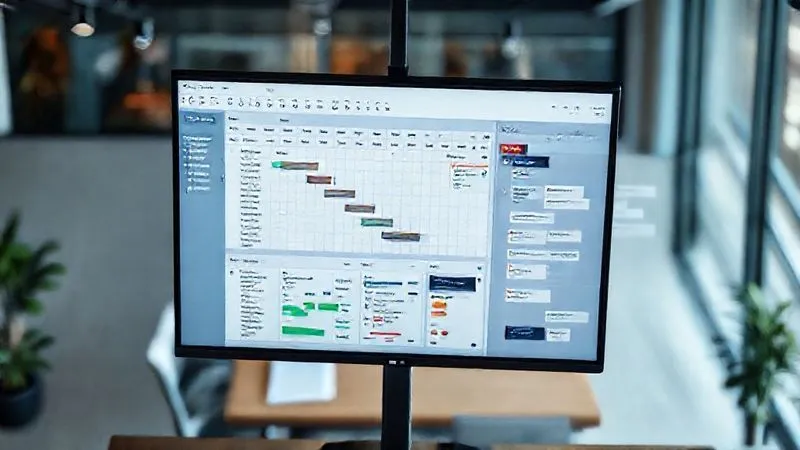
2. Slack/Microsoft Teams: Real-time Communication & Integration Hub
These platforms are more than just chat apps; they are the digital water cooler and meeting room rolled into one. Their robust integration capabilities mean they can become the central notification hub for all your other tools, reducing context switching and ensuring critical updates are seen immediately.
Why it helps prevent slips: Instant communication reduces decision-making lag. Dedicated channels keep discussions organized and searchable. Integrations push notifications from project management tools directly into relevant channels, ensuring no update is missed.
- Create Project-Specific Channels: Dedicate channels for each project to keep all relevant discussions, files, and updates in one place.
- Integrate Key Tools: Connect your project management tool (e.g., Asana), documentation (e.g., Google Drive), and even time trackers to push updates into Slack/Teams channels.
- Establish Communication Etiquette: Define when to use synchronous (calls) vs. asynchronous (messages) communication, and expected response times.
- Leverage Huddles/Meet Now: For quick, informal problem-solving sessions that prevent small issues from escalating.
3. ClickUp: Flexible Task Management & Customization
ClickUp is known for its incredible flexibility and customization options. It can be tailored to almost any workflow, offering various views (list, board, calendar, Gantt, docs) and powerful automation. It's a strong contender for teams that need a tool that can adapt precisely to their unique project needs.
Why it helps prevent slips: Its customizability means you can design a workflow that truly matches your team's process, reducing friction. Features like 'Dependencies' and 'Priorities' ensure that tasks are tackled in the right order and critical items get the attention they need. Its 'Goals' feature helps keep the team aligned with larger objectives.
- Utilize Custom Statuses: Tailor task statuses to your exact workflow (e.g., 'In Progress - Reviewing', 'Blocked - Awaiting Client Feedback').
- Set Up Automations: Automate status changes, assignments, or notifications based on specific triggers (e.g., 'When status changes to Done, notify Project Manager').
- Create Dashboards: Build custom dashboards to monitor key metrics like 'Tasks Overdue,' 'Tasks in Progress,' and 'Team Workload' at a glance.
- Link Related Tasks: Clearly define task relationships using dependencies or linking to ensure sequential work and prevent bottlenecks.
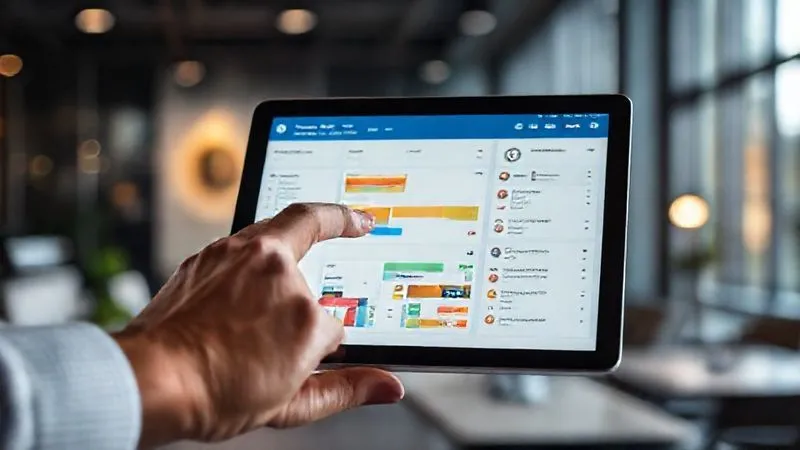
4. Harvest: Accurate Time & Resource Tracking
Harvest provides simple, intuitive time tracking and invoicing, crucial for understanding where time is actually being spent. It integrates seamlessly with many project management tools, offering a realistic view of project progress against estimated hours and budget. This insight is invaluable for preventing future deadline slips.
Why it helps prevent slips: By tracking actual time spent, you can identify scope creep, unrealistic estimates, and team overcommitment early. This data allows for proactive adjustments to project timelines or resource allocation.
- Encourage Daily Time Logging: Make it a consistent habit for team members to log their hours against specific tasks and projects.
- Compare Estimates vs. Actuals: Regularly review project reports to compare estimated hours against actual time spent.
- Monitor Team Capacity: Use Harvest's project analysis features to see if team members are over or under-utilized, and adjust assignments accordingly.
- Refine Future Estimates: Use historical data from Harvest to make more accurate project estimates, reducing the risk of setting unrealistic deadlines.
| Metric Category | Harvest Feature | Benefit for Deadlines |
|---|---|---|
| Time Tracking | Intuitive Timer & Manual Entry | Accurate data for progress & adjustments |
| Resource Management | Capacity Planning Reports | Prevents team burnout & overcommitment |
| Budgeting | Real-time Expense Tracking | Identifies scope creep early |
| Reporting | Project Progress Dashboards | Quickly spot projects at risk |
5. Notion: Centralized Knowledge Base & Flexible Workspace
Notion is a versatile workspace that combines notes, databases, wikis, project management, and more into one customizable platform. It's excellent for creating a centralized source of truth for all project documentation, meeting notes, and team knowledge, drastically reducing time spent searching for information.
Why it helps prevent slips: By centralizing all project knowledge, Notion ensures that everyone has access to the latest information, reducing misunderstandings and rework. Its database features can even be used for lightweight task tracking or CRM, making it a powerful all-in-one solution for many teams.
- Build a Project Wiki: Create a dedicated Notion page for each project, housing all relevant documents, briefs, meeting notes, and decisions.
- Standardize Meeting Notes: Use Notion templates for meeting agendas and notes, ensuring consistent information capture and action item assignment.
- Create Onboarding Guides: Document project processes and best practices for new team members, accelerating their ramp-up time.
- Link Related Content: Use Notion's internal linking feature to connect related pages and databases, making navigation intuitive and comprehensive.
Implementing Your Chosen Tool: A Strategic Framework
Simply choosing what's the best remote tool to stop project deadlines slipping isn't enough. Successful implementation is key. I've witnessed many teams invest heavily in tools only to see them languish due to poor adoption. Here's my framework for ensuring success.
Step 1: Assess Your Team's Needs and Workflow
Don't buy a tool just because it's popular. Conduct an internal audit. What are your current pain points? What workflows are broken? Involve your team in this assessment. Their input is crucial for buy-in and identifying a tool that genuinely solves their problems, rather than adding another layer of complexity.
Step 2: Pilot Program & Phased Rollout
Start small. Select a pilot team or a less critical project to test the new tool. Gather feedback, identify kinks, and refine your processes. A phased rollout allows you to learn and adapt without disrupting your entire organization. This minimizes resistance and builds champions within your team.
Step 3: Comprehensive Training & Adoption Strategy
Training shouldn't be a one-off event. Provide ongoing support, create internal “power users,” and develop easy-to-access documentation (perhaps in Notion!). Demonstrate the tool's value by showing how it directly addresses the pain points identified in Step 1. Make it clear how the tool makes their work easier, not just more monitored.
Step 4: Continuous Review & Optimization
A tool's implementation is never truly “done.” Regularly solicit feedback, review usage data, and be prepared to adjust configurations or even explore new features. The remote work landscape evolves rapidly, and your tools should evolve with it. This iterative approach ensures your solution remains effective.
Case Study: How Nexus Solutions Halved Project Delays
Nexus Solutions, a mid-sized remote marketing agency, consistently struggled with client project delays, leading to strained relationships and team burnout. Their primary issue was a fragmented approach to task management, with team members using disparate spreadsheets and chat apps. After a thorough needs assessment, they decided to implement ClickUp as their central project management platform.
They started with a pilot program on two smaller client accounts, training a core group of project managers and team leads. Key to their success was a dedicated “ClickUp Champion” who provided ongoing support and customized templates for their specific marketing workflows. They integrated ClickUp with their communication hub, Slack, ensuring all task updates were pushed into relevant project channels.
Within six months, Nexus Solutions reported a 50% reduction in project delays, significantly improved client satisfaction scores, and a noticeable increase in team morale. The centralized visibility allowed project managers to identify and address bottlenecks proactively, while standardized templates streamlined recurring tasks, directly addressing what's the best remote tool to stop project deadlines slipping in their context.

Expert Strategies for Maximizing Tool Effectiveness
Even with the right tools and a solid implementation plan, truly mastering remote project delivery requires ongoing strategic effort. Here are some expert tips I've gathered over the years.
Integrate, Don't Isolate
The power of modern remote tools often lies in their ability to talk to each other. Connect your project management tool with your communication platform, your time tracker, and your documentation system. This creates a seamless flow of information, reduces manual updates, and minimizes the chances of critical details falling through the cracks. As Deloitte's research on digital transformation often highlights, interconnected systems drive efficiency.
Establish Clear Tool Etiquette
Define how each tool should be used. When should a message be sent in Slack versus an update in Asana? When is a video call necessary versus an asynchronous Loom video? Clear guidelines prevent confusion and ensure that information is communicated effectively and efficiently, saving valuable project time.
Leverage Automation Features
Most modern project management tools offer powerful automation capabilities. Automate task assignments, status updates, reminders, and notifications. This not only saves time but also ensures consistency and reduces human error, allowing your team to focus on higher-value work rather than administrative tasks.
Regular Check-ins & Progress Reviews
Even with great tools, regular human interaction is vital. Schedule brief, focused daily stand-ups or weekly sync meetings. These aren't just for status updates; they're opportunities to address blockers, clarify dependencies, and reinforce team cohesion. Use your tools to inform these discussions, not replace them.
“A tool is only as good as the process it supports. The best remote tool to stop project deadlines slipping isn’t a magic bullet; it’s an amplifier for clear communication, robust planning, and unwavering accountability.”
| Integration Type | Benefit | Impact on Deadlines |
|---|---|---|
| Project Management to Communication | Real-time task updates in chat channels | Reduces information lag, quick problem-solving |
| Time Tracking to Project Management | Accurate time spent on tasks & projects | Better estimates, identifies scope creep |
| Documentation to Project Management | Easy access to project specs & decisions | Reduces rework, ensures alignment |
| Communication to Documentation | Captures key discussions & decisions | Creates searchable knowledge base |
Frequently Asked Questions (FAQ)
How do I get team buy-in for a new tool? The most effective way is to involve your team in the selection process from the beginning. Highlight how the new tool will solve their specific pain points and make their jobs easier, rather than just imposing it. Provide comprehensive training and designate internal champions who can advocate for and support others. Show, don't just tell, the benefits.
Can one tool truly do it all? While some all-in-one tools like ClickUp or Notion offer extensive features, it's rare for a single tool to perfectly cover every aspect of complex remote project management. Often, a combination of specialized tools that integrate well (e.g., Asana for PM, Slack for communication, Harvest for time tracking) provides the most robust and flexible solution. Focus on integration over a single, potentially compromised, solution.
What if my team is already overwhelmed with tools? This is a common challenge. The goal isn't to add another tool, but to consolidate and streamline. Start by auditing your existing tools. Identify redundancies and inefficiencies. The introduction of a new, more comprehensive tool might actually allow you to retire several older, less effective ones, thereby reducing overall tool fatigue. The key is strategic replacement, not just addition.
How do I measure the ROI of a new project management tool? Measure success against your initial pain points. Track metrics like reduction in missed deadlines, decrease in project overruns (time/budget), improved client satisfaction scores, and team feedback on efficiency and collaboration. Quantify the time saved on administrative tasks or rework. This data provides clear evidence of the tool’s value.
What's the biggest mistake teams make when adopting new remote tools? The biggest mistake is assuming the tool itself will solve all problems without addressing underlying process or cultural issues. A tool is an enabler. Without clear processes, strong leadership, and a culture of accountability and transparency, even the most advanced software will fail to prevent project deadlines from slipping. Focus on “how we work” first, then “what we use.”
Key Takeaways and Final Thoughts
Navigating the complexities of remote project management to consistently hit deadlines is challenging, but entirely achievable with the right strategy and tools. My journey through this landscape has shown me that success isn't about finding a magic bullet, but rather building a resilient system.
- Foundations First: No tool can compensate for a lack of clear scope, accountability, or proactive risk management.
- Strategic Tool Selection: Choose tools that genuinely address your team’s specific pain points and integrate seamlessly into your workflow.
- Invest in Implementation: A phased rollout, comprehensive training, and continuous optimization are crucial for tool adoption and long-term success.
- Culture of Communication: Foster an environment where open, transparent communication is the norm, supported by structured channels.
- Data-Driven Decisions: Leverage time tracking and reporting to gain insights, refine estimates, and make proactive adjustments.
Remember, the answer to what's the best remote tool to stop project deadlines slipping is multifaceted. It's about empowering your team with the right resources, clear guidance, and a supportive culture. Embrace these principles, and you’ll transform your remote project delivery from a source of stress into a hallmark of efficiency and success. Your projects, your team, and your clients will thank you.
Recommended Reading
- Mastering OECD BEPS: 7 Critical Steps for Multinational Transfer Pricing Compliance
- ESG & Returns: 7 Strategies to Maximize Profit & Impact
- Convert Networking Contacts: 7 Steps to Consistent Client Conversion
- 7 Proven Strategies: How to Stop High-Value Customers from Suddenly Churning?
- 7 Proven Ways to Quantify ROI for Corporate Philanthropy





Comments
Leave a comment below. Your email will not be published. Required fields marked with *