

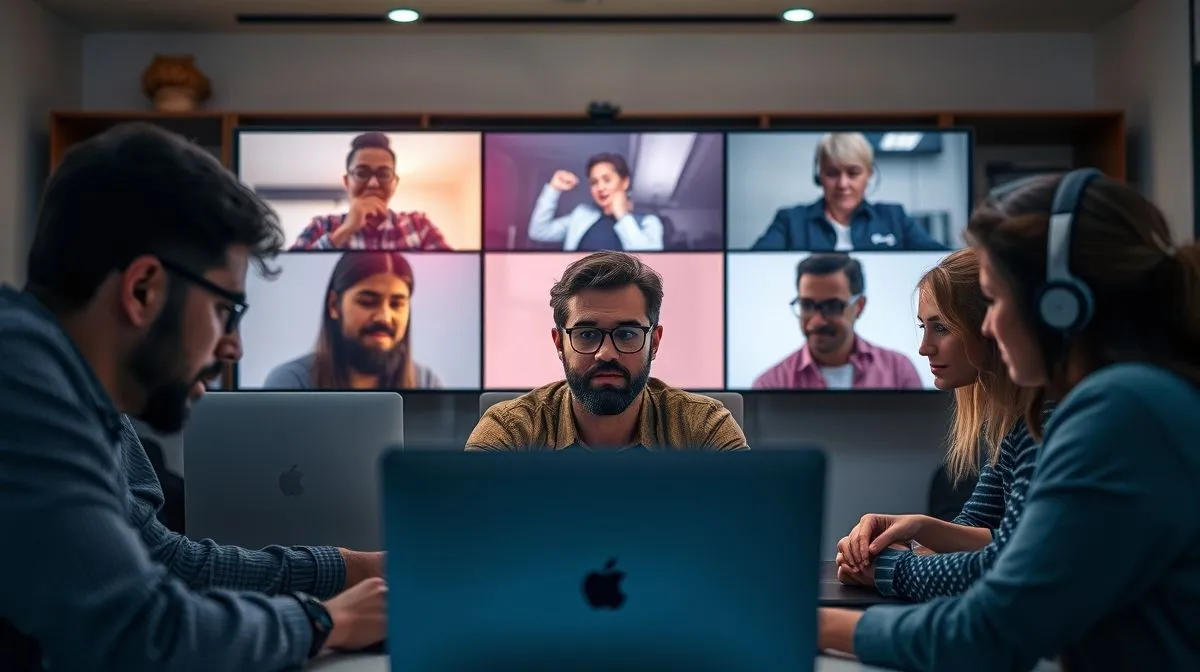
Why are my remote team's virtual meetings so unproductive?
For over two decades, I’ve navigated the intricate landscape of remote work, witnessing firsthand the seismic shifts in how teams collaborate. I remember a client, a promising SaaS startup, who called me in desperation. Their brilliant, distributed engineers were churning out incredible code, but their virtual meetings? They were black holes of productivity, sucking the energy and enthusiasm right out of the room. The question echoed in their CEO’s voice: "Why are my remote team's virtual meetings so unproductive?"
It’s a question I’ve heard countless times, from Fortune 500 companies to nimble startups. The silent sighs, the glazed-over eyes, the furtive glances at a second screen – these are the universal tells of virtual meeting fatigue. This isn't just about wasted time; it's about erosion of morale, missed opportunities, and a tangible hit to your bottom line. It's a problem that, if left unaddressed, can cripple even the most talented remote teams.
But here's the good news: this isn't an insurmountable challenge. In this definitive guide, I’ll share the exact frameworks, proven strategies, and expert insights I’ve developed and refined over years of hands-on experience. You’ll learn not just what's going wrong, but how to implement actionable changes that will transform your virtual meetings from dreaded obligations into dynamic, results-driven collaborations.
The Root Cause: Misunderstanding the Virtual Medium
One of the biggest mistakes I see leaders make is approaching virtual meetings with the same mindset they would an in-person gathering. The virtual medium is fundamentally different, demanding a distinct set of rules and considerations.
The Tyranny of the Default Meeting
Too often, meetings are scheduled by default. Someone sees a problem, and the immediate reflex is to "schedule a Zoom call." This knee-jerk reaction fails to consider whether a meeting is truly the most effective tool for the task at hand. Is it an information share? A decision-making session? A brainstorming sprint? Each requires a different approach, and often, a meeting isn't the answer.
Lack of Clear Purpose and Agenda
A meeting without a clear, stated purpose is like a ship without a rudder. It drifts aimlessly, consuming valuable time and yielding little. Attendees arrive unsure of what’s expected of them, leading to disengagement and tangential discussions. This is a primary reason why many leaders ask, "Why are my remote team's virtual meetings so unproductive?"
"Every meeting must have a stated objective and a clear agenda distributed well in advance. Without this, you're not conducting a meeting; you're hosting an unscripted, time-consuming conversation."
In my experience, defining the 'why' and the 'what' before the 'how' is paramount. This simple discipline sets the stage for productive engagement.
Battling 'Zoom Fatigue': More Than Just Screen Time
"Zoom fatigue" isn't just a buzzword; it's a real physiological and psychological phenomenon. It contributes significantly to the feeling of unproductivity in virtual meetings.
Cognitive Overload and Non-Verbal Cues
Unlike in-person interactions, where our brains subconsciously process non-verbal cues with ease, virtual meetings demand a conscious effort to interpret fragmented signals. Constant eye contact from multiple faces, the pressure to perform for the camera, and the inability to naturally shift gaze contribute to an intense cognitive load. According to a study published by Harvard Business Review, this sustained cognitive effort is exhausting.
The Perils of Multitasking
The temptation to multitask during virtual meetings is immense. Checking emails, browsing the web, or even engaging in other tasks while on camera is a common behavior. While seemingly efficient, it fragments attention, reduces comprehension, and ultimately degrades the quality of participation. This leads directly to meetings that feel unproductive because attendees aren't truly present.
Poor Facilitation: The Unseen Meeting Killer
A poorly facilitated meeting, virtual or otherwise, is destined to fail. In the remote context, where maintaining engagement is even harder, the role of the facilitator becomes critical.
The Unprepared Host
A facilitator who hasn't prepared, who lets conversations wander, or who fails to manage time effectively sabotages the meeting before it even begins. They must be the shepherd, guiding the flock towards the desired outcome.
Dominant Voices and Silenced Contributions
In virtual settings, it's easier for dominant personalities to monopolize airtime, leaving quieter but equally valuable voices unheard. A skilled facilitator actively manages participation, ensuring everyone has a chance to contribute and that no single individual dominates the discussion.
- Pre-assign Roles: Designate a timekeeper, a note-taker, and even a 'devil's advocate' to ensure diverse perspectives.
- Use Interactive Tools: Leverage virtual whiteboards, polls, and breakout rooms to encourage active participation from everyone.
- Practice Active Listening: The facilitator should rephrase contributions and ask clarifying questions to ensure understanding and validation.
- Manage Time Rigorously: Stick to the agenda's time allocations. If a discussion needs more time, park it for a follow-up or a separate meeting.
The Absence of Asynchronous Alternatives
Not every discussion warrants real-time interaction. One of the biggest reasons for unproductive virtual meetings is the failure to leverage asynchronous communication.
When a Meeting Isn't Necessary
Many "meetings" are simply information broadcasts or updates that could be better handled via email, a shared document, or a project management tool. For instance, a weekly status update could be a shared doc where everyone posts their progress, with only critical discussion points brought to a brief meeting.
Leveraging Tools for Efficient Communication
Platforms like Slack, Microsoft Teams, Asana, or Notion are designed to facilitate effective asynchronous communication. Use them for sharing updates, gathering feedback, making minor decisions, and brainstorming before a meeting. This allows for thoughtful responses and reduces the need for lengthy synchronous discussions.
"The most productive remote teams treat synchronous meetings as a precious resource, reserved only for discussions that absolutely require real-time, interactive dialogue and immediate decision-making."
Embracing asynchronous communication can drastically cut down on unnecessary meetings and enhance focused work time.
Unclear Expectations and Accountability
A meeting's success isn't just about what happens during the call, but what happens afterwards. Without clear expectations and accountability, even well-run meetings can feel unproductive.
No Defined Roles or Outcomes
Who is responsible for what, by when? If these questions aren't answered and documented at the end of a meeting, it's difficult to track progress or hold anyone accountable. Discussions simply float into the ether.
The 'Meeting for Meeting's Sake' Syndrome
This arises when meetings lack a tangible deliverable or a clear next step. Attendees leave feeling confused about what was accomplished or what they need to do next. This contributes heavily to the perception of, "Why are my remote team's virtual meetings so unproductive?"
- Establish Clear Action Items: At the end of every agenda item, explicitly state the action required, the person responsible, and the deadline.
- Summarize Decisions: Clearly articulate any decisions made during the meeting.
- Distribute Meeting Minutes Promptly: Send out a summary with action items, decisions, and next steps within an hour of the meeting's conclusion.
- Follow Up: Ensure action items are being completed. This reinforces accountability and the value of the meeting.
The Impact of Environment and Technology
While often overlooked, the physical and technological environments of remote participants significantly affect meeting productivity.
Distractions and Technical Glitches
A poor internet connection, distracting background noise, or an uncomfortable workspace can severely impact an individual's ability to focus and participate. Technical issues like audio drops or video freezes disrupt flow and frustrate participants, leading to wasted time.
Ensuring Equitable Participation
Not everyone has access to the same high-speed internet or quiet home office. Ensuring that all team members have the necessary tools and a conducive environment is crucial for equitable and effective participation. As Forbes suggests, investing in proper tech for your team pays dividends.
Case Study: Reimagining Meetings at ConnectFlow Solutions
ConnectFlow's Journey from Chaos to Clarity
ConnectFlow Solutions, a mid-sized marketing agency, struggled with meeting overload. Their 50-person remote team spent nearly 40% of their week in virtual meetings, yet project deadlines were consistently missed. Team morale was plummeting, and a common complaint was, "Our meetings are just so unproductive." I was brought in to diagnose the core issue: Why are my remote team's virtual meetings so unproductive?
Our initial audit revealed a lack of agendas, no clear ownership of action items, and a culture of inviting everyone to every meeting "just in case." We implemented a three-phase approach:
- The "No Meeting Wednesday" Policy: Designating one day a week entirely free of internal meetings allowed for uninterrupted deep work.
- The "Purpose-Driven Meeting" Framework: Every meeting request now required a brief outlining the clear objective, desired outcome, and required attendees (not optional).
- The "Post-Meeting Accountability Loop": Automated meeting summaries with clearly assigned action items and deadlines were sent out within 15 minutes of conclusion, followed by a check-in the next day.
The results were transformative. Within three months, meeting time was reduced by 35%, yet project completion rates improved by 20%. Employee feedback showed a significant increase in feelings of productivity and engagement. ConnectFlow's journey demonstrates that intentional structural changes can dramatically shift meeting effectiveness.
Actionable Frameworks for Productive Virtual Meetings
Beyond identifying problems, what specific frameworks can you implement?
The P.A.C.E. Framework: Purpose, Agenda, Contribution, Execution
I advocate for the P.A.C.E. framework for every virtual meeting:
- Purpose: Clearly state the meeting's objective. What decision needs to be made? What problem needs to be solved?
- Agenda: Outline specific topics and allocate time for each. Share this well in advance.
- Contribution: Identify who needs to be there, what information they should bring, and what their expected contribution is.
- Execution: Define clear action items, owners, and deadlines before the meeting ends.
This framework ensures that every meeting has a clear trajectory and a tangible output, directly combating the issue of unproductive sessions. Implementing P.A.C.E. will help you answer, "Why are my remote team's virtual meetings so unproductive?" by providing a robust structure.
Fostering a Culture of Meeting Mindfulness
Ultimately, transforming unproductive meetings requires a cultural shift within your organization. It's about empowering your team and instilling a shared sense of responsibility for meeting effectiveness.
Empowering Team Members to Challenge Meetings
Encourage your team to politely question meeting invitations if the purpose isn't clear or if they feel their presence isn't critical. This fosters a culture where time is respected and meetings are seen as a valuable tool, not a default activity. As research from Deloitte highlights, empowering employees is key to successful remote work.
Regularly Reviewing Meeting Effectiveness
Just like any other business process, meetings should be subject to review. Periodically ask your team for feedback: What worked well? What could be improved? Are we having too many meetings? This continuous improvement loop is vital for long-term success.
Frequently Asked Questions (FAQ)
How do I deal with team members who constantly multitask during virtual meetings? The best approach is multi-faceted. First, ensure your meetings are engaging and essential. If attendees feel their presence is truly valuable and the content is relevant, they are less likely to multitask. Second, set clear expectations at the start: request full attention, camera-on if appropriate, and minimal distractions. Use interactive elements like polls or breakout rooms to keep people engaged. Finally, consider whether the meeting truly needs to be synchronous; perhaps some information could be shared asynchronously to free up their focus time.
What's the ideal length for a virtual meeting? There's no one-size-fits-all answer, but generally, shorter is better. Aim for 25-minute or 50-minute blocks to allow for breaks between sessions and to combat fatigue. For complex discussions, break them into multiple shorter meetings rather than one long one. The key is to schedule only as much time as is absolutely necessary to achieve the stated purpose.
How can I encourage quieter team members to participate more actively? As a seasoned expert, I've found a few techniques invaluable. Pre-assign specific roles or questions to quieter individuals before the meeting so they can prepare. During the meeting, use inclusive facilitation techniques: directly ask for their input (e.g., "[Name], what are your thoughts on this?"), use the chat for contributions, or leverage tools like virtual whiteboards where everyone can contribute anonymously or simultaneously. Also, ensure a psychologically safe environment where all opinions are valued.
Is it always necessary for everyone to have their cameras on? While camera-on can enhance engagement and non-verbal communication, it's not always necessary or feasible. Factors like internet bandwidth, privacy concerns, or 'Zoom fatigue' can make it burdensome. My advice is to set a general expectation for cameras where appropriate (e.g., team building, brainstorming) but allow flexibility. For large information-sharing meetings, it might be optional. Always prioritize psychological safety and individual comfort.
How do I measure the productivity of our virtual meetings? Measuring meeting productivity goes beyond just attendance. Look at tangible outcomes: Were decisions made? Were action items assigned and completed? Did the team achieve the stated objective? You can also use post-meeting surveys (quick 1-2 question polls) to gauge attendee satisfaction and perceived value. Over time, track trends in project completion rates and team morale; if these improve, your meeting strategy is likely succeeding.
Recommended Reading
- Unmasking the Truth: Overcoming Bias in Data-Driven Business Analytics
- Unlock Growth: Your Ultimate Guide to Defining Effective Business Analytics KPIs
- Franchise Consultant: Is the Cost Really Worth It? Find Out!
- Mastering Budget Variances: How to Effectively Control Them in Business
- The Ultimate Guide: How to Stop Employee Turnover in Your Small Business
Key Takeaways and Final Thoughts
The question, "Why are my remote team's virtual meetings so unproductive?" is a critical one, but it's also an opportunity for profound improvement. As an industry veteran, I've seen that transforming virtual meetings isn't about finding a magic bullet; it's about intentionality, discipline, and a deep understanding of the virtual medium.
- Prioritize Purpose: Every meeting must have a clear, stated objective.
- Embrace Asynchronous: Leverage tools for communication that doesn't require real-time presence.
- Master Facilitation: A prepared and active facilitator is the linchpin of productive meetings.
- Combat Fatigue: Be mindful of cognitive load and encourage breaks.
- Foster Accountability: Clear action items and follow-through are non-negotiable.
- Review and Adapt: Continuously gather feedback and refine your meeting practices.
By implementing these strategies, you won't just improve your meeting efficiency; you'll foster a culture of respect for time, boost team morale, and ultimately, drive greater productivity across your entire remote organization. The future of work is remote, and the future of remote work hinges on effective communication. Take these insights, apply them diligently, and watch your team thrive.





Comments
Leave a comment below. Your email will not be published. Required fields marked with *