


How to Streamline Disparate Remote Work Tools to Boost Team Efficiency?
For over 15 years in the remote work trenches, I've witnessed a pervasive challenge that silently erodes productivity and morale: the dreaded 'tool sprawl.' What often begins as a well-intentioned adoption of specialized software for specific tasks quickly escalates into a fragmented digital landscape, leaving remote teams drowning in a sea of logins, notifications, and context-switching.
This fragmentation isn't just an inconvenience; it's a significant drain on your team's cognitive load, leading to communication breakdowns, duplicated efforts, and a palpable sense of frustration. Teams struggle to find the right information, collaborate effectively, and maintain a cohesive workflow when their essential tools operate in silos.
In this definitive guide, I'll share the proven framework I've developed and refined over years, offering actionable strategies to unify your remote work tools. You'll learn not just what to do, but *how* to implement a streamlined digital ecosystem that fosters seamless collaboration, boosts team efficiency, and reclaims countless hours for genuine, impactful work.
Understanding the 'Why': The Hidden Costs of Disparate Tools
Before we dive into solutions, it's crucial to understand the true impact of a fragmented tool stack. Many leaders underestimate the cumulative toll it takes on their organization.
The Productivity Paradox
It seems counterintuitive, doesn't it? More tools, more specialization, should equal more productivity. Yet, the opposite is often true. Each new application introduces another learning curve, another login, another notification stream. This constant context-switching fragments attention, reduces focus, and significantly slows down task completion. I've seen teams spend up to 20% of their day simply navigating between different platforms.
Communication Silos and Data Fragmentation
When communication happens across Slack, email, Microsoft Teams, and project-specific comments, vital information gets lost. Decisions are made without full context, and team members often feel out of the loop. Similarly, data fragmented across CRM, marketing automation, and analytics tools makes it nearly impossible to get a holistic view of operations or customer journeys.
"The hidden costs of tool sprawl aren't just monetary; they're measured in lost opportunities, diminished morale, and a pervasive sense of digital exhaustion."
- Increased Cognitive Load: Constantly remembering where information resides.
- Wasted Time: Searching for files, logging into multiple systems, duplicating data entry.
- Security Risks: Managing numerous passwords and access permissions.
- Reduced Collaboration: Barriers to sharing information across different platforms.
- Higher Onboarding Time: New hires face a steeper learning curve.

Phase 1: Audit and Inventory Your Current Remote Tool Stack
You can't streamline what you don't fully understand. The first, and arguably most critical, step is a comprehensive audit of every single tool your team uses. This isn't just about listing software; it's about understanding its purpose, usage, and true value.
Step 1: Document Everything
Create a master spreadsheet. List every single piece of software, application, and platform currently in use. Don't forget browser extensions, free tools, and shadow IT. For each tool, identify:
- Its primary purpose (e.g., project management, communication, CRM, file sharing).
- The teams or individuals who use it.
- Its cost (if any).
- Its administrator or owner.
- The data it handles.
Step 2: Assess Usage and Redundancy
Once documented, evaluate how each tool is actually being used. Are there multiple tools serving the same function (e.g., three different chat apps, two different file-sharing services)? Gather feedback from users: what do they like, dislike, or find redundant?
Step 3: Evaluate ROI and User Satisfaction
Look beyond just cost. What is the return on investment for each tool? Is it truly enhancing productivity, or is it merely 'nice to have'? Conduct anonymous surveys to gauge user satisfaction and identify pain points. Often, tools with low satisfaction are ripe for consolidation or replacement.
| Tool Name | Primary Purpose | Teams Using | Cost (Monthly) | Redundancy Score (1-5) | User Satisfaction (1-5) |
|---|---|---|---|---|---|
| Slack | Team Communication | All | $X | 1 | 5 |
| Trello | Project Management | Marketing, Dev | $Y | 3 | 3 |
| Zoom | Video Conferencing | All | $Z | 1 | 4 |
| Asana | Project Management | Sales | $A | 4 | 2 |
Phase 2: Define Your Core Workflow and Integration Needs
With a clear inventory, the next step is to understand how your team *actually* works. This isn't about imposing a new system, but optimizing existing, often organic, workflows.
Mapping Critical Business Processes
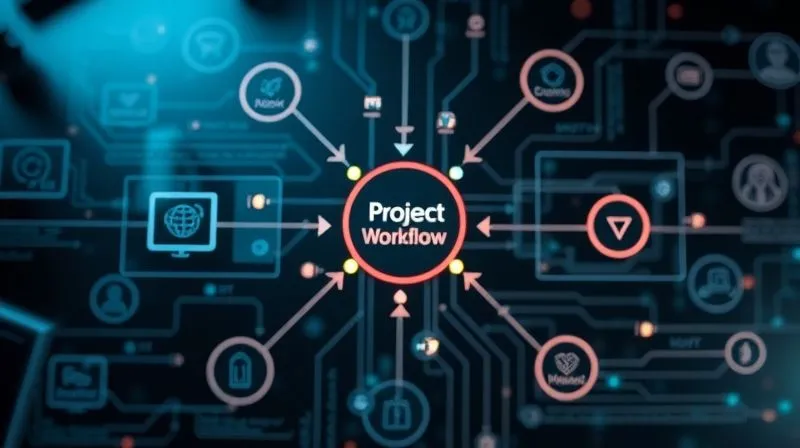
Identify your most crucial business processes – from lead generation to project delivery, customer support to content creation. For each process, map out the steps involved, the team members responsible, and the information flow. This visual representation will highlight bottlenecks and areas where tools are hindering, rather than helping.
Identifying Integration Points and Data Flows
Once processes are mapped, look for natural integration points. Where does data need to flow from one tool to another? For example, does a new lead in your CRM need to automatically create a task in your project management tool? Does a completed task need to trigger a notification in your communication platform? These are the critical junctions where tools *must* talk to each other to prevent manual data entry and errors.
"Effective streamlining isn't about eliminating tools; it's about making them work together in harmony, serving your natural workflows, not dictating them."
Phase 3: Consolidate, Integrate, and Automate Strategically
Now comes the practical application of your audit and workflow mapping. This phase focuses on making intentional choices about your tool stack.
Choosing Your Central Hub: The Platform Approach
Instead of a collection of disparate apps, aim for a central platform that can serve as your team's primary digital workspace. This could be an all-in-one project management suite (like Asana, Monday.com, ClickUp), a comprehensive communication platform (like Microsoft Teams or Google Workspace), or even a robust CRM with project management capabilities. The goal is to reduce context-switching by having as many functions as possible accessible from one primary interface. According to a Deloitte study, companies with integrated digital platforms report 25% higher employee satisfaction and 20% greater efficiency.
Leveraging APIs and Automation Tools
For tools that cannot be fully consolidated, integration is key. Modern software often provides Application Programming Interfaces (APIs) that allow different platforms to communicate. For those without direct integrations, no-code automation tools like Zapier, Make (formerly Integromat), or IFTTT can be invaluable. These tools allow you to create automated workflows (e.g., 'When a new file is uploaded to Dropbox, create a notification in Slack and a task in Asana'). This eliminates manual busywork and ensures data consistency.
The Power of Single Sign-On (SSO)
Implementing Single Sign-On (SSO) is a game-changer for security and user experience. Instead of managing dozens of passwords, team members log in once to an identity provider (like Okta, Azure AD, or Google Workspace) and gain access to all authorized applications. This drastically reduces login friction and enhances security posture.
Case Study: How ConnectFlow Transformed Its Remote Operations
ConnectFlow, a mid-sized marketing agency with 70 remote employees, was struggling with a chaotic tool landscape. They had separate tools for project management (Trello), internal communication (Slack), client communication (email), file storage (Google Drive), and task tracking (individual spreadsheets). After conducting a thorough audit, they realized their project managers were spending 10-15 hours a week just coordinating information across platforms.
By adopting a unified platform (ClickUp) as their central hub, integrating it with Slack for critical notifications, and leveraging Zapier to automate client communication triggers from their CRM, they achieved remarkable results. Within six months, they reported a 25% reduction in project delivery time, a 35% decrease in internal email volume, and a significant boost in team morale. This resulted in improved client satisfaction and a 15% increase in project capacity.
- Reduced Context Switching: Less jumping between applications.
- Improved Data Accuracy: Automated data transfer minimizes human error.
- Enhanced Collaboration: All relevant information in one accessible location.
- Stronger Security: Centralized access management and SSO.
- Cost Savings: Eliminating redundant licenses.
Phase 4: Foster Adoption Through Training and Change Management
The best tools and integrations are useless if your team doesn't adopt them. This phase is all about guiding your team through the transition and ensuring they embrace the new, streamlined ecosystem.
Crafting a Comprehensive Training Program
Don't just send out an email. Develop a structured training program that includes live workshops, recorded tutorials, and easy-to-access documentation. Focus on 'why' the change is happening (benefits for them) and 'how' to perform their most critical tasks in the new system. Provide ample Q&A sessions and hands-on practice.
Appointing Tool Champions
Identify early adopters and enthusiastic team members to become 'tool champions' within their respective departments. These individuals can provide peer-to-peer support, answer basic questions, and collect feedback, acting as a crucial bridge between leadership and the wider team. As marketing guru Seth Godin often says, "People don't buy what you do; they buy why you do it." Apply this to tool adoption by emphasizing the 'why' from your champions.
Establishing Clear Guidelines and Best Practices
Document how each tool should be used, what information belongs where, and the expected communication protocols. Create a central, easily searchable knowledge base for these guidelines. This reduces ambiguity and fosters consistent usage across the team.
Phase 5: Monitor, Measure, and Iterate for Continuous Improvement
Streamlining isn't a one-time event; it's an ongoing process. Your digital ecosystem needs continuous monitoring and adaptation to remain effective.
Key Performance Indicators (KPIs) for Tool Efficiency
Establish clear KPIs to measure the impact of your streamlining efforts. These might include:
- Average time spent on context-switching (pre/post implementation surveys).
- Project completion rates and adherence to deadlines.
- Employee satisfaction scores related to tools and workflows.
- Reduction in redundant software licenses.
- Time saved on specific manual tasks due to automation.
Regular Review Cycles and Feedback Loops
Schedule quarterly or bi-annual reviews of your tool stack. Gather feedback from all team members on what's working, what's not, and what new needs have emerged. Use this feedback to make informed decisions about adjusting existing integrations, exploring new tools, or deprecating underutilized ones.
"The most efficient remote teams are those that view their technology stack not as static infrastructure, but as a living, evolving organism that requires constant care and adaptation."
| KPI | Baseline (Before) | Target (After 3 Months) | Actual (Current) |
|---|---|---|---|
| Average Daily Context Switches | 15-20 | <10 | 8 |
| Project Delivery Time (Avg Days) | 25 | 20 | 18 |
| Tool-Related Frustration Score (1-5) | 3.8 | <2.5 | 2.1 |
| Monthly Software Spend Reduction | $0 | $200 | $250 |
The Human Element: Beyond the Tech Stack
While technology is central to streamlining, never forget the human beings interacting with it. Their experience dictates the success of any digital transformation.
Cultivating a Culture of Digital Literacy
Encourage continuous learning and exploration of digital tools. Provide resources and opportunities for team members to enhance their digital literacy. A team that understands its tools deeply will use them more effectively and creatively. Harvard Business Review emphasizes the importance of digital fluency for modern workforces, stating it's no longer a niche skill but a core competency.
Balancing Automation with Human Oversight
Automation is powerful, but it's not a silver bullet. Ensure that automated workflows still allow for human judgment and intervention where necessary. Over-automating can lead to rigidity and a loss of personal touch, especially in client-facing roles. Maintain a balance where technology supports, rather than replaces, human intelligence.
Addressing Tool Fatigue and Burnout
A streamlined stack should alleviate, not exacerbate, tool fatigue. Listen to your team for signs of digital burnout. Ensure that the new system truly simplifies their work and reduces mental load. A truly effective streamlining effort should leave your team feeling more empowered and less overwhelmed.

Future-Proofing Your Remote Tool Strategy
The digital landscape is constantly evolving. To maintain efficiency, your tool strategy must be agile and forward-looking.
Staying Abreast of Emerging Technologies
Regularly research new tools and technologies that could further enhance your remote operations. This doesn't mean jumping on every new trend, but understanding how innovations like advanced AI, no-code/low-code platforms, or enhanced collaboration features could genuinely benefit your team. Forbes often publishes insights on future-of-work technologies that are worth tracking.
Scalability and Flexibility Considerations
Choose tools and build integrations that can scale with your team's growth. Will your chosen platform support 100 users as easily as 10? Can integrations be easily modified or expanded as your business needs change? Prioritize flexibility to avoid needing another major overhaul in the near future.
Frequently Asked Questions (FAQ)
How do I get buy-in from my team for new tools or changes? The key is transparency and demonstrating value. In my experience, involve your team early in the audit process. Clearly communicate the 'why' behind the changes, focusing on how it will simplify their daily work and reduce frustration. Provide robust training and designate internal champions. Show, don't just tell, the benefits.
What if we have highly specialized tools that can't integrate with anything? This is a common challenge. For truly niche, critical tools, the decision comes down to cost-benefit analysis. Can a small amount of manual data transfer be tolerated for the unique value the tool provides? Or can you explore custom API development if the volume of data is high and the tool is indispensable? Sometimes, a specialized tool remains a standalone, but its touchpoints with the integrated ecosystem should be minimized.
How often should we review our remote tool stack? I recommend a formal, comprehensive review annually, with smaller, informal check-ins quarterly. The digital world moves fast, and new tools or team needs emerge constantly. An annual deep dive ensures you're not falling behind or accumulating new 'tool sprawl.'
What's the biggest mistake companies make when streamlining tools? The biggest mistake I've observed is focusing solely on the technology without considering the people or the process. Simply buying an 'all-in-one' solution without understanding your team's actual workflows and providing adequate change management will almost always fail. It's a people-first, process-second, technology-third approach that truly succeeds.
Can AI help with tool streamlining? Absolutely. AI is increasingly integrated into tools to automate routine tasks, suggest integrations, and analyze usage patterns to identify inefficiencies. AI-powered assistants can also help users navigate complex platforms. As an expert, I see AI as a powerful accelerant for streamlining, especially in automating data flow and providing intelligent insights into tool utilization.
Key Takeaways and Final Thoughts
Navigating the complex world of remote work tools doesn't have to be a source of constant frustration. By adopting a strategic, phased approach, you can transform your disparate applications into a cohesive, highly efficient digital ecosystem. Here are the critical takeaways:
- Audit Relentlessly: Understand every tool's purpose, usage, and true value.
- Map Your Workflows: Optimize tools to serve your processes, not the other way around.
- Consolidate & Integrate: Aim for a central hub and leverage APIs/automation.
- Prioritize People: Invest in training, champions, and clear guidelines for adoption.
- Monitor & Adapt: Use KPIs and feedback loops for continuous improvement.
- Think Long-Term: Choose scalable, flexible solutions to future-proof your strategy.
I've seen firsthand the transformative power of a well-streamlined remote tool stack. It's not just about saving money or time; it's about empowering your team, reducing their cognitive load, and enabling them to focus on truly meaningful work. Embrace these strategies, and watch your team's efficiency and morale soar. The path to a more productive, less chaotic remote work environment is within your reach.
Recommended Reading
- Sales Team Consistently Missing Targets? 8 Proven Fixes From a Veteran
- 8 Legal Tax Strategies: Reduce Year-End Burden for Growing SMEs
- Safeguard Your Ideas: 5 Steps to Manage IP Risks in Open Innovation
- 7 Proven Ways to Cut Google Ads CPA Without Losing Lead Quality
- Unlock Peak Performance: How to Address Low Employee Engagement in the Workplace





Comments
Leave a comment below. Your email will not be published. Required fields marked with *