


What to do when critical service delivery software fails unexpectedly?
For over two decades in operations management, I've witnessed the full spectrum of business crises. Few things send a colder shiver down a leader's spine than the sudden, unexpected failure of critical service delivery software. That moment when the dashboards turn red, the alerts start screaming, and the realization hits: your core operations are grinding to a halt.
The immediate impact is always profound, touching every facet of your organization. Beyond the obvious financial losses from halted transactions or missed service windows, there's the rapid erosion of customer trust, the scrambling of internal teams, and the very real threat to your brand's reputation. It’s a high-stakes scenario where every minute counts, and a clear, decisive response isn't just helpful—it's absolutely essential.
This isn't just about patching a bug; it's about navigating a crisis. In this definitive guide, I'll share the frameworks, strategies, and real-world insights I've gathered from years in the trenches. We'll explore not just *what to do when critical service delivery software fails unexpectedly*, but *how* to do it with precision, resilience, and a clear focus on rapid recovery and long-term prevention. Prepare to transform panic into a structured, effective response.
The Immediate Aftermath: Activating Your Incident Response Protocol
When the alarm bells ring, your first instinct might be to jump straight into troubleshooting. However, in my experience, the most effective response begins with structured incident management. This isn't chaos; it's controlled, coordinated action.
Verify and Isolate: Confirming the Outage and Scope
The very first step is to confirm the incident and understand its scope. Is it a localized issue affecting a single user or a widespread outage impacting your entire service delivery pipeline? Misdiagnosing the scope can lead to wasted effort and delayed resolution.
- Check Monitoring Systems: Immediately consult your observability platforms (APM, infrastructure monitoring, log aggregators). Look for red alerts, unusual spikes in error rates, or significant drops in performance metrics.
- Confirm User Reports: Cross-reference system data with incoming customer support tickets or internal reports. Are multiple users experiencing the same issue?
- Isolate Affected Components: Based on initial data, try to pinpoint which specific software module, server, database, or API is failing. Can you isolate the problem to a specific geographical region or customer segment?
- Document Initial Observations: Start a running incident log. Every piece of information, no matter how small, can be crucial later. Timestamps, observed symptoms, and initial actions are vital.
Communicate Internally and Externally: Transparency is Key
Once you've confirmed an outage, communication becomes paramount. Silence breeds speculation and frustration. My golden rule here is: over-communicate, especially externally.
- Internal Communication: Notify key stakeholders immediately. This includes leadership, relevant IT teams, customer support, and any business units directly impacted. Establish a dedicated communication channel (e.g., a specific Slack channel or conference bridge) for the incident team.
- External Communication (Customers): Draft a clear, concise initial message for your customers. Acknowledge the issue, state that you're investigating, and promise updates. Use your status page, social media, and email. Transparency, even when you don't have all the answers, builds trust.
"In the face of unexpected software failure, silence is your biggest enemy. Proactive, transparent communication—both internal and external—transforms a potential public relations disaster into an opportunity to demonstrate leadership and build trust." - Industry Expert Insight
Remember, your customers are often your first line of defense in identifying issues. Treating them as partners, rather than just recipients of your service, can significantly improve incident response. According to a recent survey by Salesforce, 89% of consumers are more likely to be loyal to companies that are transparent about their operations.
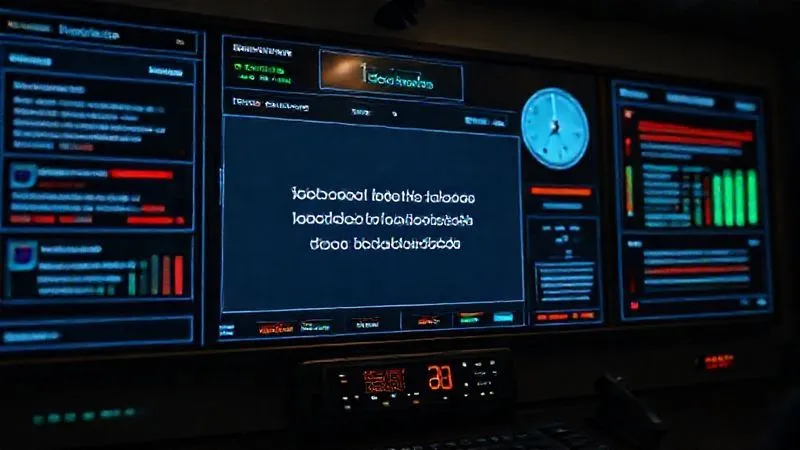
Assemble Your A-Team: The Incident Management Squad
Effective incident response is rarely a solo act. It requires a coordinated effort from a dedicated team with clearly defined roles and responsibilities. This 'A-Team' is your special forces unit for crisis resolution.
Defining Roles and Responsibilities
Before an incident even occurs, you should have a pre-defined incident response team (IRT) and a clear chain of command. This eliminates confusion and speeds up response times when every second counts.
- Incident Commander (IC): The ultimate decision-maker. The IC is responsible for overall coordination, communication, and strategic direction. They don't necessarily troubleshoot, but they ensure the right people are doing the right things.
- Technical Lead(s): The hands-on experts who diagnose the problem, implement fixes, and manage the technical aspects of the recovery. This might involve multiple leads for different systems (e.g., database, network, application).
- Communications Lead: Responsible for crafting and disseminating all internal and external communications. They work closely with the IC to ensure consistent messaging.
- Scribe/Logger: Essential for maintaining the incident log, tracking actions taken, decisions made, and their outcomes. This documentation is critical for the post-mortem analysis.
- Support Liaison: Coordinates with customer support to provide them with accurate information for customer interactions and relays customer impact back to the incident team.
Each role must understand their boundaries and responsibilities. The goal is to avoid 'too many cooks in the kitchen' while ensuring all necessary expertise is available. Regular training and drills for this team are invaluable. As I've seen in countless scenarios, a well-drilled team responds with precision, turning a potential disaster into a manageable challenge.
| Role | Primary Responsibility | Key Skills |
|---|---|---|
| Incident Commander | Overall incident coordination & decision-making | Leadership, communication, strategic thinking |
| Technical Lead | Diagnosis, troubleshooting, implementing fixes | Deep technical expertise, problem-solving |
| Communications Lead | Internal & external stakeholder communication | Crisis communication, empathy, clarity |
| Scribe/Logger | Documenting all incident activities & decisions | Attention to detail, organizational skills |
Dive Deep: Root Cause Analysis (RCA) in Real-Time
While the immediate goal is to restore service, understanding *why* the critical service delivery software fails unexpectedly is crucial for preventing future occurrences. This means conducting a root cause analysis (RCA) concurrently with mitigation efforts.
Data Collection and Diagnostics: Unraveling the Mystery
The technical leads will be at the forefront of this. They need access to all available data points to piece together the sequence of events leading to the failure.
- Review Log Files: Application logs, server logs, database logs, and network device logs are treasure troves of information. Look for error messages, warnings, and unusual patterns immediately preceding the incident.
- Analyze Performance Metrics: Scrutinize historical performance data (CPU, memory, disk I/O, network latency, application response times). Were there any gradual degradations or sudden spikes before the failure?
- Examine Recent Changes: This is often the most significant clue. What recent deployments, configuration changes, infrastructure updates, or even data migrations occurred just before the incident? According to Gartner, human error, often related to change management, accounts for a significant portion of IT outages.
- Consult Monitoring Alerts: Revisit all alerts triggered. Were there any precursor warnings that might have been missed or ignored?
Hypothesize and Test: A Systematic Approach
With data in hand, the team can start forming hypotheses about the root cause. This isn't about guessing; it's about systematic elimination.
- Formulate Hypotheses: Based on the evidence, propose potential causes (e.g., "A recent database patch introduced a compatibility issue," or "A memory leak caused the application server to crash").
- Design Tests: For each hypothesis, design a specific test to either prove or disprove it. This might involve rolling back a change, restarting a service, or isolating a component.
- Execute Tests Safely: Always perform tests in a controlled environment if possible, or with extreme caution in production, to avoid exacerbating the problem.
- Document Findings: Record the results of each test. This iterative process helps narrow down the possibilities until the true root cause is identified.
For more on effective root cause analysis techniques, I often refer teams to resources like the Harvard Business Review's insights on incident management, which emphasize a structured, blameless approach.
Mitigation and Workarounds: Keeping Services Alive
Identifying the root cause is critical, but while that's ongoing, your priority is to restore service, even if temporarily. This often involves implementing mitigation strategies and workarounds to minimize the impact on customers and core business functions.
Temporary Fixes and Bypasses: Stopping the Bleeding
These are not permanent solutions, but they are crucial for buying time and alleviating immediate pressure. Think of them as tourniquets for your operations.
- Rollback Recent Changes: If a recent deployment or configuration change is suspected, rolling it back to a known stable state is often the quickest path to recovery.
- Restart Services/Servers: Sometimes, a simple restart can clear temporary issues, freeing up resources or resetting a hung process. This should always be considered a temporary measure, not a fix.
- Manual Processes: Can critical tasks usually handled by the software be performed manually? This might involve extra human effort but can keep essential services running. For example, if an automated invoicing system fails, can you generate invoices manually for critical clients?
- Alternative Systems/Vendors: Do you have a backup system or an alternative third-party vendor that can temporarily handle a specific function? This highlights the importance of redundancy in your architecture.
- Resource Scaling: If the issue is performance-related due to unexpected load, temporarily scaling up resources (CPU, memory, network bandwidth) might provide relief.
Prioritize Critical Functions: What Can't Wait?
When you can't restore everything at once, focus on what matters most. Not all services are equally critical. Your business continuity plan should already have defined these tiers of service criticality.
- Identify Core Business Functions: What services absolutely *must* be delivered to keep your business operational and your most valuable customers satisfied?
- Allocate Resources: Direct your team's efforts and any temporary fixes towards restoring these high-priority functions first.
- Communicate Prioritization: Be transparent with customers about which services are being restored first and provide realistic timelines for others.
Case Study: How 'SwiftLogistics' Maintained Shipments During a WMS Failure
SwiftLogistics, a mid-sized e-commerce fulfillment provider, faced a critical failure of their Warehouse Management System (WMS) during peak holiday season. The WMS was responsible for inventory tracking, order picking, and shipping label generation. The technical team quickly identified a corrupted database index as the root cause, but a full rebuild would take hours.
Instead of halting operations, SwiftLogistics implemented a multi-pronged workaround. They temporarily reverted to manual picking sheets for high-priority orders, using printed manifests from an older system. For shipping labels, they leveraged a direct API integration with their primary carrier, bypassing the WMS entirely for label generation, manually inputting order details. While slower and resource-intensive, this allowed them to process 70% of their critical daily shipments, preventing a complete collapse of their delivery schedule and saving millions in potential penalties and lost revenue. This proactive approach, born from a well-practiced incident response plan, minimized the impact until the WMS could be fully restored.
The Resolution Phase: Implementing the Permanent Fix
Once the root cause is identified and temporary workarounds are in place, the focus shifts to deploying a permanent solution. This phase requires meticulous planning and execution to ensure the fix is robust and doesn't introduce new problems.
Thorough Testing: Ensuring Stability
Never rush a fix into production without proper validation. This is where many companies stumble, turning a single incident into a recurring nightmare.
- Develop the Fix: Create the code patch, configuration change, or infrastructure update that directly addresses the identified root cause.
- Test in Staging/Pre-Production: Deploy the fix to an environment that mirrors production as closely as possible. Conduct comprehensive regression testing to ensure the fix doesn't break existing functionality.
- Performance and Load Testing: If applicable, test the fix under simulated production load to ensure it performs as expected and doesn't introduce new bottlenecks.
- Security Review: Ensure the fix doesn't inadvertently open up new security vulnerabilities.
Phased Rollout (if applicable): Minimizing Risk
For critical systems, a 'big bang' deployment of a fix can be risky. A phased rollout strategy can help mitigate this risk.
- Canary Deployments: Deploy the fix to a small subset of users or servers first, monitoring its performance closely.
- Blue/Green Deployments: Deploy the new version to a separate, identical environment, test it, and then switch traffic to it, keeping the old environment as a rollback option.
- Feature Flags: Use feature flags to enable the fix for a limited audience or to easily toggle it off if issues arise.
This systematic approach, though seemingly slower, dramatically reduces the chances of a secondary outage. As operations expert Gene Kim often emphasizes, a robust deployment pipeline is a cornerstone of high-performing organizations.
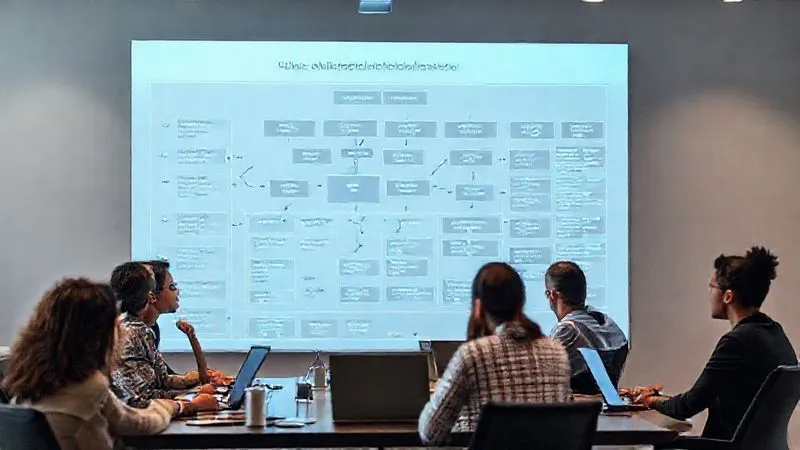
Post-Incident Review: Learning and Fortifying Your Defenses
The incident isn't truly over until you've learned from it. The post-incident review, or 'post-mortem,' is perhaps the most crucial step in building long-term resilience. This isn't about assigning blame; it's about understanding and improvement.
The Blameless Post-Mortem: Focus on Process, Not People
I cannot stress enough the importance of a blameless culture in post-mortems. When people fear punishment, they hide mistakes, which prevents genuine learning. The goal is to understand the systemic factors that contributed to the incident.
- Gather All Data: Compile the incident log, communication records, technical analysis, and any other relevant data.
- Reconstruct the Timeline: Create a detailed, minute-by-minute timeline of the incident, including when it was detected, actions taken, and the observed effects.
- Identify Contributing Factors: Go beyond the immediate root cause. What other factors (e.g., inadequate monitoring, unclear procedures, lack of training, technical debt) allowed the incident to occur or prolonged its resolution?
- Discuss What Went Well: Acknowledge effective actions and processes. This reinforces positive behaviors and helps identify best practices.
- Identify Areas for Improvement: This is the core of the post-mortem. What could have been done differently? What systemic changes are needed?
Actionable Insights and Preventative Measures: Building Stronger Systems
The post-mortem must conclude with concrete, actionable items. These aren't just suggestions; they are commitments to improve.
- System Upgrades: Implement patches, re-architect vulnerable components, or upgrade outdated infrastructure.
- Process Improvements: Refine incident response protocols, improve change management procedures, or enhance communication workflows.
- Monitoring Enhancements: Implement new alerts, improve logging, or deploy more sophisticated observability tools.
- Training and Documentation: Provide refresher training for incident teams, update runbooks, and document new procedures.
- Testing Regimen: Increase the frequency or scope of disaster recovery drills and chaos engineering exercises.
For more detailed guidance on conducting effective post-mortems, resources from leading tech companies like Google's SRE principles or Atlassian's incident post-mortem guide offer excellent frameworks.
Proactive Strategies: Building Resilience into Your Operations
The best way to handle critical service delivery software failure is to prevent it, or at least minimize its impact significantly. This requires a proactive, strategic approach to operational resilience, baked into the very fabric of your systems and culture.
Robust Monitoring and Alerting Systems: Your Early Warning Network
You can't fix what you don't know is broken. Comprehensive monitoring is your first line of defense.
- End-to-End Visibility: Monitor not just infrastructure, but also application performance, user experience, and business metrics.
- Proactive Alerting: Configure alerts that notify you of impending issues (e.g., disk space usage above 80%, increasing error rates) *before* they become full-blown outages.
- Automated Healing: Implement automation to automatically restart services, scale resources, or failover to redundant systems when certain thresholds are met.
Regular Backups and Disaster Recovery Planning: Your Safety Net
Data loss and system unavailability are catastrophic. A well-defined and *tested* disaster recovery (DR) plan is non-negotiable.
- Automated Backups: Implement regular, automated backups of all critical data and configurations.
- Offsite Storage: Ensure backups are stored securely offsite, isolated from your primary environment.
- Recovery Point Objective (RPO) & Recovery Time Objective (RTO): Define these metrics for your critical systems to understand how much data loss is acceptable and how quickly you need to recover.
- DR Drills: Regularly test your DR plan. A plan that hasn't been tested is merely a hypothesis. As Forbes often highlights, continuous testing is key to true business continuity.
Redundancy and High Availability Architectures: Designed for Failure
Modern software should be designed with failure in mind. Building redundant systems ensures that a single point of failure doesn't bring down your entire operation.
- Distributed Systems: Spread your application across multiple servers, data centers, or cloud regions.
- Load Balancing: Distribute incoming traffic across multiple instances of your application.
- Failover Mechanisms: Implement automatic failover for databases and critical services.
- Circuit Breakers: Design your microservices to gracefully degrade or fail fast when dependent services are unavailable, preventing cascading failures.
Embracing these proactive strategies transforms your organization from reactive to resilient. It’s an investment, but one that pays dividends by protecting your revenue, reputation, and customer loyalty. For a deeper dive into building resilient systems, I highly recommend exploring concepts of AWS's Well-Architected Framework or similar cloud provider best practices.

The Human Element: Managing Stress and Maintaining Morale
While technology is at the heart of the problem, people are at the heart of the solution. Dealing with critical service delivery software failure is incredibly stressful. As an operations leader, I've seen the toll it takes on teams. Managing the human element is just as crucial as managing the technical one.
Leadership During Crisis: Be the Calm in the Storm
Your team will look to you for guidance and reassurance. Your demeanor sets the tone for the entire incident response.
- Stay Calm and Focused: Panic is contagious. Project a calm, confident, and decisive attitude, even if you're feeling the pressure internally.
- Provide Clear Direction: Ensure everyone understands their role and the immediate priorities. Avoid ambiguity.
- Trust Your Team: Empower your technical experts to do their jobs. Provide them with the resources and support they need, then get out of their way.
- Be Present: Be accessible and visible to your team. Show them you're in this with them.
Supporting Your Team: Recognizing the Strain
Incident response, especially for critical failures, often involves long hours, high pressure, and intense cognitive load. It's vital to support your team members.
- Ensure Basic Needs: Make sure food, water, and breaks are available. Encourage short breaks to clear heads.
- Manage Expectations: Be realistic about resolution timelines and communicate them honestly. Avoid setting impossible deadlines.
- Acknowledge Efforts: Publicly recognize and appreciate the hard work and dedication of your team members, both during and after the incident.
- Post-Incident Debrief: Beyond the technical post-mortem, have a separate debrief to discuss the human impact. Allow team members to share their experiences and feelings in a safe space.
- Prevent Burnout: Implement strategies to prevent chronic burnout, especially for teams frequently on-call or dealing with high-stress situations. This might include rotating on-call schedules, providing mental health resources, or encouraging time off after major incidents.
"During an operational crisis, the most critical asset isn't your technology; it's the resilience and well-being of your people. Nurture your team, and they will move mountains to restore your services." - Veteran Operations Leader's Wisdom
Remember, a resilient team is built on trust, psychological safety, and strong leadership. Investing in your people's well-being is an investment in your organization's overall operational resilience.
Frequently Asked Questions (FAQ)
Q: How quickly should we communicate an outage to customers? A: Immediately upon confirmation of a widespread issue. Even if you don't have all the details, an initial acknowledgment (e.g., "We are aware of an issue affecting service and are investigating") is crucial. Aim for within 15-30 minutes for critical services. Silence creates frustration and distrust. Provide regular updates, even if it's just to say "no new information, still working on it."
Q: What if we don't have a dedicated incident response team? A: If you're a smaller organization, you might not have a formal IRT, but you still need defined roles. Designate an Incident Commander, a technical lead, and someone responsible for communication during an incident. Even if it's the same person wearing multiple hats, having these responsibilities predefined prevents confusion and speeds up response. Start small, then formalize as you grow.
Q: How do we balance speed of recovery with thoroughness in fixing the problem? A: This is a classic dilemma. The key is to prioritize. First, focus on immediate mitigation and workarounds to restore service functionality as quickly as possible (speed). Once service is stable, then shift focus to the permanent, thoroughly tested fix (throughness). Never rush a permanent fix into production without proper testing, as this often leads to recurring issues.
Q: What's the biggest mistake companies make during a critical software failure? A: In my experience, the biggest mistake is failing to communicate effectively, both internally and externally. Lack of clear leadership, confused roles, and a reluctance to inform customers quickly exacerbate the problem. The second biggest mistake is not conducting a thorough, blameless post-mortem and failing to implement the lessons learned. Without learning, you're doomed to repeat the same failures.
Q: How often should we test our disaster recovery plan? A: For critical service delivery software, I recommend testing your disaster recovery plan at least annually, and ideally more frequently (e.g., quarterly) for the most critical components. These tests shouldn't just be tabletop exercises; they should be full simulations where you attempt to recover systems from backups and failover to secondary environments. Treat it like a fire drill—you want to be prepared when a real fire breaks out.
Key Takeaways and Final Thoughts
- Preparation is Paramount: A well-defined incident response plan, clear roles, and proactive monitoring are your strongest defenses against unexpected software failures.
- Communicate Relentlessly: Transparency with customers and clear internal communication are non-negotiable for maintaining trust and coordinating an effective response.
- Act Decisively, Then Thoroughly: Prioritize immediate mitigation and workarounds to restore service, then shift focus to a permanent, well-tested solution.
- Learn from Every Incident: Conduct blameless post-mortems to identify root causes and implement actionable preventative measures, transforming failures into opportunities for resilience.
- Support Your People: The human element is crucial. Lead with calm, empower your team, and prioritize their well-being during and after high-stress incidents.
The unexpected failure of critical service delivery software is an inevitability in the complex digital landscape we operate in. It's not a matter of *if*, but *when*. However, the impact of such an event is entirely within your control. By adopting these expert-backed strategies, you equip your organization not just to survive, but to thrive through adversity. Build resilience, foster a culture of continuous improvement, and ensure that when your critical systems falter, your operations leadership stands strong, ready to guide your business back to stability and beyond.
Recommended Reading
- 7 Pillars: Future-Proofing Your Franchise from Disruptive Industry Trends
- Mastering Currency Risk: How to Hedge Fluctuations in Global E-commerce
- 7 Steps: Build a Proactive HR Succession Plan to Halt Talent Loss
- 9 Proven Strategies to Fix Supply Chain Inefficiencies & End Delivery Delays
- 5 Critical Causes of High Franchise Turnover & How to Stop It Now





Comments
Leave a comment below. Your email will not be published. Required fields marked with *