

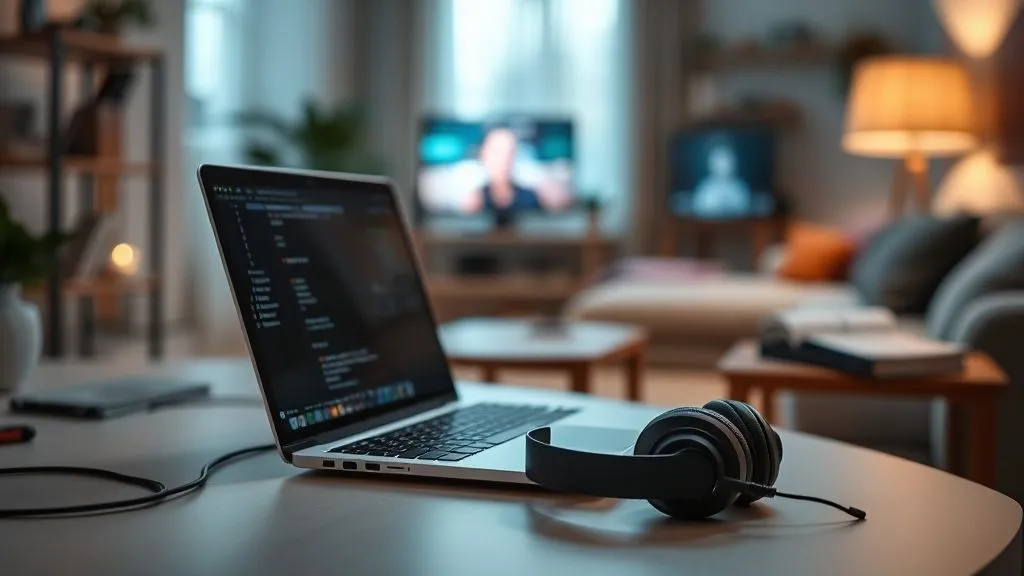
How to Build a Focused Home Office in a Noisy Shared Living Space?
For over a decade and a half, working with remote teams and individuals, I've witnessed a recurring challenge that often goes unaddressed: the struggle to maintain focus when your 'office' is also your shared living room, bedroom, or even kitchen. It’s a reality for millions, especially in our increasingly remote-first world. The dream of a quiet, dedicated home office often clashes with the reality of roommates, family members, pets, and the general cacophony of daily life.
The pain point is palpable: constant interruptions erode concentration, productivity plummets, and the line between work and personal life blurs into an exhausting mess. You might find yourself working late into the night just to catch up on what couldn't be done during the day, or constantly battling frustration with your environment. It’s not just about getting work done; it’s about preserving your mental well-being and professional effectiveness in an environment that wasn't designed for it.
This isn't just about finding a quiet corner; it's about strategically engineering your environment and your habits to create a sanctuary of focus, even when chaos reigns around you. In this definitive guide, I’ll share actionable frameworks, expert insights, and proven strategies drawn from years of experience helping professionals like you reclaim their productivity and peace of mind. We'll explore everything from physical setup to psychological hacks, ensuring you can build a truly focused home office in even the noisiest shared living space.
Diagnosing Your Noise Landscape: Beyond Just Decibels
Before we can build solutions, we must first understand the problem. Noise isn't just about volume; it's about the type of distraction and its impact on your cognitive load. In a shared living space, the 'noise landscape' is often multifaceted, encompassing more than just auditory inputs.
I've often seen individuals only focus on sound, overlooking other crucial elements that break concentration. A comprehensive self-assessment is the first, critical step towards developing an effective strategy.
The Auditory Assault: From Roommates to Street Sounds
This is the most obvious culprit. Auditory distractions can range from loud conversations, music, TV, and video games to the clatter of dishes, washing machines, or even external street noise like traffic, construction, or sirens. What's crucial here is not just the presence of sound, but its predictability and its content. Unpredictable, speech-based noise is often the most detrimental to cognitive tasks.
Visual Clutter: A Silent Productivity Killer
Often underestimated, visual distractions can be just as potent as auditory ones. A constantly moving roommate, a pet demanding attention, a perpetually messy common area, or even just an open door allowing glimpses of activity can pull your focus away. Our brains are wired to detect movement and novelty, making a dynamic visual environment a constant battle for attention.
Cognitive Overload: The Internal Distraction
This is where things get truly insidious. The mere *anticipation* of noise or interruption can be a massive distraction. Worrying about when the next interruption will come, feeling stressed about shared space dynamics, or even just the mental effort of trying to filter out background activity contributes to cognitive overload. This internal 'noise' can be more debilitating than any external sound. As a study published in the Harvard Business Review highlighted, the cost of distraction extends far beyond the immediate interruption.
To truly understand your unique situation, I recommend taking a moment to conduct a personal 'noise audit'.
| Distraction Type | Specific Examples | Impact on Focus (1-5) | Frequency |
|---|---|---|---|
| Auditory | Roommate's TV, Street traffic, Pet noises | 4 | Daily |
| Visual | Roommate moving around, Messy common area | 3 | Several times/day |
| Cognitive/Anticipatory | Worrying about interruptions, Feeling watched | 5 | Constant |
| Internal (Self-Generated) | Notifications, Personal worries | 4 | Hourly |
Strategic Space Segregation: Defining Your Digital Sanctuary
Even in the most cramped shared living situations, the first principle is to establish a clear, physical, and psychological boundary for your workspace. This isn't about building a new wall, but about intelligently defining and optimizing the space you have.
I've seen countless individuals try to work from a sofa or bed, only to find their productivity—and their sleep—suffering. A dedicated space, no matter how small, signals to your brain (and to others) that it's 'work time.'
The Power of the "Micro-Office"
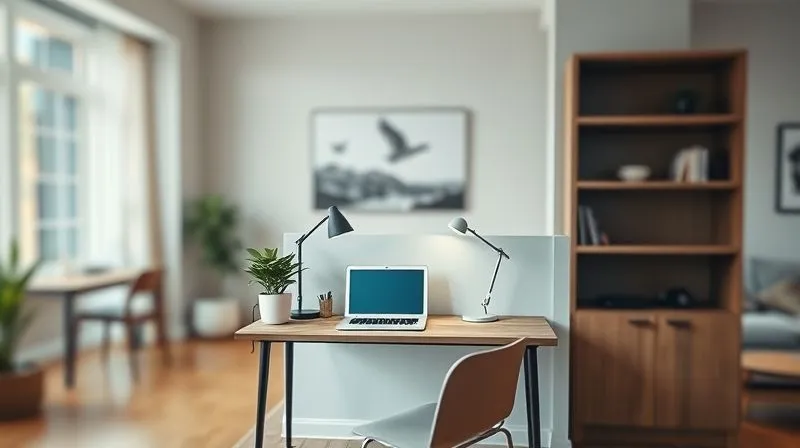
A micro-office is a small, purposefully designed area within a larger room that serves solely as your workspace. It can be a corner of a living room, a section of a bedroom, or even a cleverly repurposed closet. The key is its intentionality and consistency.
- Identify Your Corner: Look for the least trafficked area, ideally with a wall behind you to minimize visual distractions from passing housemates. A corner spot offers two walls for a sense of enclosure.
- Define with Furniture: Use a small desk and a comfortable chair. Even a console table or a sturdy shelf can work. The act of sitting at this specific piece of furniture should mentally trigger 'work mode.'
- Implement Visual Boundaries: Even if you can't build a wall, you can create visual separation. A tall bookshelf, a room divider screen, or even a strategically placed plant can act as a psychological barrier.
- Optimize Lighting: Position your desk to take advantage of natural light if possible, but also invest in a good task lamp. Avoid working in dimly lit areas, which can cause eye strain and fatigue.
- Keep it Clutter-Free: This dedicated space should be meticulously organized. Clutter is a visual distraction that drains mental energy.
Acoustic Engineering for the Everyday Home: Soundproofing & Sound Masking
Once your space is defined, the next battle is against audible intrusions. True soundproofing can be expensive and impractical in a rental or shared space, but there are numerous effective, budget-friendly tactics to significantly reduce noise and improve your acoustic environment.
I often tell clients that perfect silence isn't always the goal; rather, it's about creating a predictable and less distracting soundscape.
Physical Barriers: Walls, Doors, and Windows
Sound travels through air and vibrations. Your goal is to block or absorb as much of it as possible.
- Seal Gaps: The biggest culprits are often gaps around doors and windows. Use weatherstripping or door sweeps to seal these openings. Even a thick towel rolled up and placed at the bottom of a door can make a difference.
- Heavy Curtains/Blinds: For windows, invest in heavy, thermal, or sound-dampening curtains. These not only block light but also absorb sound waves, preventing them from bouncing around your room.
- Bookcases Against Walls: A tall, filled bookcase against a shared wall can act as a surprisingly effective sound barrier. The irregular surfaces and dense mass of books help to diffuse and absorb sound.
Sound Absorption: Taming Reverb
Hard surfaces reflect sound, making a room echoey and amplifying noise. Soft surfaces absorb sound, creating a calmer acoustic environment.
- Rugs and Carpets: If you have hard floors, a thick area rug can dramatically reduce sound reflection. The thicker the rug, the better.
- Upholstered Furniture: If your micro-office includes a small armchair or stool, choose an upholstered one. Soft furnishings soak up sound.
- Acoustic Panels (DIY or Purchased): You can buy decorative acoustic panels or even make your own using dense foam and fabric. strategically placing these on walls can significantly reduce echo and dampen ambient noise.
- Plants: While not a primary soundproofing solution, large, leafy plants can offer some minor sound absorption and diffusion, especially high-frequency sounds. They also add a calming visual element.
White Noise & Sound Masking: Your Secret Weapon
“The human brain is remarkably adept at detecting changes and patterns. White noise, or other forms of sound masking, works by creating a consistent, ambient sound that effectively 'covers' or 'masks' distracting and unpredictable noises, making them less noticeable and thus less disruptive.” – Expert Insight on Auditory Perception
White noise machines or apps generate a consistent, unobtrusive sound that helps to mask sudden or intermittent noises. This isn't about blocking noise, but about making other noises less salient to your brain. Pink noise (deeper pitch than white noise) or brown noise (even deeper) can also be highly effective. Some people prefer ambient sounds like gentle rain or distant waves, as long as they are consistent and non-distracting.
Visual Fortress: Minimizing Distractions and Maximizing Focus
Just as auditory noise can break your concentration, so too can visual clutter and movement. Creating a visual 'fortress' around your workspace is crucial for sustained focus.
I’ve observed that many people underestimate the cognitive load of a visually busy environment. Our primitive brain is constantly scanning for threats or changes, and in a shared space, that means a constant battle for your attention.
Strategic Desk Placement
Where you place your desk matters immensely. Ideally, your back should be to a wall, facing into the room, but with your main line of sight directed away from high-traffic areas or common gathering points. If that’s not possible, consider facing a window (if the view isn't too distracting) or a blank wall.
Visual Barriers & Screens
These are your allies in creating a sense of enclosure and privacy, even if physical walls aren't an option.
- Room Dividers: Portable screens, folding partitions, or even large, open-backed shelving units can physically separate your workspace from the rest of the room. Choose opaque or semi-opaque options for maximum visual blocking.
- Tall Plants: Large, leafy plants can serve as natural, aesthetically pleasing visual barriers, subtly demarcating your space.
- Curtains or Drapes: If your workspace is in an alcove or against a wall, a ceiling-mounted curtain track can allow you to draw a curtain around your desk during work hours, creating a temporary 'room within a room.'
- Desk Shields: Smaller, desktop privacy panels can be attached to your desk to block peripheral vision, especially useful in an open-plan shared room.
Decluttering for Clarity
A cluttered workspace leads to a cluttered mind. Every item on your desk that isn't essential for your current task is a potential visual distraction.
- Minimalist Approach: Adopt a 'one in, one out' policy. Only keep what you truly need for your immediate work.
- Storage Solutions: Utilize drawers, shelves, and organizers to keep supplies out of sight but easily accessible. Vertical storage is your friend in small spaces.
- Digital Decluttering: Don't forget your computer screen. Close unnecessary tabs, organize your desktop, and use a clean background.
The Tech Toolkit: Smart Gadgets for Enhanced Concentration
In the modern home office, technology isn't just about getting work done; it's about actively creating an environment conducive to focus. There are several tools I consider non-negotiable for anyone working in a noisy, shared space.
I've seen firsthand how a strategic investment in the right tech can transform a chaotic work environment into a productive one, often more effectively than physical changes alone.
Noise-Canceling Headphones: A Non-Negotiable
These are, without a doubt, your most powerful weapon against auditory distractions. Active Noise Cancellation (ANC) technology works by emitting sound waves that cancel out ambient noise, creating a bubble of relative silence.
While they won't block out every single sound (especially sudden, sharp noises or close-range conversations), they dramatically reduce the hum of air conditioning, distant chatter, and general background noise. Invest in a high-quality pair. Brands like Sony, Bose, and Apple offer excellent options. The psychological effect of putting them on also signals to your brain (and potentially your housemates) that you are 'in the zone.'
Dedicated Microphones: Clear Communication, Less Background Noise
If your work involves frequent video calls, a good external microphone is essential. The built-in mics on laptops pick up *everything* – your housemates' conversations, the dog barking, the washing machine. A dedicated USB microphone, especially one with directional (cardioid) pickup patterns, will focus on your voice and significantly reduce background noise for your callers. This not only improves your professional image but also reduces the stress of trying to find absolute silence for every meeting.
Smart Lighting: Setting the Mood for Productivity
Beyond just a task lamp, smart lighting can influence your mood and focus. Warm, soft lighting can be calming, while cooler, brighter light can enhance alertness. Smart bulbs allow you to adjust color temperature and brightness throughout the day, mimicking natural light cycles or setting a specific ambiance for focused work. Philips Hue or other smart lighting systems can be integrated into your routine.
Digital Focus Tools: Apps and Software
Don't forget the digital realm of distractions. Apps like Freedom, Cold Turkey, or StayFocusd can block distracting websites and applications for set periods. Focus timers (like the Pomodoro Technique apps) can help structure your work into focused sprints followed by short breaks. Music streaming services offer 'focus' playlists, often instrumental, that can aid concentration without being distracting.

Crafting Your Focus Rituals: Mindset and Habits in Chaos
While physical and technological solutions are vital, the most profound changes often come from within. Developing consistent routines and a resilient mindset is paramount when your physical environment is less than ideal.
In my work, I've seen that the most successful remote workers aren't necessarily those with the perfect home office, but those who master their internal environment and communication strategies.
The Power of a Morning Routine
Starting your day with intention can set the tone for focus. This isn't about productivity hacks; it's about creating a buffer between waking up and diving into work. Your routine might include:
- Mindfulness or Meditation: Even 5-10 minutes can significantly improve your ability to concentrate.
- Exercise: A quick walk or workout can boost energy and clarity.
- Planning Your Day: Before opening emails, outline your top 3 priorities. This provides direction and reduces decision fatigue.
This routine acts as a psychological 'commute,' preparing your mind for work, even if your physical commute is just from your bed to your desk.
Structured Breaks and the Pomodoro Technique
Trying to power through distractions is a recipe for burnout. Instead, embrace structured breaks. The Pomodoro Technique (25 minutes of focused work, 5-minute break) is incredibly effective. During your breaks, step away from your desk, stretch, grab a drink, or briefly engage with housemates. These micro-breaks allow your brain to reset and can actually improve sustained focus.
Communicating Boundaries: Setting Expectations with Housemates
This is often the most challenging, yet most crucial, aspect. Your housemates can't respect boundaries they don't know exist. Open, honest, and empathetic communication is key.
Case Study: How Sarah Reclaimed Her Productivity in a Co-Living Space
Sarah, a junior software developer, lived in a vibrant co-living space with three other young professionals. Her biggest challenge was the unpredictable nature of her housemates' schedules and noise levels, especially during her critical coding sprints. She tried headphones, but felt isolated and still struggled with visual distractions.
After feeling constantly drained and behind on her tasks, Sarah implemented a multi-pronged strategy. First, she designated a specific corner of her bedroom as her 'work zone,' investing in a small desk, a tall plant as a visual barrier, and a good task lamp. She then bought a set of high-quality noise-canceling headphones, but more importantly, she initiated a house meeting. During the meeting, she calmly explained her work hours (9 AM - 5 PM) and politely requested that during these times, if her bedroom door was closed and her headphones were on, she should only be interrupted for emergencies. She even put a small 'Do Not Disturb' sign on her door that she'd flip when in deep work.
The results were transformative. Her housemates, understanding her need for focus, largely respected her boundaries. The visual cue of the sign and the closed door became powerful signals. Sarah reported a 30% increase in deep work hours, significantly reduced stress, and improved relationships with her housemates who appreciated the clear communication. She found herself finishing work on time and having more energy for social interaction after hours.
“Your habits, not your intentions, determine your future. In a noisy environment, intentional habit formation is your shield.” – Expert Insight on Habit Formation
Discuss your work hours, your need for focus, and specific times when you absolutely cannot be disturbed. Suggest visual cues (e.g., a closed door, headphones on, a specific sign) that signal you're in 'deep work' mode. Offer solutions that benefit everyone, like scheduling group activities around your work breaks or suggesting 'quiet hours' for the common areas.
Ergonomics and Comfort: Sustaining Focus Without Strain
Discomfort is a powerful, insidious distraction. Aching back, strained neck, or tired eyes will pull your focus away from your tasks more effectively than almost anything else. Investing in proper ergonomics is not a luxury; it's a necessity for sustained productivity and long-term health, especially in a home office setting where you might be working longer hours without the usual office amenities.
I've seen many professionals neglect their physical setup, only to suffer from chronic pain and reduced output. Your body is your most important tool, and it needs to be supported.
The Right Chair and Desk
This is foundational. While a standing desk might not be feasible in every shared space, a good ergonomic chair is non-negotiable. Look for one with adjustable height, lumbar support, and armrests. Your feet should be flat on the floor, and your knees should be at a 90-degree angle. If your desk isn't adjustable, consider a footrest.
Your desk height should allow your forearms to be parallel to the floor when typing, with your wrists straight. If your existing table is too high, consider a keyboard tray or raising your chair and using a footrest.
Monitor Placement and Lighting
Your monitor should be at arm's length, with the top of the screen at or slightly below eye level. This prevents neck strain. If you're using a laptop, consider an external monitor or a laptop stand to bring the screen to the correct height, and use an external keyboard and mouse.
Ensure your screen is free from glare. Position your desk so that windows are to your side, not directly in front or behind your screen. Use a good task lamp to provide sufficient, glare-free illumination for your workspace, complementing ambient light.
Regular Movement and Micro-Breaks
Even with the best ergonomic setup, prolonged sitting is detrimental. Incorporate regular movement into your day. Every 30-60 minutes, stand up, stretch, walk around for a minute or two. These micro-breaks not only benefit your physical health but also give your eyes a rest and allow your mind to briefly disengage, often leading to renewed focus upon returning to your task. The Mayo Clinic emphasizes the importance of regular movement for overall health, especially for those with sedentary jobs.
| Ergonomic Element | Ideal Setup | Checklist Status |
|---|---|---|
| Chair | Adjustable height, lumbar support, armrests; feet flat, knees at 90° | |
| Desk | Forearms parallel to floor, wrists straight; height allows comfortable typing | |
| Monitor | Arm's length, top at/below eye level; no glare; external monitor/laptop stand for laptops | |
| Keyboard & Mouse | External, comfortable, wrists straight | |
| Lighting | Sufficient, glare-free task lighting; natural light from side | |
| Movement | Micro-breaks every 30-60 mins; stretch, stand, walk |
Frequently Asked Questions (FAQ)
Q: How much should I invest in soundproofing for a temporary home office? A: For a temporary or shared home office, full soundproofing is usually overkill and expensive. Focus on high-impact, budget-friendly solutions. Investing in quality noise-canceling headphones (around $150-$350) is often the single best investment. Beyond that, heavy curtains (around $50-$150), door sweeps/weatherstripping ($10-$30), and a thick area rug ($50-$200) offer significant improvements for a relatively low cost. DIY acoustic panels can also be very effective for under $100. Prioritize reducing noise rather than eliminating it entirely.
Q: Can plants really help with noise reduction in a home office? A: While plants can offer some minor acoustic benefits, their primary role is more aesthetic and psychological. Large, dense plants can help absorb a small amount of high-frequency sound and diffuse reflections, making a room feel less 'live' or echoey. However, they are not a substitute for proper sound absorption materials like acoustic panels or heavy fabrics. Their biggest benefit is often creating a calming visual environment, which indirectly aids focus.
Q: What if my housemates don't respect my boundaries even after I communicate them? A: This can be a tough situation. First, reiterate your needs calmly and firmly, perhaps in writing, outlining specific examples of when boundaries were crossed and the impact on your work. Re-emphasize the visual cues (headphones, closed door, sign). If the issue persists, consider involving a mediator (a neutral third party or another housemate) to facilitate a discussion. As a last resort, explore options for finding a new living situation if your work and well-being are significantly compromised. Sometimes, despite best efforts, personalities or lifestyles simply aren't compatible for a shared work/living arrangement.
Q: Are open-plan offices still viable with remote work becoming more common? A: The concept of the open-plan office has faced significant scrutiny, even before the widespread adoption of remote work. While it can foster collaboration and a sense of community, it often comes at the cost of individual focus and deep work. In a remote-first world, the viability of open-plan offices for companies often shifts to creating 'collaboration hubs' for specific team meetings or creative sessions, rather than daily individual workstations. For home offices, the lessons from open-plan failures reinforce the need for personal 'focus zones,' even in shared living spaces.
Q: What's the single most impactful change I can make to build a focused home office in a noisy shared space? A: If I had to pick just one, it would be a combination of two things: high-quality noise-canceling headphones and clear communication of boundaries. The headphones create an immediate personal sound bubble, while clear communication sets expectations with those around you. Without both, you're either constantly battling external noise or internal frustration. These two elements, when consistently applied, lay the groundwork for a far more focused and less stressful work environment.
Key Takeaways and Final Thoughts
Building a focused home office in a noisy shared living space isn't about achieving perfect silence or an ideal setup; it's about strategic adaptation, resilience, and intentional design. It's a continuous process of optimizing your environment and your habits to support deep work and minimize distractions. Remember, your productivity and well-being are worth fighting for.
- Diagnose Your Distractions: Understand all forms of 'noise' – auditory, visual, and cognitive.
- Define Your Space: Create a dedicated, visually demarcated micro-office.
- Engineer Your Acoustics: Use physical barriers, absorption, and sound masking (white noise, headphones).
- Fortify Your Visuals: Minimize clutter and use screens or strategic placement to block distractions.
- Leverage Technology: Invest in noise-canceling headphones, a good microphone, and focus apps.
- Cultivate Focus Rituals: Implement morning routines, structured breaks, and clear communication with housemates.
- Prioritize Ergonomics: Ensure your setup supports your body to prevent discomfort and maintain concentration.
By implementing these expert-backed strategies, you're not just creating a workspace; you're creating a sanctuary for your focus, your creativity, and your professional growth. Embrace the challenge, be patient with the process, and you will undoubtedly reclaim your productivity and peace of mind, no matter how lively your shared living space may be. Your ability to adapt and thrive in less-than-ideal circumstances will not only make you a more effective remote worker but a more resilient professional overall.
Recommended Reading
- Unlock Operational Excellence: How to Make Performance Monitoring Truly Deliver
- 7 Proven Strategies: Prevent Remote Burnout & Boost Engagement
- 7 Steps: Confidently Reverse a Poor Strategic Business Decision
- Onboarding Remote Employees: 5 Steps for Global Success Across Time Zones
- Unlock Peak Performance: How to Maximize ROI from Marketing Consulting?





Comments
Leave a comment below. Your email will not be published. Required fields marked with *