


How to make business analytics dashboards truly actionable?
For over 15 years in the trenches of business analytics, I've seen countless organizations invest heavily in sophisticated BI tools, only to find their beautiful dashboards gathering digital dust. They look impressive, filled with charts and graphs, but they often fail to translate into tangible business action. It's a common, frustrating scenario where data exists, but insights don't lead to decisions.
The core problem isn't usually the data itself, nor the technology. It's a fundamental misunderstanding of what an 'actionable' dashboard truly means. Many dashboards are designed as reporting tools, showcasing what happened, rather than empowering users to understand why it happened and, crucially, what to do about it next. This disconnect between data presentation and operational execution stifles growth and wastes valuable resources.
In this definitive guide, I'll draw upon my extensive experience to provide a robust, 7-step framework designed to transform your static reports into dynamic, decision-driving powerhouses. You'll learn not just the 'what' but the 'how' to make business analytics dashboards truly actionable, complete with practical strategies, a realistic case study, and expert insights to guide your journey from data to decisive action.
The Core Problem: Why Dashboards Fail to Drive Action
Before we can build truly actionable dashboards, we must first diagnose why so many fall short. I've observed that the primary culprits often stem from a lack of strategic foresight and user-centric design. Dashboards are frequently built because 'we need a dashboard,' not because a specific business problem needs solving or a particular decision needs facilitating.
Common pitfalls include information overload, where too many metrics obscure what's critical; a focus on vanity metrics that look good but offer no real insights; and a complete absence of context, making it impossible for users to interpret the data's significance. Without a clear purpose, dashboards become digital noise, admired for their aesthetics rather than valued for their utility.
"The greatest value of a picture is when it forces us to notice what we never expected to see." – John Tukey. In business analytics, this translates to dashboards revealing not just data points, but the 'so what?' and 'what next?'
Principle 1: Define Your Objective Before You Design
This is where I always start. Before touching a single data point or opening a visualization tool, you must articulate the precise business objective the dashboard is meant to address. What specific questions does it need to answer? What decisions will it inform? Who are the users, and what actions will they take?
Without a clear 'why,' your dashboard risks becoming a beautiful but directionless collection of charts. I've seen teams spend months perfecting dashboards only to realize they don't solve any real problem for the end-user.
Start with the "Why": Business Questions First
Engage stakeholders early and often. Ask them not what data they want to see, but what problems they're trying to solve and what decisions they need to make. This shifts the focus from 'reporting' to 'empowering action.'
- Identify Key Business Questions: What are the 3-5 most critical questions your target users need answered to perform their job effectively? (e.g., "Why are our sales decreasing in Region X?" or "Which marketing channels are driving the highest ROI for product Y?")
- Determine Specific Decisions to Be Made: For each question, what concrete decisions will the user make based on the answer? (e.g., "Allocate more budget to Channel Z," or "Launch a targeted campaign in Region X.")
- Map Questions to KPIs: Only then, identify the Key Performance Indicators (KPIs) and supporting metrics required to answer those questions and inform those decisions.

Principle 2: Focus on Key Performance Indicators (KPIs) That Matter
The distinction between a metric and a KPI is crucial for actionability. A metric is a quantifiable measure used to track and assess the status of a specific business process. A KPI, however, is a metric specifically chosen to reflect the critical success factors of an organization or a particular initiative. Not all metrics are KPIs, but all KPIs are metrics.
An actionable KPI is one that directly relates to a strategic objective and, critically, indicates a clear course of action when its performance deviates from the target. If a KPI is off-track, it should immediately tell you, or at least point you towards, what needs investigation or what decision needs to be made.
Leading vs. Lagging Indicators
To truly drive action, your dashboards should balance both leading and lagging indicators. Lagging indicators (e.g., total sales, customer churn rate) tell you what has already happened, reflecting past performance. While important, they don't allow for proactive intervention.
Leading indicators (e.g., website traffic, lead conversion rate, customer satisfaction scores) predict future performance and allow you to take corrective action before a problem fully manifests. For example, a drop in website traffic (leading indicator) might prompt a marketing team to adjust their strategy before it impacts sales (lagging indicator).
| Indicator Type | Example | Actionability |
|---|---|---|
| Lagging Indicator | Quarterly Revenue | Reflects past performance, difficult to change immediately. |
| Leading Indicator | Website Conversion Rate | Indicates potential future revenue, allows for proactive optimization. |
| Lagging Indicator | Customer Churn Rate | Shows past customer loss, requires analysis to understand 'why'. |
| Leading Indicator | Customer Support Ticket Volume | High volume can predict future churn if not addressed, prompts resource allocation. |
| Lagging Indicator | Average Deal Size | Result of past sales efforts, useful for trend analysis. |
| Leading Indicator | Sales Pipeline Velocity | Predicts future revenue generation speed, prompts sales process improvements. |
Principle 3: Design for Clarity and Cognition, Not Just Aesthetics
A beautiful dashboard that confuses its users is a failure. The primary goal of data visualization in an actionable dashboard is to enable rapid understanding and decision-making. This means prioritizing clarity, context, and cognitive load over flashy graphics.
I've often seen dashboards overloaded with complex charts and vibrant colors that, while visually appealing, actually hinder comprehension. Simplicity and directness are paramount. Every visual element should serve a purpose in answering a business question or prompting an action.
Visual Hierarchy and Intuitive Layouts
Design your dashboard with a clear visual hierarchy. The most important KPIs should be prominent and immediately visible, often at the top or in a central 'hero' section. Use consistent color schemes to denote meaning (e.g., red for negative, green for positive, grey for neutral) and avoid using too many different chart types that force users to constantly re-interpret visual cues.
- Less is More: Avoid dashboard clutter. Each dashboard should ideally focus on 3-5 primary KPIs or a single business question.
- Logical Flow: Arrange information in a way that tells a story, guiding the user's eye from high-level summaries to more granular details.
- Consistent Design: Use a consistent layout, color palette, and iconography across all your dashboards to reduce cognitive load.
- Label Clearly: Ensure all charts, axes, and data points are clearly labeled and easy to understand without external explanation.
Context is King: Benchmarks, Trends, and Targets
Raw numbers are rarely actionable on their own. To make data meaningful, it needs context. Is 500 sales good or bad? You don't know until you compare it to a target, a previous period, or an industry benchmark. Always present your KPIs with relevant contextual information:
- Targets/Goals: Show how current performance compares to established goals.
- Trends: Display historical data to illustrate patterns and trajectory.
- Benchmarks: Compare performance against industry averages or competitors (where available).
- Variances: Highlight deviations from the norm or expected performance.
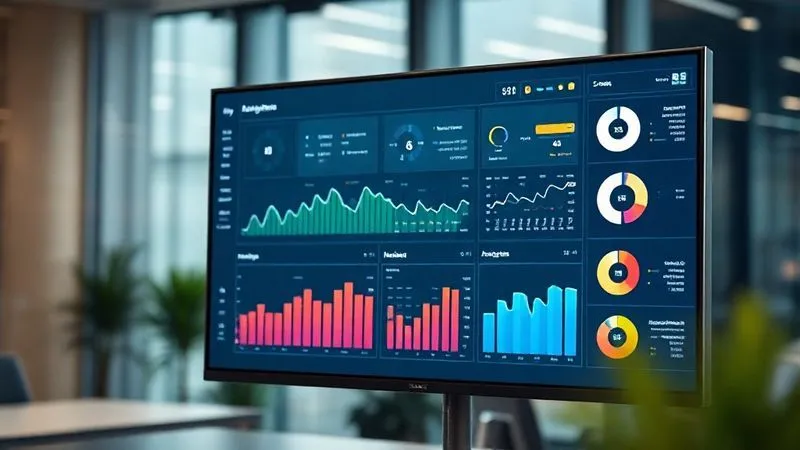
Principle 4: Enable Drill-Down and Interactivity
Actionable dashboards are not static reports; they are interactive tools that empower users to explore data beyond the surface. When a KPI flags an issue, users shouldn't have to switch to another tool or request a separate report to investigate further. The dashboard itself should facilitate this deeper dive.
I've seen many dashboards that simply present the 'what' without allowing users to discover the 'why.' This often leads to users exporting data to spreadsheets, defeating the purpose of a dynamic dashboard.
Empowering Users to Explore
Implement features that allow users to slice and dice data, filter by relevant dimensions, and drill down into underlying details. This self-service capability is critical for enabling users to uncover root causes and identify specific areas for action.
- Drill-Down Capabilities: Allow users to click on a high-level metric (e.g., total sales) to see its breakdown by region, product, salesperson, or time period.
- Filters and Slicers: Provide intuitive filters (e.g., date range, department, customer segment) so users can customize their view and focus on specific areas of interest.
- Comparative Views: Enable users to compare different segments, time periods, or scenarios side-by-side to gain deeper insights.
- Tooltips: Use interactive tooltips to provide additional context or detailed data points when hovering over a chart element.
As marketing guru Seth Godin often says, "People do not buy goods and services. They buy relations, stories and magic." In data, the 'magic' comes from the user's ability to uncover their own narrative. For more on how data can tell a compelling story, consider insights from Harvard Business Review on data storytelling.
Principle 5: Integrate Action Mechanisms Directly
This is arguably the most overlooked aspect of creating actionable dashboards. A dashboard is truly actionable when it not only highlights an insight but also provides a direct path to act upon it. If users have to leave the dashboard, log into another system, and manually initiate an action, you've introduced friction that diminishes actionability.
My experience shows that integrating action mechanisms can dramatically reduce the time from insight to intervention, leading to faster problem resolution and quicker seizing of opportunities.
Case Study: How InnovateTech Streamlined Support
InnovateTech, a mid-sized SaaS company, faced a persistent challenge: high customer support ticket resolution times, directly impacting customer satisfaction. Their existing dashboard showed the average resolution time, but users had no immediate way to act on this information without leaving the BI tool.
By implementing a new dashboard with integrated action mechanisms, they transformed their process. When the 'Average Resolution Time' KPI exceeded a threshold, the dashboard didn't just flash red; it provided a clickable link to a pre-populated task in their project management system (Jira) to investigate the surge, or a button to trigger an automated email notification to the team lead. This reduced the time to initiate an investigation from an average of 4 hours to mere minutes, resulting in a 15% reduction in overall resolution time within three months and a noticeable improvement in their Net Promoter Score (NPS).
This case demonstrates that the real power lies in closing the loop between insight and execution. According to a Deloitte study, organizations that effectively integrate analytics into their operational processes achieve significantly higher ROI from their data investments.

Principle 6: Foster a Culture of Data Literacy and Ownership
Even the most perfectly designed, actionable dashboard will fail if the users don't understand how to interpret the data or feel empowered to act on it. Technology is only one piece of the puzzle; the human element, specifically data literacy and a culture of ownership, is equally critical.
I've witnessed situations where brilliant dashboards were underutilized because employees lacked the confidence or training to engage with them effectively. Building a data-driven culture is an ongoing process that requires investment in people as much as in tools.
Training and Empowerment
Provide comprehensive training for all dashboard users. This shouldn't just be a technical walkthrough of the tool, but a deeper dive into what each KPI means, how it's calculated, why it matters to their role, and what actions they can take based on its performance. Empower users by giving them a sense of ownership over the metrics relevant to their domain.
Regular Review Cycles and Feedback Loops
Dashboards are not 'set it and forget it' tools. Establish regular review cycles where teams discuss dashboard insights, identify actions, and track their impact. Encourage users to provide feedback on the dashboard itself: Is it easy to use? Is anything unclear? Are there missing metrics that would help them make better decisions? This feedback loop is vital for continuous improvement and ensuring the dashboards remain relevant and actionable.
Building a data-driven culture where everyone feels responsible for understanding and acting on data is a journey, not a destination. For more insights on fostering such a culture, explore this Forbes article on building a data-driven culture.
| Maturity Level | Characteristics | Action Towards Literacy |
|---|---|---|
| Level 1: Novice | Reliance on static reports, limited understanding of KPIs, data viewed as IT's responsibility. | Basic training on dashboard navigation, clear definitions of key terms. |
| Level 2: Aware | Users can access dashboards, understand basic metrics, but struggle with interpretation and action. | Workshops on data interpretation, context-setting, basic problem-solving with data. |
| Level 3: Competent | Users regularly interact with dashboards, understand KPIs, can identify trends and anomalies. | Advanced training on drill-downs, scenario analysis, encouraging data-driven proposals. |
| Level 4: Proficient | Users proactively leverage dashboards for decision-making, challenge assumptions, share insights. | Peer-led learning, mentorship programs, data 'champions' recognized and rewarded. |
| Level 5: Expert/Data-Driven | Data is embedded in daily operations, informs strategic planning, continuous improvement culture. | Advanced analytics projects, predictive modeling integration, cross-functional data collaboration. |
Principle 7: Iterate, Test, and Evolve
A truly actionable dashboard is never a finished product; it's a living, evolving entity. Business needs change, market conditions shift, and user requirements evolve. Your dashboards must adapt accordingly. The most successful analytics initiatives I've overseen have always embraced an agile, iterative approach to dashboard development.
Don't fall into the trap of building a dashboard, launching it, and then forgetting about it. Regular review, testing, and refinement are crucial for maintaining its actionability and relevance over time.
A/B Testing Your Dashboard Design
Just as you'd A/B test a landing page, consider A/B testing different dashboard layouts, chart types, or even KPI presentations. Observe user behavior, gather qualitative feedback, and measure the impact on decision-making efficiency or specific business outcomes. This data-driven approach to dashboard design ensures you're continually optimizing for actionability.
User Feedback and Continuous Improvement
Beyond A/B testing, establish formal and informal channels for user feedback. Conduct user interviews, create surveys, or even embed a simple feedback button directly within the dashboard. Ask specific questions: "Did this dashboard help you make a decision today?" "What information were you looking for that you couldn't find?" Use this feedback to prioritize enhancements and ensure your dashboards remain aligned with evolving user needs and business objectives.
Remember, the goal is not just to display data, but to inspire action. This continuous cycle of feedback, refinement, and re-evaluation is what ensures your dashboards remain potent tools for driving business success.

Frequently Asked Questions (FAQ)
How do I choose the right KPIs for my dashboard? Start by defining your specific business objectives and the decisions you need to make. Then, identify metrics that directly measure progress towards those objectives and clearly indicate when action is needed. Focus on a balanced mix of leading and lagging indicators that are relevant to your target audience's role and responsibilities. Avoid vanity metrics; prioritize those that directly link to strategic goals and can be influenced by action.
What tools are best for creating actionable dashboards? The 'best' tool often depends on your existing tech stack, data sources, and team's skill set. Popular choices include Tableau, Power BI, Looker, and Qlik Sense, which offer robust visualization, interactivity, and integration capabilities. However, even tools like Excel or Google Sheets can be used effectively for simpler, highly focused dashboards if designed with actionability in mind. The tool is secondary to a well-defined strategy and user-centric design.
How do I get buy-in from leadership to invest in actionable dashboards? Frame your proposal in terms of business value and ROI. Highlight how actionable dashboards will lead to faster, more informed decisions, reduce operational inefficiencies, uncover new opportunities, and ultimately drive revenue or cost savings. Present specific use cases or a pilot project that demonstrates tangible benefits. Emphasize how these dashboards move beyond mere reporting to become strategic assets that empower data-driven leadership.
How often should dashboards be updated? The update frequency depends entirely on the nature of the data and the decisions it informs. Operational dashboards used for daily decision-making (e.g., sales performance, website traffic) might require real-time or hourly updates. Strategic dashboards tracking high-level KPIs might only need daily, weekly, or even monthly refreshes. The key is to update at a cadence that is frequent enough to enable timely action but not so frequent that it creates unnecessary noise or processing overhead.
Can small businesses also create actionable dashboards, or is this only for large enterprises? Absolutely, actionable dashboards are critical for businesses of all sizes! Small businesses often have leaner teams and need to make rapid decisions with limited resources, making the efficiency gained from actionable insights even more valuable. While they might use simpler tools or fewer data sources, the principles of defining objectives, focusing on key KPIs, and designing for action remain the same. The scale differs, but the need for data-driven decision-making is universal.
Key Takeaways and Final Thoughts
Transforming your business analytics dashboards from static reports into truly actionable tools is not a one-time project; it's a strategic evolution. It demands a shift in mindset from simply presenting data to actively empowering decision-makers. By following the principles I've outlined, you can bridge the gap between insight and action, unlocking the true potential of your data.
- Start with the 'Why': Always define your business objectives and the decisions to be made before designing.
- Prioritize Actionable KPIs: Focus on metrics that directly inform a course of action, balancing leading and lagging indicators.
- Design for Clarity: Ensure visual hierarchy, context, and simplicity guide your dashboard layout.
- Enable Interaction: Empower users with drill-down and filtering capabilities to explore data deeper.
- Integrate Action: Provide direct mechanisms within the dashboard to trigger actions based on insights.
- Cultivate Data Literacy: Invest in training and foster a culture where users feel confident and empowered to act on data.
- Embrace Iteration: Treat dashboards as living tools, continually refining them based on feedback and evolving needs.
Your data holds immense power, but that power remains latent until it drives purposeful action. By meticulously applying these principles, you won't just build better dashboards; you'll build a more agile, responsive, and ultimately, more successful organization. The journey to truly actionable dashboards begins with a clear vision and a commitment to transforming every data point into a catalyst for progress.
Recommended Reading
- Unlock the Mystery: How to Measure Integrated Marketing Campaign ROI Effectively
- 7 Proven Ways: How Corporate Philanthropy Drives Tangible Business Value
- Slash Waste & Emissions by 25%: Your 7-Step Operational Blueprint
- 5 Proven Strategies: Prevent Cultural Missteps in Global Business Talks
- 5 Steps to Resolve Inter-Departmental Conflict & Hit Project Deadlines





Comments
Leave a comment below. Your email will not be published. Required fields marked with *