


How to Reduce Help Desk Ticket Backlog from Inefficient Workflows?
For over 15 years in the trenches of customer service and IT operations, I've witnessed firsthand the insidious creep of help desk ticket backlogs. It’s a problem that often starts subtly – a few missed SLAs here, a slightly longer wait time there – but quickly escalates into a full-blown crisis, suffocating teams and alienating customers. I’ve seen companies invest heavily in new software, only to find their agents still overwhelmed, their customers still frustrated, and their backlog stubbornly refusing to shrink.
The core issue, in my experience, is rarely a lack of effort or a shortage of tools. Instead, it almost always boils down to deeply ingrained, inefficient workflows. These are the invisible chains that bind your team, creating bottlenecks, fostering repetitive tasks, and ultimately, leading to that dreaded, ever-growing queue of unresolved tickets. It's a pain point that impacts everything from employee morale and operational costs to, most critically, customer satisfaction and retention.
In this definitive guide, I'm not just going to tell you what to do; I'm going to walk you through 7 actionable, expert-backed strategies, complete with frameworks, real-world analogies, and insights gleaned from years of transforming struggling help desk operations. My goal is to equip you with the knowledge and tools to not just reduce your help desk ticket backlog from inefficient workflows, but to build a resilient, high-performing service desk capable of delivering exceptional support consistently.
The Silent Killer: Understanding the Root Causes of Backlog
Before we can fix a problem, we must truly understand its nature. A ticket backlog isn't just a number; it's a symptom of deeper systemic issues within your help desk operations. Many leaders focus on clearing the existing queue, which is like bailing water from a leaky boat without patching the holes. My approach is different: let's identify those leaks.
Identifying Common Workflow Bottlenecks
Inefficient workflows manifest in several common ways, often hidden in plain sight. These are the usual suspects I look for:
- Lack of Clear Ticket Routing: Tickets landing in the wrong queue or assigned to the wrong agent, leading to multiple reassignments and delays.
- Repetitive Manual Tasks: Agents spending valuable time on tasks that could easily be automated, such as data entry or sending canned responses.
- Poorly Managed Knowledge Base: An outdated, incomplete, or difficult-to-search knowledge base forces agents to research solutions from scratch repeatedly.
- Inadequate Agent Training & Skill Gaps: Agents struggling with complex issues due to insufficient training, leading to escalation or longer resolution times.
- Ineffective Internal Communication: Delays caused by agents waiting for information from other departments or senior staff, or poor handoff procedures.
- Absence of Proactive Problem Solving: Consistently addressing symptoms without identifying and resolving the underlying root causes of recurring issues.
In my experience, a truly efficient help desk isn't just reactive; it's proactive. It anticipates problems, empowers agents, and streamlines every interaction to prevent backlog before it even forms.
Step 1: Audit Your Current Workflows with Surgical Precision
You can't optimize what you don't understand. The first, most critical step in addressing how to reduce help desk ticket backlog from inefficient workflows is to perform a thorough, unbiased audit of your existing processes. This isn't about blaming; it's about illuminating.
Mapping the Customer Journey and Agent Path
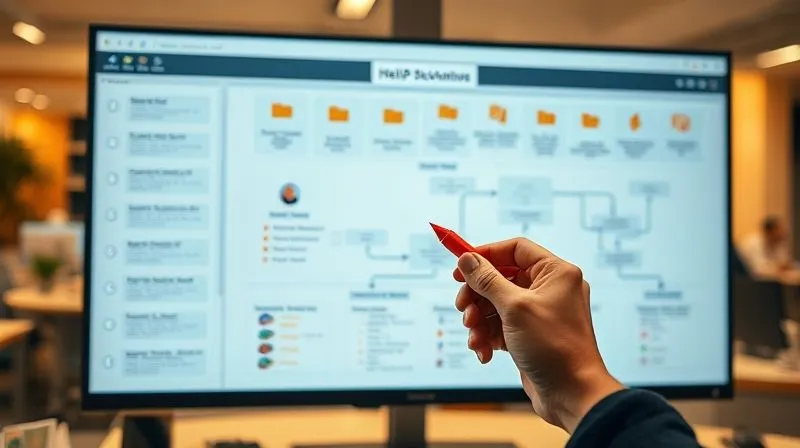
I recommend literally mapping out every single step a ticket takes, from the moment a customer initiates contact to its final resolution. This includes:
- Documenting Entry Points: How do customers submit tickets (phone, email, chat, portal, social media)?
- Tracing the Ticket's Path: What happens immediately after submission? Is it auto-assigned? Manually triaged? Does it go through multiple queues?
- Identifying Decision Points: Where do agents make choices? What criteria do they use?
- Pinpointing Handoffs & Escalations: Who takes over, and how is information transferred? What triggers an escalation?
- Analyzing Resolution Steps: What steps are typically involved in resolving different types of issues?
- Measuring Time at Each Stage: Use your help desk software's reporting features to understand how long tickets spend in each status or with each agent.
Once you have this map, you'll start to see the friction points, the unnecessary loops, and the areas where tickets get stuck. This visual representation is incredibly powerful. According to a Harvard Business Review article on process mapping, understanding the customer journey is paramount to improving service delivery.
Step 2: Empowering Your Team with Knowledge and Training
Your agents are your front line, and their efficiency directly impacts backlog. Often, what appears to be an inefficient workflow is actually a symptom of agents lacking the right tools or knowledge to resolve issues quickly. Investing in your team is never a cost; it's an investment in your operational efficiency.
Building a Robust and Accessible Knowledge Base
A comprehensive, up-to-date, and easily searchable knowledge base is the backbone of an efficient help desk. It allows agents to find answers quickly and, crucially, empowers customers to self-serve, deflecting tickets before they even reach your team. I’ve seen companies reduce their ticket volume by as much as 20-30% simply by optimizing their knowledge base.
- Centralize Information: Ensure all common solutions, troubleshooting steps, and policy documents are in one place.
- Regularly Update: Assign ownership for different sections and schedule periodic reviews to ensure accuracy.
- Optimize for Search: Use clear titles, relevant keywords, and tags. Consider customer-facing and agent-only sections.
- Encourage Agent Contributions: Empower agents to add new solutions or suggest improvements based on their daily interactions.
Continuous Training and Skill Development Programs
The tech landscape and customer expectations are constantly evolving. Your agents need continuous training not just on product updates, but also on soft skills, advanced troubleshooting techniques, and new software features. This reduces the need for escalations and improves first-contact resolution rates.
- Identify Skill Gaps: Analyze ticket data to find common issues that lead to escalations or longer resolution times.
- Implement Regular Workshops: Focus on specific product areas, new tools, or soft skills like de-escalation.
- Cross-Training: Train agents on different product lines or support tiers to increase flexibility and reduce reliance on a few specialists.
- Mentorship Programs: Pair experienced agents with newer ones to facilitate knowledge transfer and build team cohesion.
As I often tell my clients, the best technology in the world is useless if your people aren't equipped to use it effectively. Invest in your team, and they will reduce your help desk ticket backlog from inefficient workflows.
Step 3: Harnessing Automation for Efficiency and Speed
Automation isn't about replacing humans; it's about augmenting their capabilities and freeing them from repetitive, low-value tasks. This is where you can make significant strides in how to reduce help desk ticket backlog from inefficient workflows, especially for high-volume operations.
Implementing Smart Routing and Triage Systems
Manual triage is a major bottleneck. Smart routing uses predefined rules to automatically assign tickets to the correct department, team, or even individual agent based on keywords, customer history, ticket type, or urgency. This ensures tickets land in the right hands immediately, dramatically reducing resolution times.
- Categorization Rules: Automatically categorize tickets based on subject line keywords (e.g., "password reset" goes to IT), sender's email domain, or form fields.
- Priority Assignment: Set rules to flag high-priority issues (e.g., from VIP clients, or system outages) for immediate attention.
- Skill-Based Routing: Route tickets to agents with specific expertise required for the issue.
Leveraging AI and Chatbots for First-Tier Support
AI-powered chatbots and virtual assistants can handle a significant percentage of routine inquiries, answer FAQs, and even guide users through basic troubleshooting steps. This deflects tickets, reduces the load on your human agents, and provides instant support to customers 24/7. According to a Deloitte study, intelligent automation can significantly enhance customer service efficiency.
Consider the impact:
| Process Stage | Manual Workflow | Automated Workflow | Impact on Backlog |
|---|---|---|---|
| Ticket Triage | Agent manually reads and assigns tickets. | AI analyzes keywords, assigns priority, and routes to correct team automatically. | Significant reduction in initial queueing time. |
| First-Tier Inquiry | Agent answers common FAQs, provides basic troubleshooting. | Chatbot handles 70% of FAQs, guides users, collects info before human intervention. | Deflects tickets, frees agents for complex issues. |
| Data Entry & Updates | Agent updates CRM, logs interactions manually. | Integrations auto-update CRM, log calls, generate follow-up tasks. | Reduces administrative burden, improves data accuracy. |
Step 4: Streamlining Communication and Collaboration
A significant portion of backlog accumulation stems from poor internal communication and disjointed collaboration. When agents struggle to get information from colleagues or other departments, tickets stall. This is a critical area to address when looking at how to reduce help desk ticket backlog from inefficient workflows.
Establishing Clear Internal Communication Channels
Ensure your team has dedicated, efficient channels for internal communication. This goes beyond email. Think about integrated chat platforms, shared dashboards, and clear protocols for information sharing.
- Dedicated Chat Channels: Use platforms like Slack or Microsoft Teams for quick questions, announcements, and collaborative troubleshooting.
- Shared Knowledge Snippets: Allow agents to quickly share useful information, common solutions, or workarounds with each other.
- Structured Escalation Paths: Clearly define when and how to escalate a ticket, including who to contact and what information is required.
Integrating Tools for Seamless Handoffs
Handoffs between agents or departments are notorious points of failure. Inefficient handoffs mean information gets lost, context is forgotten, and customers have to repeat themselves. Your tools should facilitate, not hinder, these transitions.
- Unified CRM & Help Desk: Ensure your help desk software is integrated with your CRM so agents have a complete view of the customer's history.
- Standardized Handoff Notes: Implement a mandatory template for notes when escalating or transferring a ticket, ensuring all critical information is included.
- Shared Ticket View: Allow all relevant team members (e.g., Tier 1, Tier 2, product team) to view the same ticket and its history in real-time.
Case Study: How TechSolutions Boosted Resolution Times
TechSolutions, a mid-sized software company, was struggling with an average ticket resolution time of 72 hours, largely due to internal communication breakdowns. Agents often waited days for responses from the development team on bug reports. By implementing a dedicated Slack channel for cross-departmental communication, integrating their help desk with Jira for seamless bug tracking, and standardizing escalation notes, they reduced their average resolution time to 24 hours within six months. This resulted in a 40% reduction in their weekly ticket backlog and a significant boost in customer satisfaction scores.

Step 5: Proactive Problem Solving and Root Cause Analysis
One of the most profound shifts you can make to reduce help desk ticket backlog from inefficient workflows is moving from a purely reactive stance to a proactive one. This means not just solving individual tickets, but identifying and eliminating the root causes of recurring problems.
Implementing a 'Fix the Cause, Not Just the Symptom' Mentality
Every ticket is a data point. When you see the same issue appearing repeatedly, it's a red flag indicating a systemic problem. Instead of just resolving each instance, dedicate resources to finding out why it's happening and preventing future occurrences. This is the essence of continuous improvement and Lean methodologies in service delivery.
- Regular Ticket Reviews: Schedule weekly or bi-weekly sessions to review common ticket types, especially those with high volume or long resolution times.
- 5 Whys Analysis: For persistent problems, use the '5 Whys' technique to drill down to the fundamental cause. (e.g., Why is the server down? Because X failed. Why did X fail? Because Y wasn't updated. Why wasn't Y updated? etc.)
- Feedback Loop to Product/Dev: Establish a formal process for agents to report recurring bugs, confusing UI elements, or common customer pain points directly to product development teams.
Regularly Reviewing Common Ticket Themes
Your help desk software should provide reporting on ticket categories, common keywords, and resolution codes. Use this data to identify trends. Are there specific products, features, or processes that consistently generate a high volume of support requests? These are your targets for proactive intervention.
As marketing guru Seth Godin often says, "Don't find customers for your products, find products for your customers." In help desk terms, this translates to: "Don't just solve problems for your customers, solve the problems with your products (or processes) that cause the tickets."
For more insights into quality management and root cause analysis, consider exploring principles from ASQ (American Society for Quality).
Step 6: Defining and Monitoring Key Performance Indicators (KPIs)
You can't manage what you don't measure. To effectively reduce help desk ticket backlog from inefficient workflows, you need clear metrics to track progress, identify areas for improvement, and demonstrate success. These KPIs go beyond just the raw number of tickets.
Essential Metrics for Backlog Management
Focus on a balanced scorecard of metrics that reflect both efficiency and customer satisfaction:
- Backlog Size: The total number of open tickets at any given time. Track this trend over time.
- First Response Time (FRT): How long it takes for an agent to provide the initial response.
- Mean Time to Resolution (MTTR): The average time from ticket creation to its final resolution.
- First Contact Resolution (FCR): The percentage of tickets resolved on the first interaction.
- Customer Satisfaction (CSAT) Score: Measured via post-interaction surveys. A high CSAT often correlates with efficient service.
- Ticket Reopen Rate: How often resolved tickets are reopened, indicating potential incomplete resolutions.
- Agent Utilization Rate: The percentage of time agents spend on productive tasks versus waiting or administrative work.
Using Data to Drive Continuous Improvement
These KPIs aren't just for reporting; they are diagnostic tools. Regular review meetings should focus on analyzing these metrics, identifying deviations, and brainstorming solutions. For example, a rising MTTR might point to a training gap or a bottleneck in a specific escalation path.
| KPI | Goal | Current Value | Target Value | Action Item |
|---|---|---|---|---|
| Backlog Size | Decrease by 20% | 1500 tickets | 1200 tickets | Implement smart routing and chatbot for 1st tier. |
| Mean Time to Resolution (MTTR) | Reduce by 15% | 48 hours | 40.8 hours | Enhance knowledge base and agent cross-training. |
| First Contact Resolution (FCR) | Increase by 10% | 65% | 71.5% | Improve agent training on complex issues and access to resources. |
Step 7: Cultivating a Culture of Continuous Improvement
Finally, reducing help desk ticket backlog from inefficient workflows isn't a one-time project; it's an ongoing journey. The most successful help desk operations I've worked with are those that embed a culture of continuous improvement into their DNA.
Regular Feedback Loops and Agent Empowerment
Your agents are on the front lines; they know where the inefficiencies lie better than anyone. Create formal and informal channels for them to provide feedback on workflows, tools, and processes. More importantly, act on that feedback.
- Agent Suggestion Box: A dedicated channel for agents to submit ideas for improvement.
- Team Huddles: Short daily or weekly meetings to discuss challenges, share best practices, and identify immediate workflow snags.
- Empowerment to Iterate: Give agents the autonomy to suggest minor process tweaks and test them, fostering a sense of ownership.
Iterative Process Refinement
Don't wait for a crisis to review your workflows. Schedule regular, perhaps quarterly, deep dives into your help desk processes. Revisit your workflow maps, re-evaluate your automation rules, and assess the effectiveness of your training programs. The goal is incremental, consistent improvement.
The journey to an optimized help desk is never truly finished. It's a continuous cycle of analysis, implementation, and refinement. Embrace this mindset, and your backlog will become a relic of the past.
For further reading on building a culture of continuous improvement, explore the principles of Lean Management.

Frequently Asked Questions (FAQ)
Q: How do I get buy-in from management for new tools or process changes? A: Focus on quantifiable benefits. Present data on current backlog costs (lost productivity, customer churn, agent burnout). Then, project the ROI of your proposed solutions in terms of reduced resolution times, increased FCR, and improved CSAT. Frame it as an investment in customer retention and operational efficiency, not just an expense. Use your audit data to make a compelling case.
Q: What if my team resists new workflows or automation? A: Resistance often stems from fear of the unknown or feeling unheard. Involve your agents in the process from day one. Explain the 'why' behind changes, demonstrate how new tools will make their jobs easier, and address their concerns openly. Provide thorough training and celebrate early successes. Show them that automation empowers them, rather than replaces them.
Q: How often should we review our help desk workflows? A: I recommend a formal, in-depth review at least quarterly, or whenever there's a significant change in your product, services, or team structure. However, daily and weekly huddles should serve as informal, continuous feedback loops for minor adjustments. The goal is agility and constant adaptation.
Q: Can small teams effectively implement these strategies? A: Absolutely. In fact, small teams often have an advantage due to their agility. Start small, focusing on the highest-impact inefficiencies. Even basic automation rules, a well-maintained knowledge base, and clear communication protocols can yield significant results for a small team. Prioritize the strategies that address your most pressing bottlenecks first.
Q: What's the biggest mistake companies make when trying to reduce backlog? A: The biggest mistake is treating backlog as a standalone problem to be 'cleared' rather than a symptom of inefficient workflows. They focus on short-term fixes (e.g., hiring more agents without fixing processes) instead of root cause analysis and systemic improvements. This leads to a recurring cycle of backlog, burnout, and customer dissatisfaction.
Key Takeaways and Final Thoughts
Addressing how to reduce help desk ticket backlog from inefficient workflows is not a quick fix; it's a strategic imperative that demands a holistic approach. By systematically auditing your processes, empowering your team, embracing smart automation, fostering seamless collaboration, adopting proactive problem-solving, and meticulously measuring your progress, you can transform your help desk from a reactive cost center into a proactive engine of customer satisfaction and operational excellence.
- Audit Relentlessly: Understand every step of your current workflows.
- Empower Your People: Invest in knowledge bases and continuous training.
- Automate Smartly: Leverage AI and routing for efficiency.
- Collaborate Seamlessly: Break down communication silos.
- Solve Proactively: Address root causes, not just symptoms.
- Measure Consistently: Use KPIs to guide your improvements.
- Cultivate Improvement: Foster a culture of ongoing refinement.
Remember, your help desk is the heartbeat of your customer experience. By committing to these strategies, you're not just reducing a ticket backlog; you're building a more resilient, responsive, and respected service operation. The path won't always be easy, but the rewards – happier customers, empowered agents, and a healthier bottom line – are immeasurable. Start today, and watch your help desk thrive.
Recommended Reading
- 9 Ways to Slash AfCFTA Customs Delays & Boost Your Trade
- 7 Pillars: How to Avoid Legal Risks During Business Acquisition Due Diligence
- Unlock E-commerce Loyalty: The Ultimate Guide to Optimizing Post-Purchase CX
- Migrate E-commerce Platform: 8 Steps to Safeguard SEO Rankings & Traffic
- From Concept to Cash: 7 Steps to Execute Innovative Ideas Effectively





Comments
Leave a comment below. Your email will not be published. Required fields marked with *