


What's Causing My E-commerce Checkout Flow's 70% Drop-off?
For over 15 years in the e-commerce landscape, I've witnessed countless businesses pour significant resources into attracting customers, only to see their hard-earned traffic vanish at the final, most critical stage: the checkout. It's a frustrating, often bewildering experience for many online store owners, and I understand that feeling of watching potential revenue slip through your fingers.
A 70% drop-off rate in your e-commerce checkout flow isn't just a statistic; it's a gaping wound in your business model, hemorrhaging sales and eroding your profitability. It signifies a fundamental breakdown in the customer journey, indicating that something is severely deterring motivated buyers right when they’re ready to commit. This isn't about window shopping; these are customers who have expressed intent by adding items to their cart.
In this definitive guide, I'm going to pull back the curtain on the most common, yet often overlooked, culprits behind such a dramatic abandonment rate. We'll dissect the problem with a seasoned expert's eye, providing you with actionable frameworks, real-world insights, and step-by-step strategies to not only identify but systematically fix what's causing your e-commerce checkout flow's 70% drop-off. Prepare to transform your checkout from a leaky bucket into a robust conversion engine.
The Hidden Costs of a Leaky Checkout Funnel
When you encounter a 70% drop-off, it's easy to focus solely on the immediate lost sale. However, the repercussions extend far beyond that single transaction. A high abandonment rate impacts your customer acquisition cost (CAC), as the money spent to bring those customers to your site is effectively wasted.
Furthermore, it damages your brand reputation. A frustrating checkout experience often leads to negative word-of-mouth or, at the very least, a reluctance for customers to return. This directly affects customer lifetime value (CLTV), turning potential loyal patrons into one-time visitors who never complete a purchase.
In my experience, a dollar saved in abandonment prevention is often more valuable than a dollar earned in new customer acquisition, as it leverages existing intent and traffic.
It also distorts your marketing data, making it harder to accurately assess campaign performance if a significant portion of your efforts are undermined by a broken checkout. Addressing this high drop-off is not just about recovering lost sales; it's about building a sustainable, profitable e-commerce operation.
Diagnosing the Problem: Analytics is Your Best Friend
Before you can fix the problem, you need to understand precisely where and why customers are abandoning their carts. Guesswork is a luxury you cannot afford with a 70% drop-off. Robust analytics and a deep dive into your data are paramount.
Setting Up Comprehensive Funnel Tracking
Most e-commerce platforms and analytics tools offer some form of funnel visualization, but ensuring it's correctly configured is crucial for accurate insights.
- Implement Enhanced E-commerce Tracking: For Google Analytics users, ensure Enhanced E-commerce is fully set up. This allows you to track specific checkout steps (e.g., shipping, payment, review).
- Utilize Heatmaps and Session Recordings: Tools like Hotjar or Crazy Egg provide visual data on user behavior. Heatmaps show where users click, move, and scroll, while session recordings let you watch actual user journeys.
- Configure Custom Events: Track micro-conversions or specific interactions within your checkout flow that might indicate friction, such as form field errors or button clicks.
This granular data will illuminate the exact points where users are encountering obstacles and abandoning their purchase.
Identifying Key Drop-off Points
Once your tracking is in place, analyze your checkout funnel report. This will visually represent the customer journey and highlight the stages with the highest leakage. A typical e-commerce checkout funnel might look like:
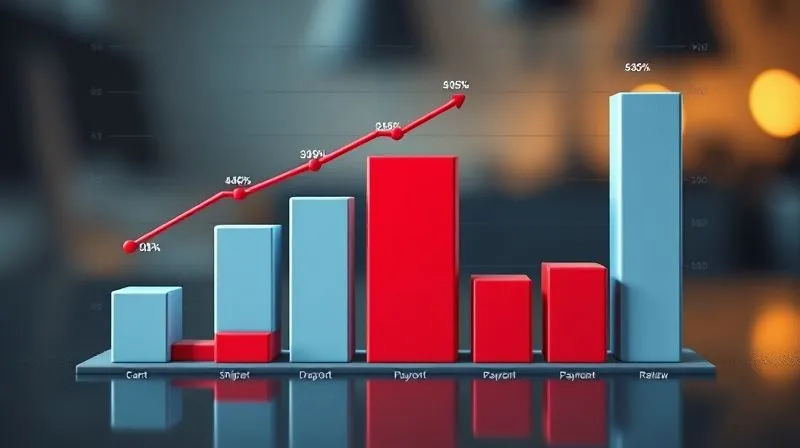
A significant portion of your 70% drop-off could be concentrated in one or two specific areas. For instance, if you see a massive drop between the 'shipping information' stage and 'payment,' it points to issues related to shipping costs or delivery options.
| Stage | Typical Drop-off Rate | Your 70% Share |
|---|---|---|
| Cart to Checkout Initiation | 20-30% | 25% |
| Shipping Information | 5-10% | 10% |
| Payment Information | 5-15% | 20% |
| Order Review & Confirmation | 2-5% | 15% |
| Total Potential Drop-off | 32-60% | 70% |
Understanding where your 70% drop-off is concentrated allows for targeted optimization efforts, ensuring you're not just guessing but acting on data.
Culprit #1: Unexpected Costs & Lack of Transparency
One of the most common reasons for cart abandonment, directly contributing to your 70% drop-off, is the sudden appearance of unexpected costs. Customers hate surprises, especially when it comes to their money.
The Shocking Shipping Fee
I've seen it time and again: a customer adds items, proceeds to checkout, and then BAM! A hefty shipping fee is added, instantly killing their purchasing mood. According to Baymard Institute's research on shipping cost transparency, unexpected shipping costs are the number one reason for cart abandonment.
- Offer Free Shipping: If feasible, this is a powerful incentive. If not, consider a free shipping threshold.
- Upfront Shipping Calculators: Provide a shipping cost estimator on product pages or in the cart before checkout initiation.
- Clear Shipping Policies: Link to clear, concise shipping policies from the cart and checkout pages.
Hidden Taxes and Additional Charges
Similarly, unexpected taxes, handling fees, or other surcharges that only appear at the final stage can be deal-breakers. Transparency is king. Display all costs, including estimated taxes, as early as possible in the customer journey.
Culprit #2: Complex Forms & Account Creation Hurdles
The checkout process should be a smooth, frictionless path to purchase, not an interrogation. Lengthy forms and mandatory account creation are significant contributors to a high drop-off rate.
The Guest Checkout Imperative
Many customers are in a hurry, or they simply don't want another account to manage. Forcing them to register before completing a purchase is a surefire way to increase abandonment.
- Enable Guest Checkout: Always offer a guest checkout option. Make it prominent and the default choice.
- Post-Purchase Account Creation: Give customers the option to create an account *after* their purchase is complete, perhaps offering a benefit like order tracking or exclusive discounts.
Streamlining Form Fields
Every additional field you ask a customer to fill out introduces friction and increases the likelihood of error or abandonment. Only ask for information that is absolutely essential for fulfilling the order.
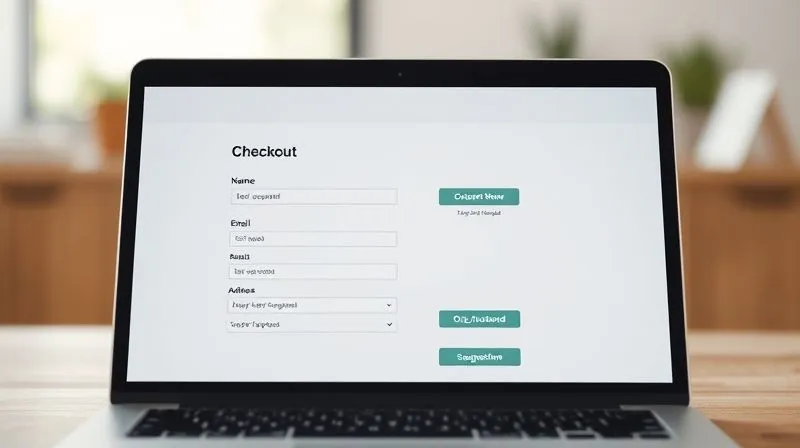
- Minimize Fields: Remove any non-essential fields. Do you really need their fax number or middle initial?
- Auto-fill and Smart Defaults: Use browser auto-fill functionalities and smart defaults (e.g., pre-select shipping address as billing address).
- Clear Error Messaging: If an error occurs, provide clear, concise, and helpful messages that guide the user to fix the problem, rather than cryptic codes.
Case Study: How BrightMart Boosted Conversions with Guest Checkout
BrightMart, an online electronics retailer, initially saw a 65% drop-off at their checkout, with a significant portion occurring right at the 'create account' prompt. By implementing a prominent guest checkout option and reducing their form fields by 30%, they observed a 15% increase in their overall conversion rate within three months. This seemingly small change directly addressed what's causing their e-commerce checkout flow's 70% drop-off, demonstrating the power of user-centric design.
Culprit #3: Trust & Security Concerns
In an age of data breaches and online scams, customers are increasingly wary about sharing their personal and financial information. If your checkout page doesn't exude trust and security, they will leave.
Visible Trust Signals
Customers look for visual cues that indicate their transaction is safe. These trust signals can significantly reduce anxiety and increase conversion rates.
- SSL Certificate: Ensure your entire site, especially the checkout, uses HTTPS. Display the padlock icon prominently.
- Payment Gateway Logos: Showcase logos of accepted payment methods (Visa, MasterCard, PayPal, etc.) and security badges (Norton Secured, McAfee SECURE).
- Customer Testimonials/Reviews: A small snippet of a positive review or a star rating near the checkout button can instill confidence. Shopify's guide to e-commerce trust badges emphasizes their importance.
Privacy Policy & Data Security Assurances
Link to your privacy policy clearly from the checkout page. Reassure customers that their data will not be shared or misused. A simple statement like "Your information is 100% secure and will never be shared" can go a long way.
Culprit #4: Poor Mobile Experience
Mobile commerce now accounts for a significant portion of online sales. If your checkout flow isn't perfectly optimized for mobile devices, you're alienating a massive segment of your potential customers.
Responsive Design is Non-Negotiable
A checkout page that requires pinching, zooming, or excessive scrolling on a smartphone is a death sentence for conversions. Your design must be fully responsive, adapting seamlessly to any screen size.
- Test Across Devices: Regularly test your checkout flow on various mobile devices and operating systems.
- Large Tap Targets: Ensure buttons and form fields are large enough to be easily tapped with a finger.
- Vertical Scrolling: Design for vertical scrolling, minimizing horizontal movement.
Optimizing for Mobile Payments
Mobile users expect speed and convenience. Integrating mobile-specific payment options can dramatically improve the checkout experience.
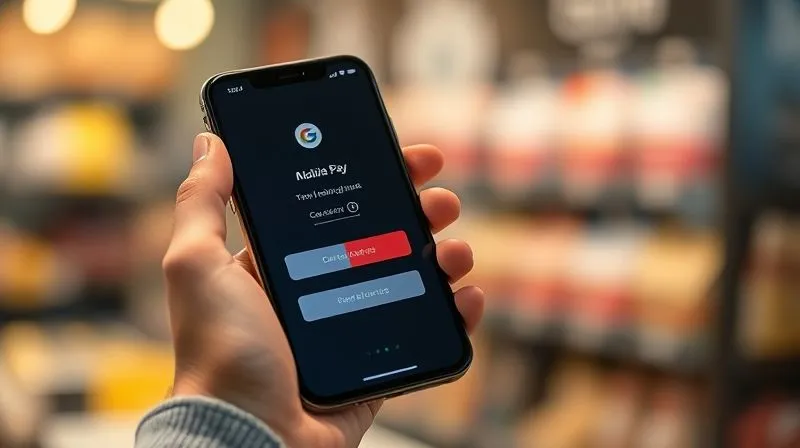
- Apple Pay/Google Pay: Offer these one-click payment options prominently.
- Simplified Input: Auto-detect credit card types, use number pads for numerical inputs, and leverage address lookups.
Culprit #5: Limited Payment Options & Technical Glitches
Customers have preferred ways to pay. If their chosen method isn't available or if they encounter technical issues, they'll abandon their cart.
Offering Diverse Payment Methods
While credit cards are universal, a growing number of customers prefer alternative payment methods, especially in international markets or for specific demographics.
| Payment Method | Conversion Impact | Consideration |
|---|---|---|
| Credit/Debit Cards (Visa, MC, Amex) | Essential, high usage | Standard for all stores |
| PayPal | Significant, especially for repeat buyers | Increases trust, faster checkout |
| Apple Pay/Google Pay | High on mobile, frictionless | Crucial for mobile-first experience |
| Klarna/Afterpay (BNPL) | Boosts AOV & conversion for high-ticket items | Appeals to budget-conscious buyers |
| Local Payment Options (e.g., iDEAL, Sofort) | Critical for international markets | Tailor to target regions |
Review Stripe's overview of payment methods to understand the breadth of options available.
Ensuring Flawless Payment Gateway Integration
Technical errors during payment processing are instant conversion killers. A 'payment failed' message without clear instructions or a slow, unresponsive payment gateway will send customers away.
- Regular Testing: Continuously test your payment gateway with various card types and scenarios.
- Robust Error Handling: Provide clear, user-friendly error messages that explain what went wrong and how to fix it, rather than generic technical errors.
- PCI Compliance: Ensure your payment processing is fully PCI compliant to protect customer data and build trust.
Culprit #6: Slow Loading Times & Performance Issues
In today's fast-paced digital world, patience is a scarce commodity. A slow-loading checkout page is a major turn-off, directly contributing to a high drop-off rate, often without the user even realizing why they left.
The Need for Speed
Even a delay of a few seconds can significantly impact conversion rates. Google's research indicates that as page load time goes from 1s to 3s, the probability of bounce increases by 32%.
- Optimize Images: Compress all images on your checkout pages without sacrificing quality.
- Leverage CDN: Use a Content Delivery Network (CDN) to serve static assets faster to users globally.
- Browser Caching: Implement browser caching to store static files locally on the user's device, speeding up subsequent visits.
- Minimize Scripts: Audit and minimize third-party scripts and plugins that might be slowing down your pages.
Server Reliability
Your hosting infrastructure plays a crucial role. Ensure your e-commerce platform and server can handle peak traffic without slowing down or crashing. Regular uptime monitoring is essential.
Culprit #7: Inadequate Customer Support & FAQ
Even with the most optimized checkout, customers will inevitably have questions or encounter minor roadblocks. A lack of readily available support can quickly lead to abandonment.
Real-time Assistance
Providing immediate help during the checkout process can be a game-changer.
- Live Chat: Integrate a live chat widget prominently on your checkout pages. Make it clear that help is just a click away.
- Visible Contact Information: Display your customer service phone number or email address clearly, especially during the final stages of checkout.
Proactive FAQ Integration
Anticipate common questions and provide concise answers directly within the checkout flow or via an easily accessible FAQ link.
- Shipping & Returns: Address common queries about delivery times, costs, and return policies.
- Payment Security: Reassure customers about the security of their payment information.
- Account Queries: Clarify if an account is required or the benefits of creating one.
Culprit #8: Lack of Urgency & Value Proposition
Sometimes, customers get to the checkout but simply aren't compelled enough to complete the purchase. The initial excitement might have worn off, or they're still on the fence. This often contributes to what's causing your e-commerce checkout flow's 70% drop-off.
Reiterating Product Benefits
At the checkout, give customers one last, subtle reminder of *why* they're buying this product. Reiterate key benefits or the value proposition.
- Small Value Props: Include a small section or bullet points summarizing product benefits or your brand's unique selling points (e.g., "Free Returns," "24/7 Support," "Eco-Friendly").
- Customer Reviews: Display a few compelling product reviews directly on the checkout page.
Limited-Time Offers & Scarcity
Ethically applied urgency and scarcity can provide that final push needed to complete a purchase.
- Cart Timers: For items with limited stock or promotional prices, a subtle timer indicating how long the items are reserved can be effective.
- Stock Indicators: "Only 3 left in stock!" can create a sense of urgency.
Implementing & Iterating: The A/B Testing Imperative
Identifying the potential culprits is the first step; fixing them requires a systematic approach of implementation, measurement, and iteration. This is where A/B testing becomes your most powerful ally in reducing your 70% drop-off.
Continuous Optimization Through Experimentation
Never assume a change will improve conversions. Every modification, no matter how small, should be treated as a hypothesis to be tested.
- Formulate a Hypothesis: Clearly state what you expect to happen (e.g., "Changing 'Create Account' to 'Continue as Guest' will reduce drop-off by 5%").
- Isolate Variables: Test one change at a time to accurately attribute results.
- Run Your Test: Use A/B testing tools (e.g., Google Optimize, Optimizely) to split traffic between your original (control) and modified (variant) checkout pages.
- Analyze Results: Statistically significant results are crucial. Don't make decisions based on gut feelings or short-term fluctuations.
- Implement & Iterate: If the variant wins, implement it. If not, learn from it and formulate a new hypothesis.

This continuous cycle of testing and optimization is how you progressively chip away at that daunting 70% drop-off, transforming your checkout into a highly efficient conversion machine over time.
Frequently Asked Questions (FAQ)
How often should I audit my e-commerce checkout flow? I recommend a comprehensive audit at least quarterly, but critical metrics should be monitored daily. Any significant changes to your website, payment gateway, or shipping options warrant an immediate mini-audit of the relevant sections. Continuous A/B testing should be an ongoing process, not a one-off event.
What's the ideal number of steps for a checkout? While there's no magic number, the trend is towards fewer, more consolidated steps. A one-page checkout can be highly effective if executed well, but a multi-step checkout (typically 3-5 steps: cart, shipping, payment, review) with a clear progress indicator can also perform strongly by reducing cognitive load. Focus on minimizing fields and clicks, not just step count.
Should I force account creation at checkout? Absolutely not. Data consistently shows that forced account creation is a major friction point and leads to significant abandonment. Always offer a prominent guest checkout option. You can encourage account creation *after* the purchase by highlighting benefits like order tracking, faster future checkouts, or exclusive loyalty rewards.
How do I measure the ROI of checkout optimization efforts? The ROI is straightforward: (New Conversions * Average Order Value) - (Cost of Optimization Tools/Time). Track your conversion rate before and after implementing changes. Even a small percentage increase in conversion on a high-traffic site can translate into significant additional revenue, easily justifying the investment.
What's the single most impactful change I can make to reduce my 70% drop-off? While it depends on your specific analytics, addressing unexpected shipping costs and enabling a frictionless guest checkout are almost universally impactful. These two issues alone are responsible for a massive portion of cart abandonment across the industry. Start there, then dive deeper into your unique data.
Key Takeaways and Final Thoughts
Tackling a 70% drop-off in your e-commerce checkout flow might seem daunting, but it's an opportunity for substantial growth. By systematically addressing the common culprits and leveraging data-driven insights, you can transform this significant leakage into a powerful revenue stream.
- Prioritize Transparency: Eliminate unexpected costs like shipping and taxes.
- Simplify the Path: Offer guest checkout and minimize form fields.
- Build Trust: Display security badges and offer diverse, reliable payment options.
- Optimize for Mobile: Ensure a seamless experience on all devices.
- Provide Support: Make help readily available throughout the process.
- Instill Urgency & Value: Remind customers why they're buying.
- Test Relentlessly: Continuous A/B testing is key to sustained improvement.
Remember, your checkout flow is not just a transactional gateway; it's a critical part of your customer's experience and a direct reflection of your brand's commitment to user satisfaction. By implementing these expert strategies, you're not just fixing a technical problem; you're building a more robust, trustworthy, and profitable e-commerce business. The journey to a significantly lower drop-off rate begins now. Go forth and optimize!
Recommended Reading
- 7 Proven Strategies: Fix Underperforming Influencer Campaigns & Boost Sales
- 7 Steps to Operationalize Weak Signals into Innovation Strategy
- Unlock Growth: How to Interpret Profit and Loss for Business Success
- 7 Critical Reasons Your 'Qualified' Leads Aren't Converting to Sales
- 7 Proven Steps: Proactively Identify & Re-engage At-Risk Customers





Comments
Leave a comment below. Your email will not be published. Required fields marked with *